
How to Setup Drawers & Bins
In order for your items to be categorized correctly you need to set up the number of drawers and bins of your cabinet.
Go to app.shopxpert.com
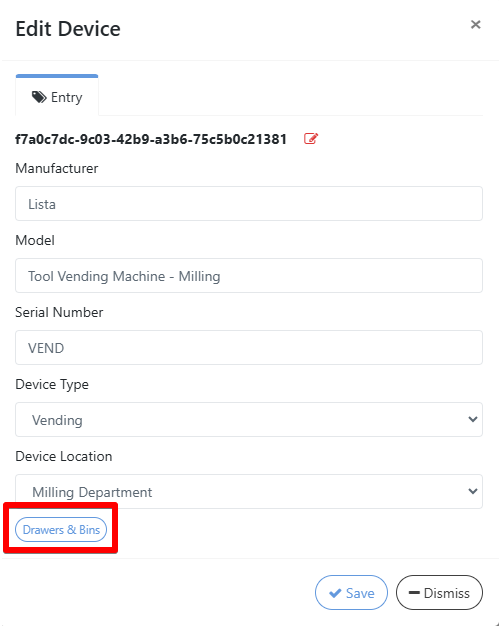
Open device enrollment and go to edit vending device. Click on Drawers & Bins
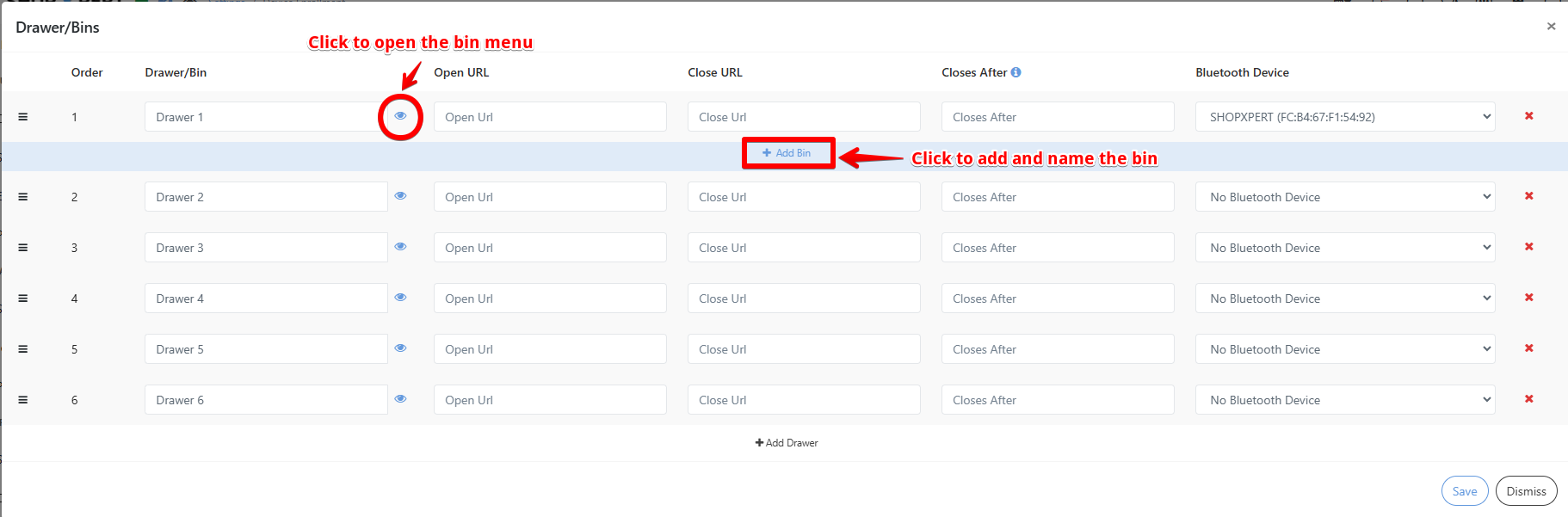
Count the number of drawers available on your cabinet. In this example the cabinet has 6 drawers. You can create them one by one using the “Add Drawer” button.
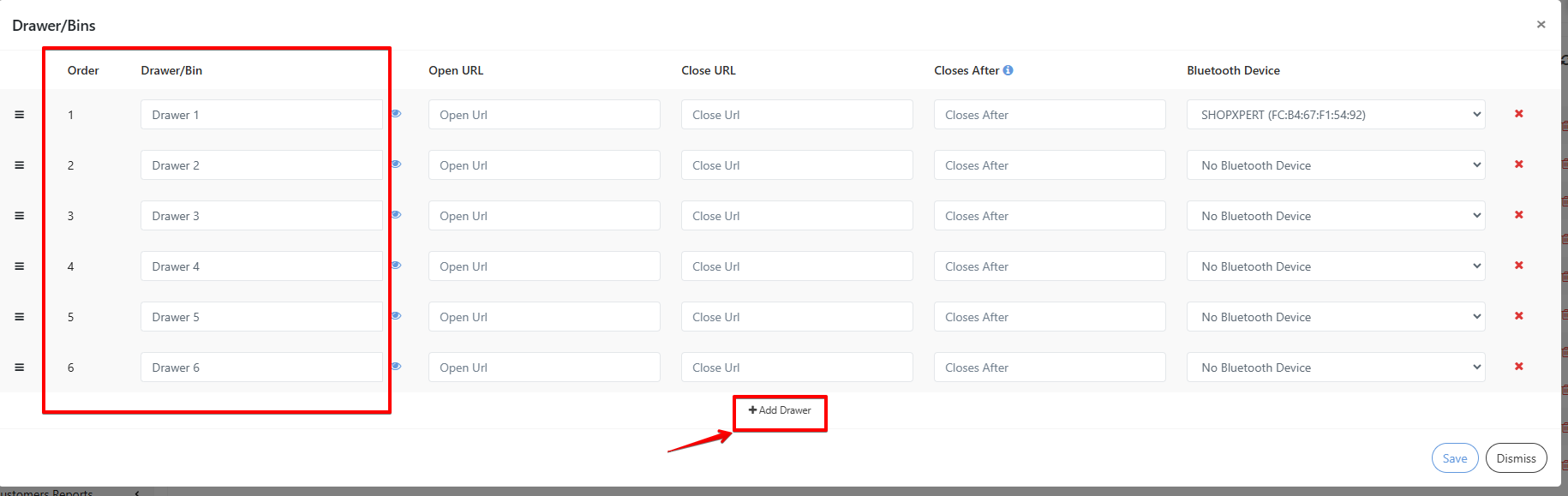
After you created each drawer go ahead and add the number of bins available on each drawer.
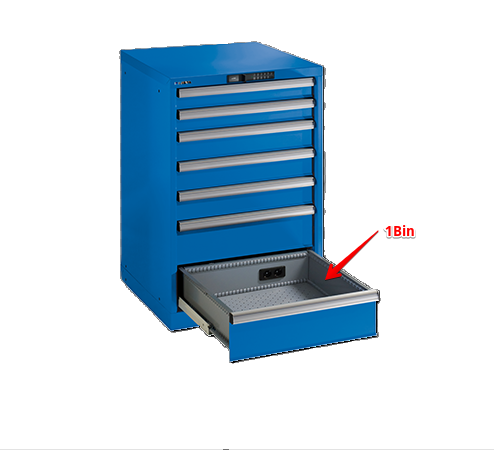
Drawers can have 1 or more bins. See examples below
Drawer 7 –> 1 bin is available.
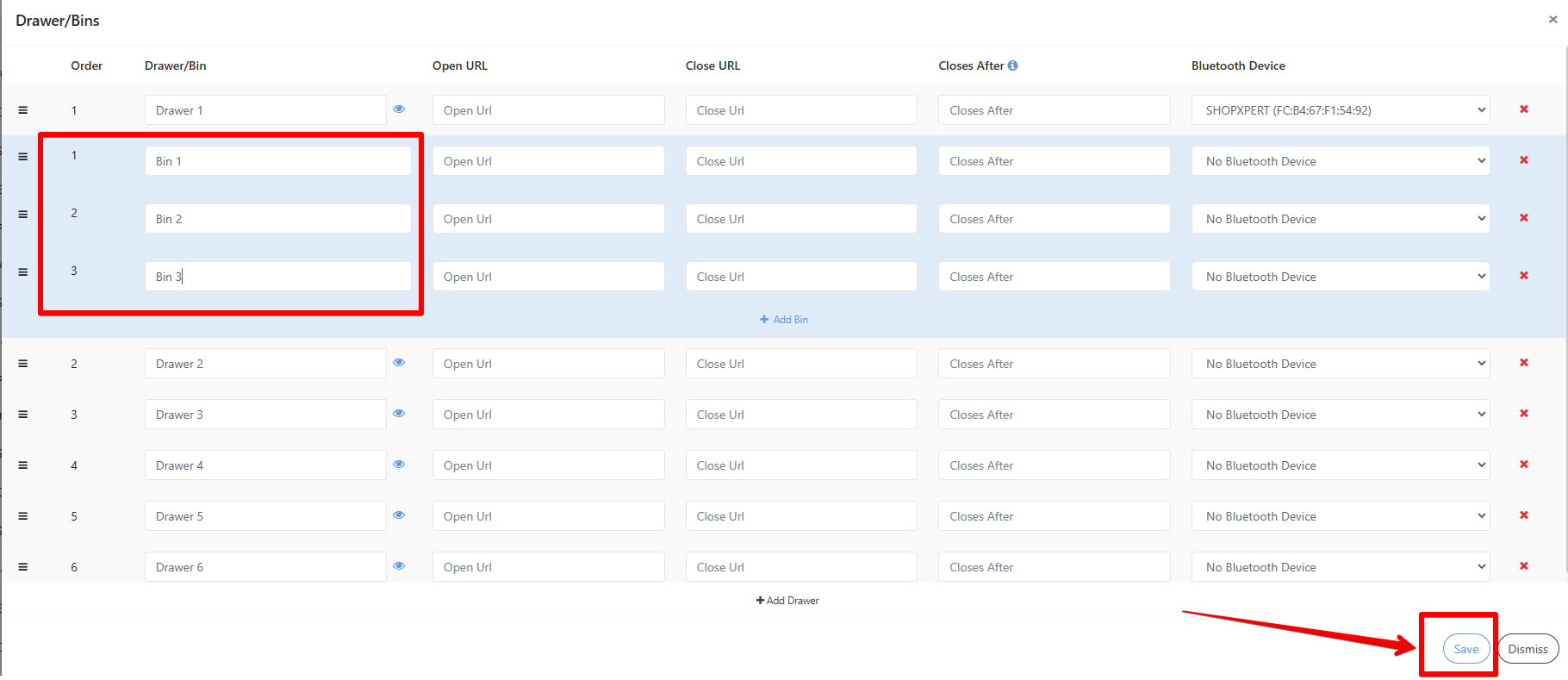
Drawer 2 –> 3 Bins are available
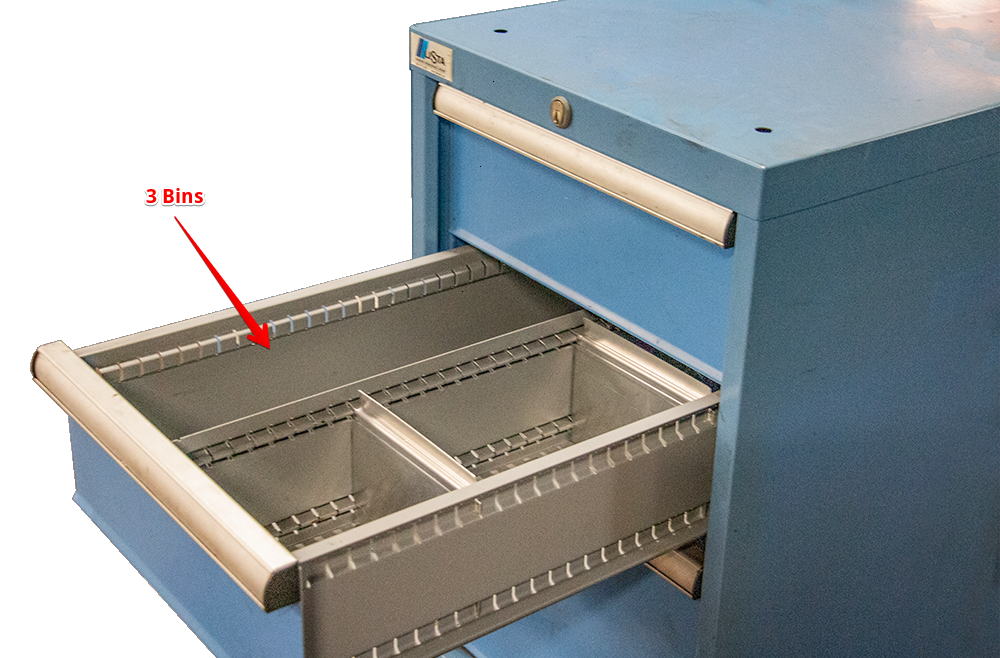
Open the bin menu and add the desired number of bins fir each drawer.
After completed don’t forget to hit “Save“.
Was this article helpful?
Still stuck?
Ask Tessa in chatEmail supportTessa can point you to the right guide, or bring in a ShopXpert teammate.