
Solutions / Training and Knowledge Management

Employee Training Software That Keeps Know-How in the Shop, Not in One Person’s Head.

When your best machinist is on vacation, the shop slows down, and new hires learn by watching whoever is free. ShopXpert employee training software turns procedures into step-by-step courses and training notes, tracks who completed what, and puts training on shop-floor tablets with a badge or PIN.

Courses with testsTraining notes for every teamBadge or PIN login on the floor
Academy · B. StoneCNC Operator Onboarding
IN PROGRESS
01

Shop Safety Basics6 steps · 18 min

Completed
02

Haas Mill Daily Maintenance8 steps · 25 min

Completed
03

Reading Job Travelers5 steps · resume at step 4

Started
04

First Article InspectionTest pending

Not started
Path progress62%
CertificateSafety Basics completed · test passed
Sound Familiar?

Problems Employee Training Software Should Solve.

Knowledge that is not written down leaves when people do.

Only one person knows how to set up that machine.
With ShopXpertTurn their know-how into a step-by-step course anyone can follow.
Every trainer teaches the procedure a little differently.
With ShopXpertEveryone learns from the same steps, images, and attachments, every time.
We cannot prove who was trained on what.
With ShopXpertCourse status, time spent, tests, and completion dates are recorded for each employee.
Temporary staff cannot get an app account just to train.
With ShopXpertThe Academy Portal works with a badge or PIN on any shop tablet.
Academy

The problemTraining happens by shadowing, so quality depends on who happened to be the teacher.

Step-by-Step Courses, With Tests and Certificates.

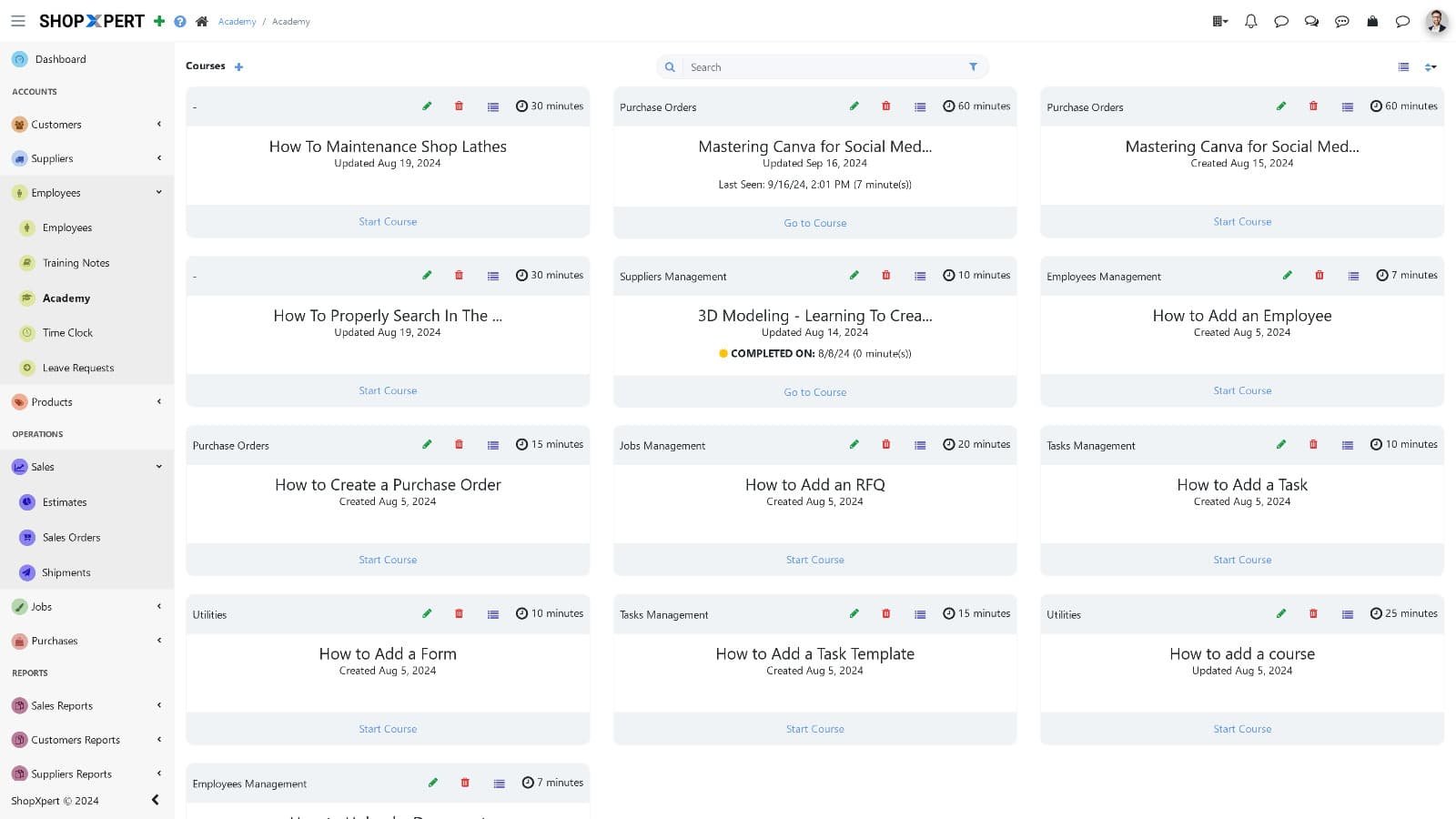
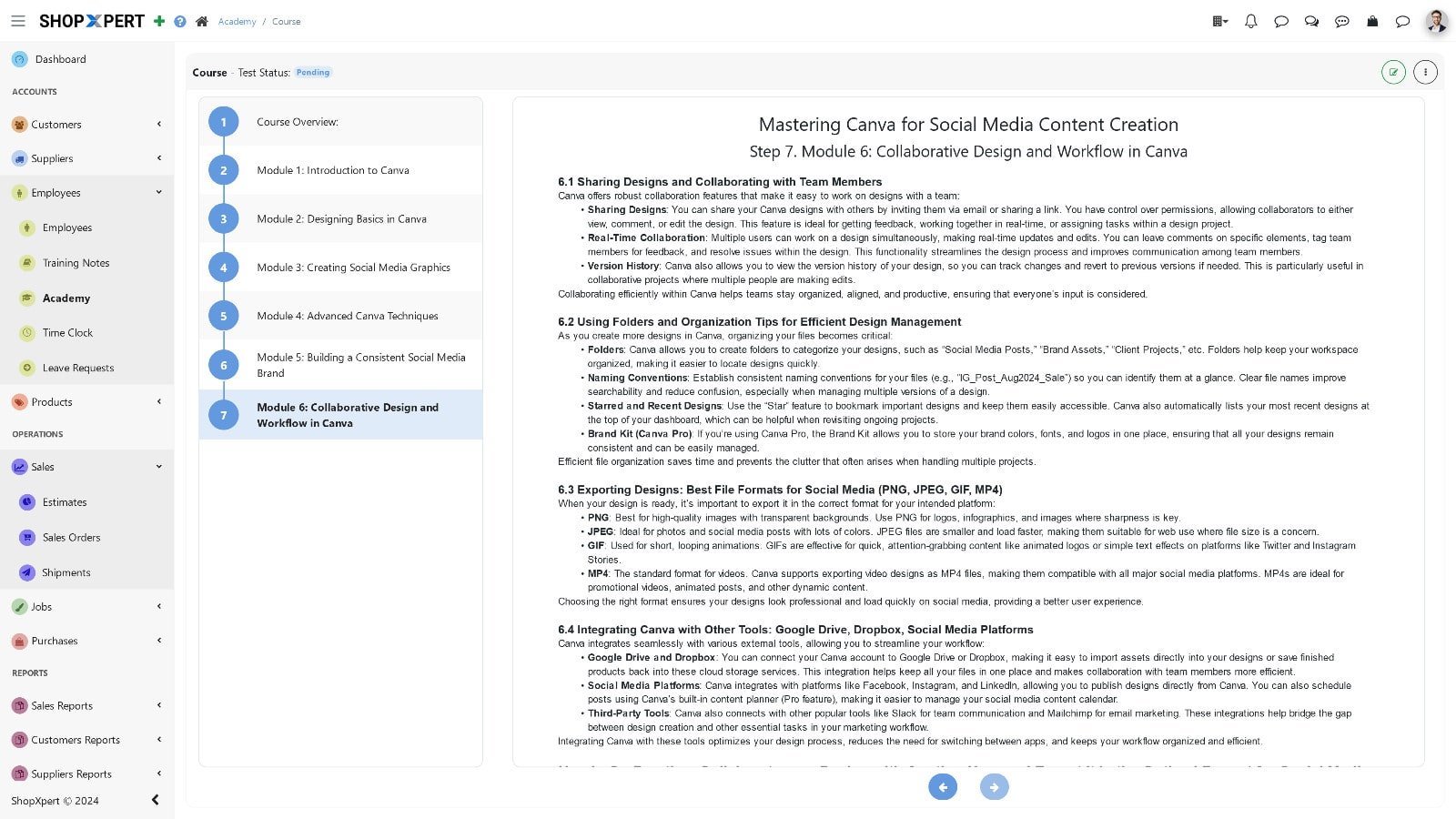
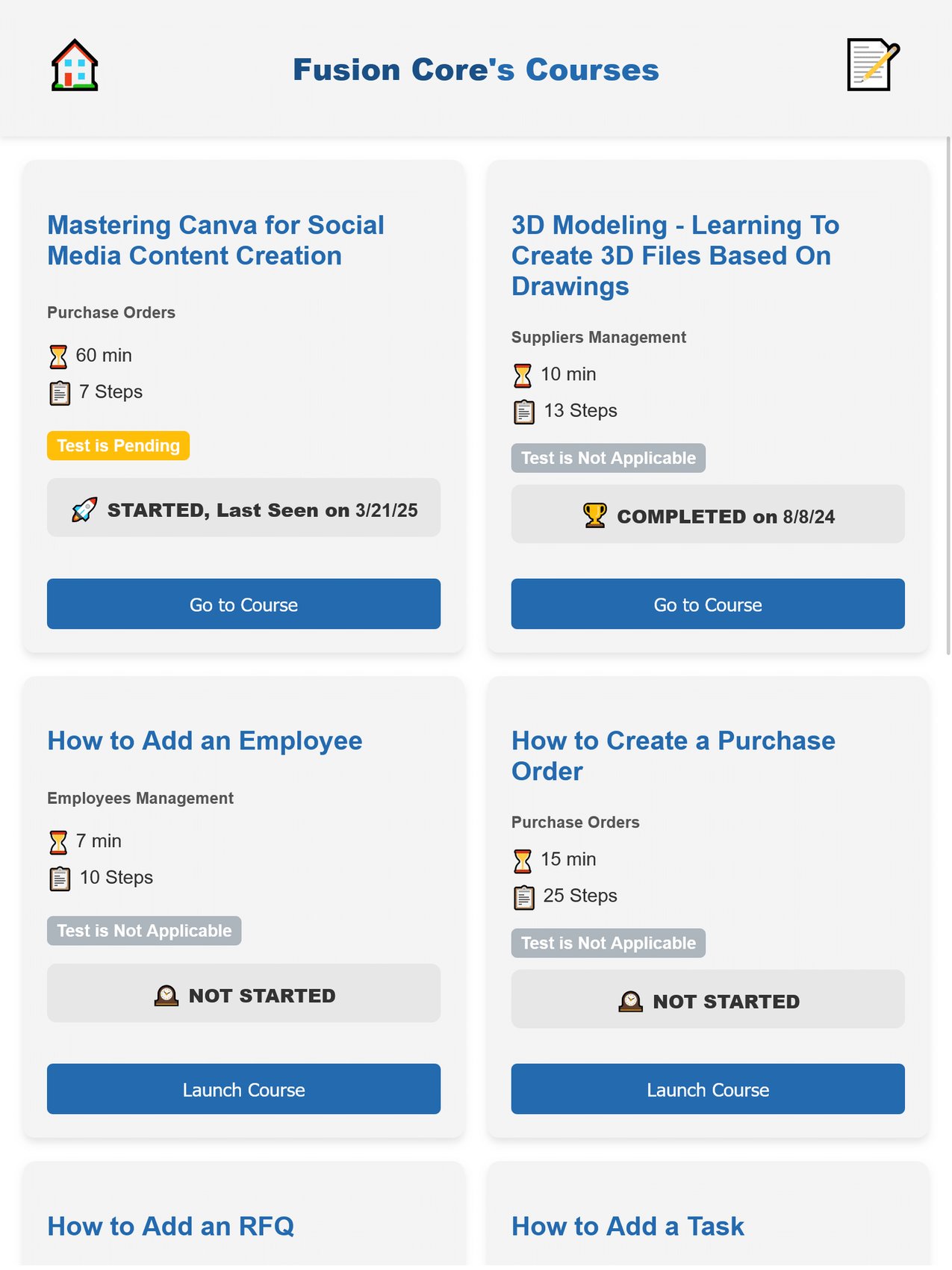
Build courses in categories with a rich text editor and images, broken into clear steps with estimated minutes. Employees resume where they left off, and ShopXpert tracks time spent and status: not started, started, or completed on a date.

Add a test built with Forms, using multiple choice, short answers, and file uploads, and issue a certificate of completion when the course is done.

  • Courses in categories with steps
  • Resume where you left off
  • Tests built with Forms
  • Certificate of completion
Academy
Employee training software course library in ShopXpert Academy
Course Steps
ShopXpert Academy course with step-by-step lessons
Academy Portal
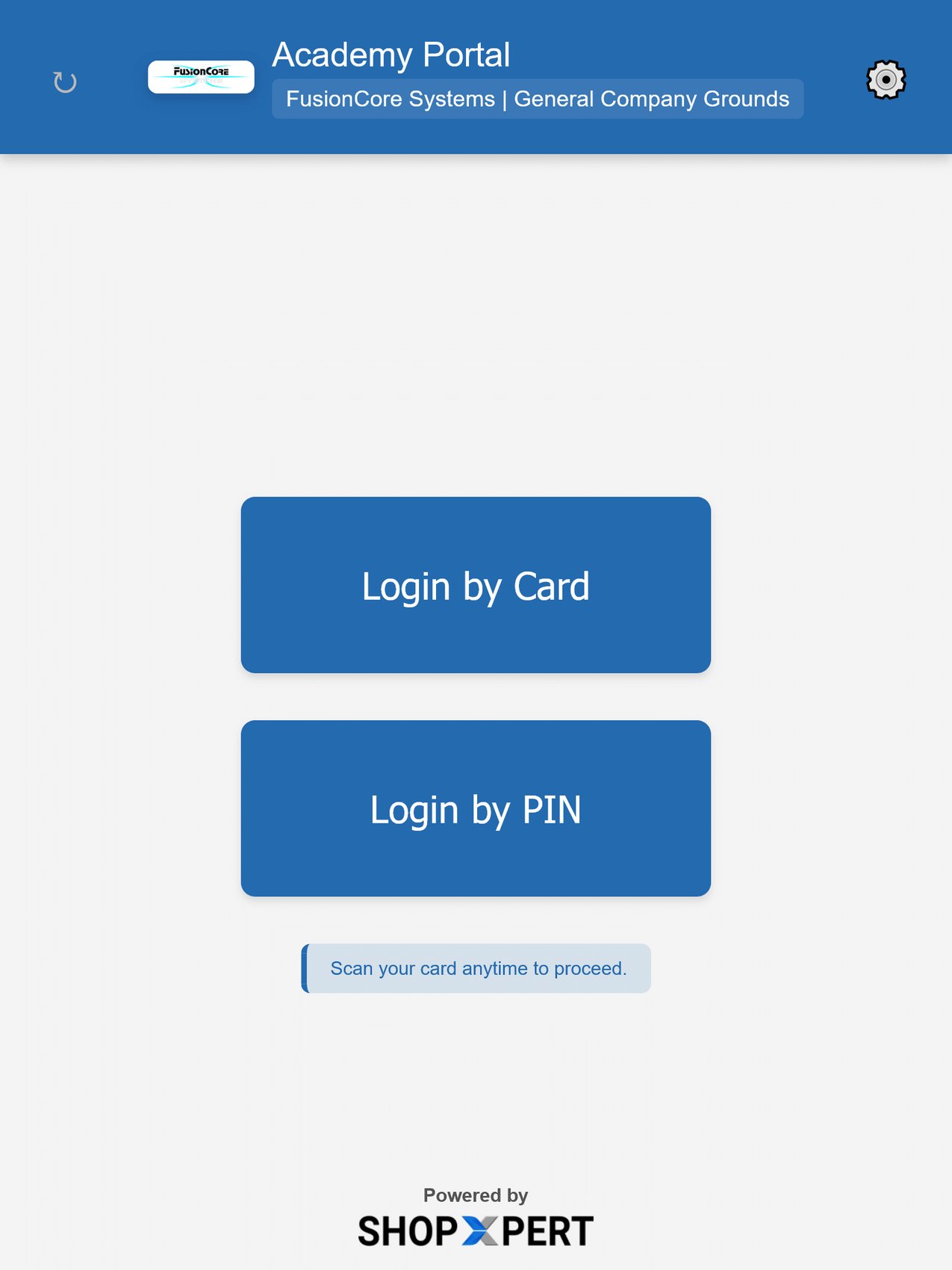
ShopXpert Academy Portal login by card or PIN on a shop-floor tablet
Courses
ShopXpert Academy Portal course cards with completion statuses
Academy Portal

The problemShop-floor and temporary staff need training, but not full software accounts.

Training on Any Shop Tablet, With a Badge or PIN.

The Academy Portal turns any tablet or workstation into a training terminal. Employees log in by card or by PIN, without a full ShopXpert account, and see the courses and training notes for their department or role.

It is built for production teams, new hires, and temporary staff who need to learn on the floor.

  • Login by RFID card or PIN
  • No full app account needed
  • Access by department or role
  • Courses and notes on shop tablets
Training Notes

The problemProcedures live in old binders and email attachments that nobody can find.

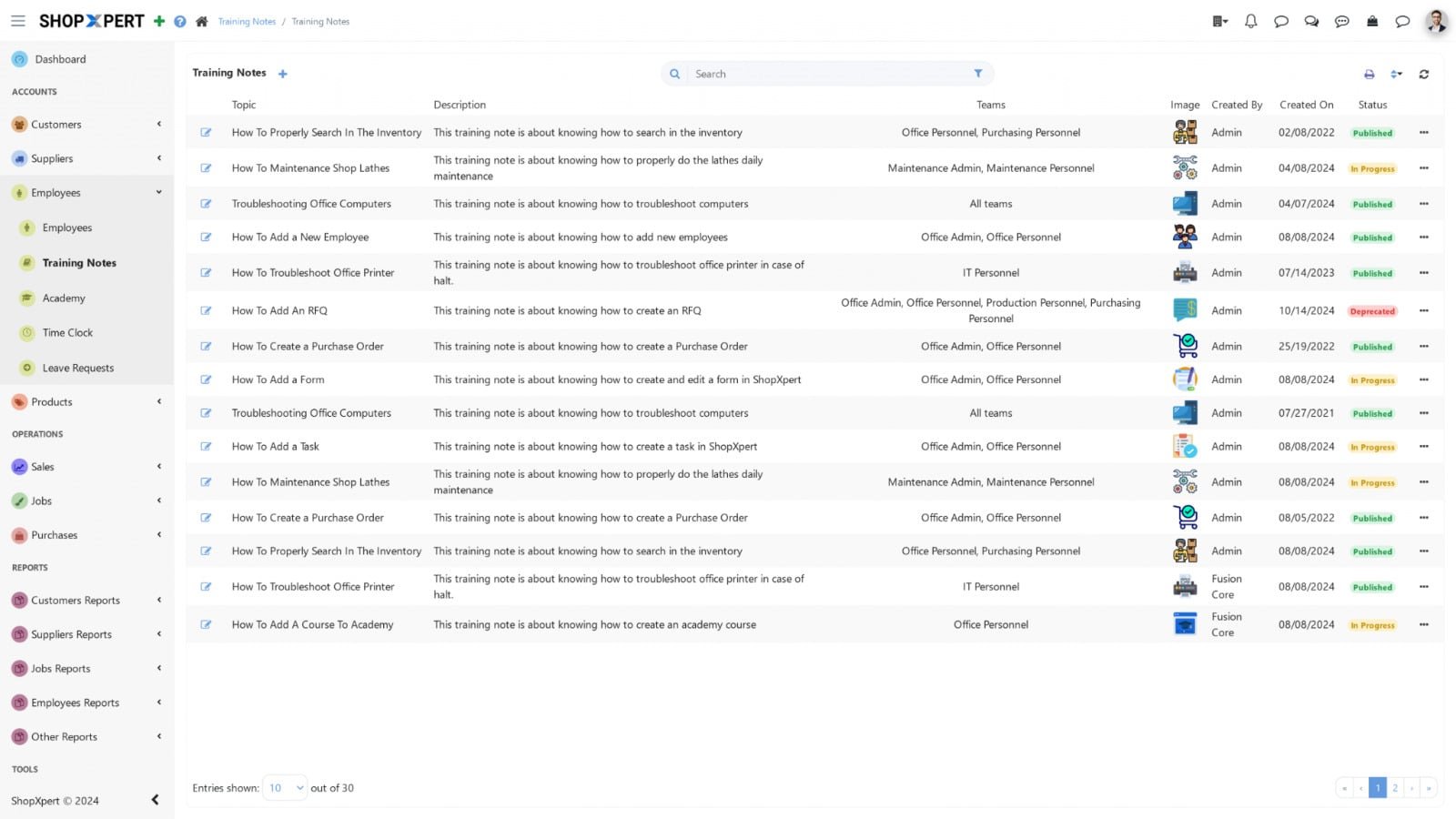
Training Notes for Every Process, Assigned to the Right Team.

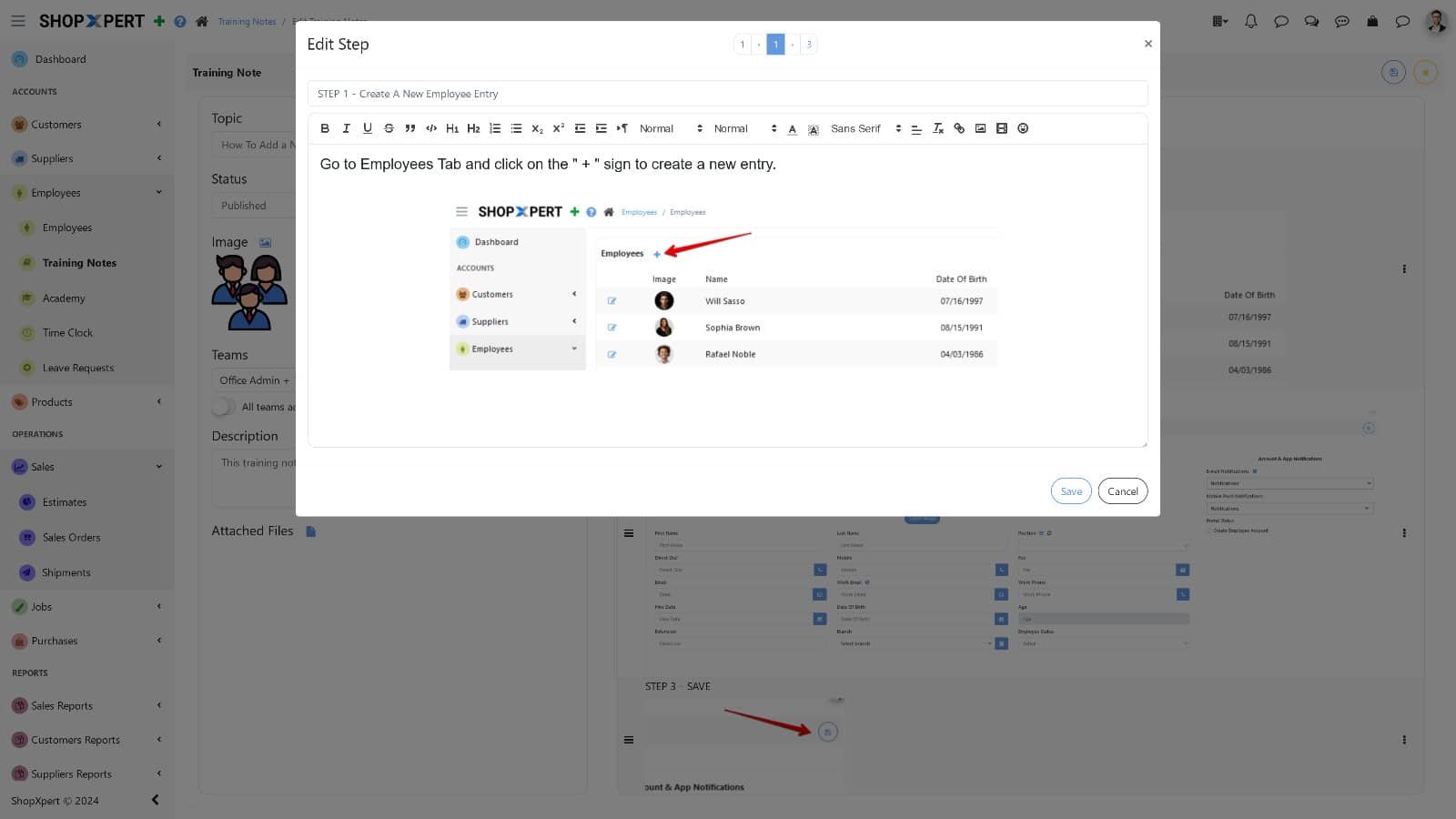
Write step-by-step training notes with images and attachments, such as how to add an RFQ, how to create a purchase order, quality manuals, and process definitions.

Publish them, assign them to teams, and track who has completed them.

  • Step-by-step notes with images
  • Attachments on every note
  • Assigned to teams
  • Completion tracking
Training Notes
ShopXpert training notes list with published procedures
Step Editor
ShopXpert training note step editor with images
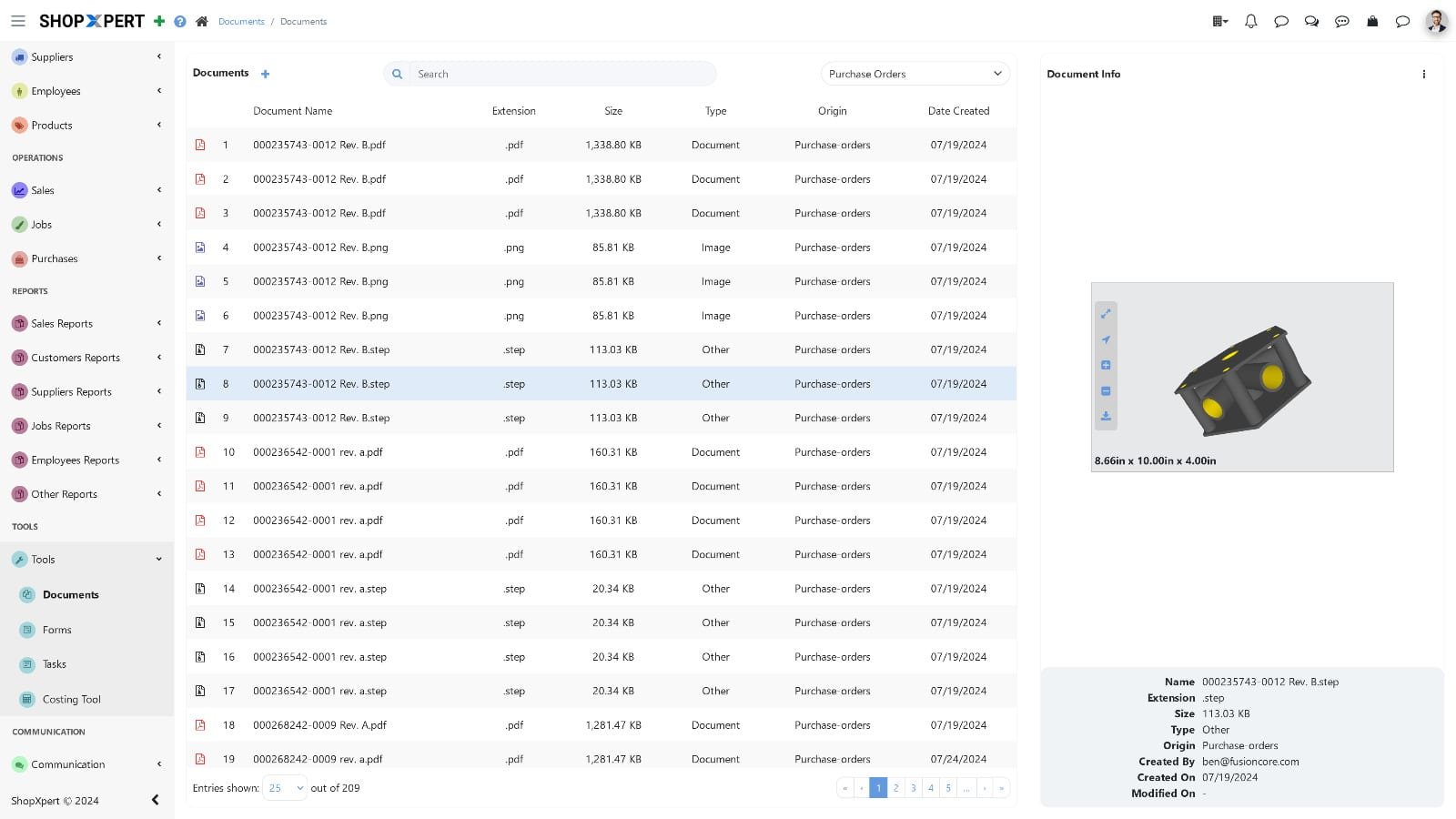
Storage
ShopXpert document storage with file list and 3D part preview
Documents

The problemDrawings, manuals, and procedures are spread across shared drives and desktops.

One Place for Documents From Every Module.

ShopXpert Storage keeps files from jobs, suppliers, maintenance, and training in one place. Search by keyword, tag, or metadata, preview drawings and 3D files, and share them with the right people.

Training content links to the same files your operators use on the job, so instructions never drift from the real process.

  • Files from every module in one store
  • Search by keyword, tag, or metadata
  • Previews of drawings and 3D files
  • Sharing with the right people
How It Works

From First Day to Fully Trained.

Every step of training is recorded, so you always know where each person stands.

01

BuildWrite courses and training notes from your own procedures.

02

AssignGive each team the courses and notes it needs.

03

LearnEmployees train on desktop or shop tablets with a badge or PIN.

04

ProveTests and certificates of completion show who finished what.

SAFETY BASICSMACHINE SETUPWORK INSTRUCTIONSTESTCOMPLETEDBSTRAINING PROGRESSB. Stone · CNC OperatorCertificate of completion issuedSCORE 92%Know who is trained on whatCourses, tests, and training notes in one place.
What Changes

What Employee Training Software Changes.

Faster onboarding, consistent procedures, and records you can show.

Faster Onboarding

New hires follow a clear path instead of waiting for a trainer.

Consistent Procedures

Everyone learns the same steps.

Proof of Training

Status, tests, and completion dates on record.

Knowledge That Stays

Know-how stays in the shop when people move on.

FAQ

Employee Training Software Questions.

Want to see the Academy with your own procedures? Talk to our team.

What is employee training software?

Employee training software delivers courses and procedures to employees and records their progress. In ShopXpert, it includes Academy courses with tests, training notes, and the Academy Portal for shop-floor tablets. See also learning management systems.

Can employees train without a ShopXpert account?

Yes. The Academy Portal lets employees log in by RFID card or PIN on a shop tablet, without a full app account.

Can courses include tests?

Yes. Tests are built with Forms and can use multiple choice, short answers, and file uploads.

How do we know who completed training?

Each course shows its status for every employee, with time spent and completion date, and completed courses can issue a certificate of completion.

What are training notes?

Training notes are step-by-step procedures with images and attachments, assigned to teams, with completion tracking.

Training and Knowledge Management

Turn Tribal Knowledge Into Training Anyone Can Follow.

See Academy courses, training notes, and the shop-floor portal in ShopXpert.