
Solutions / Production Management

Production Management Software That Replaces Paper Travelers and Hallway Questions.

Operators walk to the office to ask what is next, travelers go missing, and the schedule is out of date by mid-morning. ShopXpert production management software connects Jobs, Workstation, Tasks, and Planning, so office and shop-floor teams work from the same live information.

Jobs, Workstation, Tasks, PlanningPaperless travelersLive progress from the floor
Shop FloorMilling Department · Today
LIVE
Up Next
JOB 1851Flange · Qty 90
JOB 1853Cover · Qty 25
Running
JOB 1842Op 20 · 00:42:15
JOB 1846Op 10 · B. Stone
Done Today
JOB 1838Housing · 12 / 12
JOB 1840Bracket · 40 / 40
Planned vs actual · todayOn plan
Op 20 startedB. Stone · Workstation 3 · drawing rev C
Sound Familiar?

Where Production Management Breaks Down.

The work is rarely the problem. Getting the right information to the right person at the right time is.

Operators walk to the office to ask what to run next.
With ShopXpertEach workstation shows its job queue in priority order.
The traveler on the floor is not the latest revision.
With ShopXpertDrawings, files, 3D models, and instructions are attached to the job and always current.
We find out a job is late when the customer calls.
With ShopXpertProgress is recorded at the workstation, and planning compares it to the plan.
Supervisors spend half the day chasing status updates.
With ShopXpertTime, progress, and notes are captured at the source, where the work happens.
Jobs

The problemEvery job is set up from scratch, and nobody can see all of them in one place.

One Job Record From Release to Shipment.

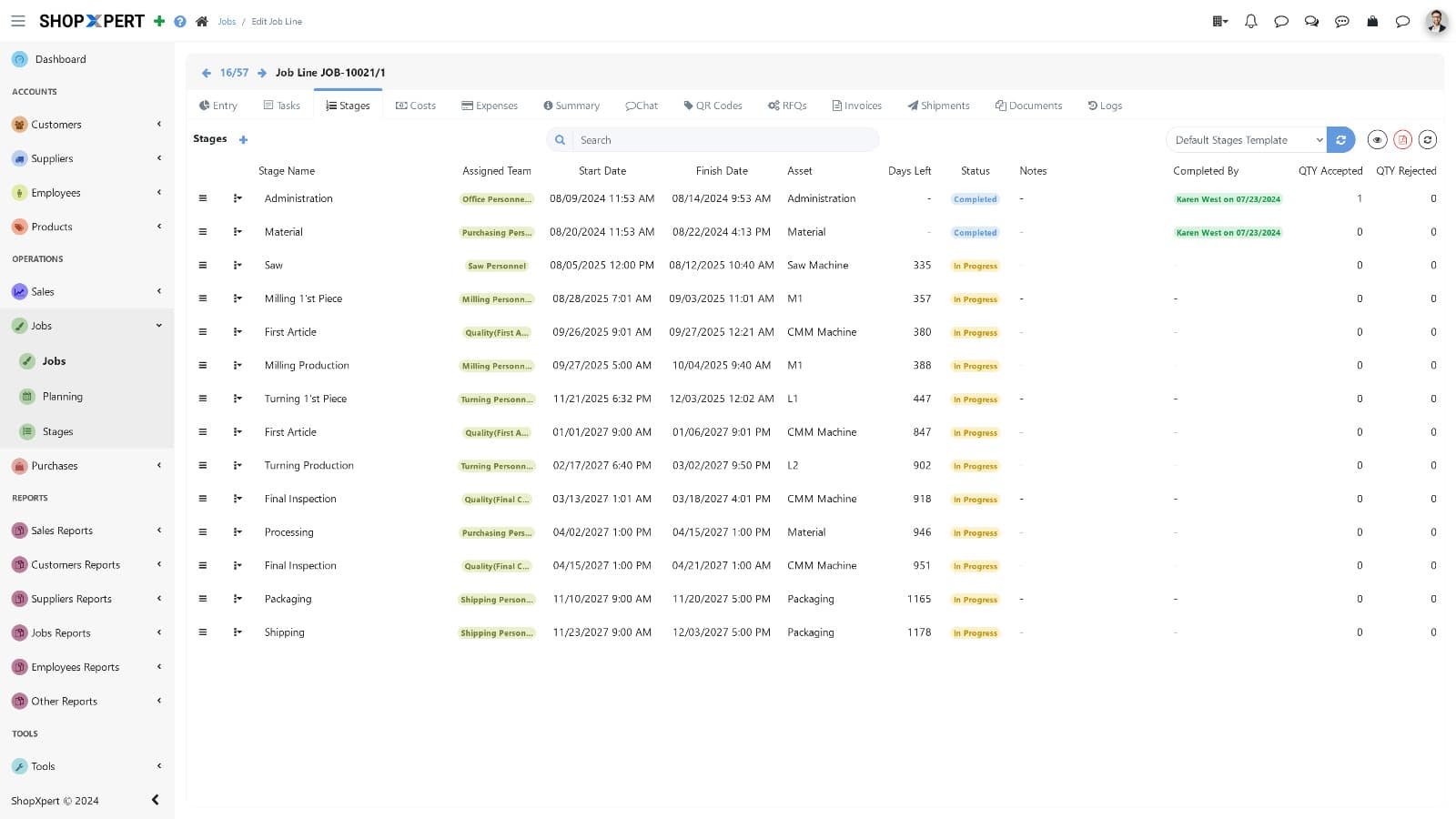
Start jobs from templates with stages and tasks already assigned to the right people. Set priorities and deadlines for each stage and task, and see what is new, due today, due this week, and overdue.

Every job keeps its history, so the next similar job is faster to plan and easier to quote and cost.

  • Job templates with stages and tasks
  • Priorities and deadlines per stage
  • Due today, this week, and overdue views
  • Job history for repeat work
Jobs
Production management software job list in ShopXpert with stages, priorities, and due dates
Job List
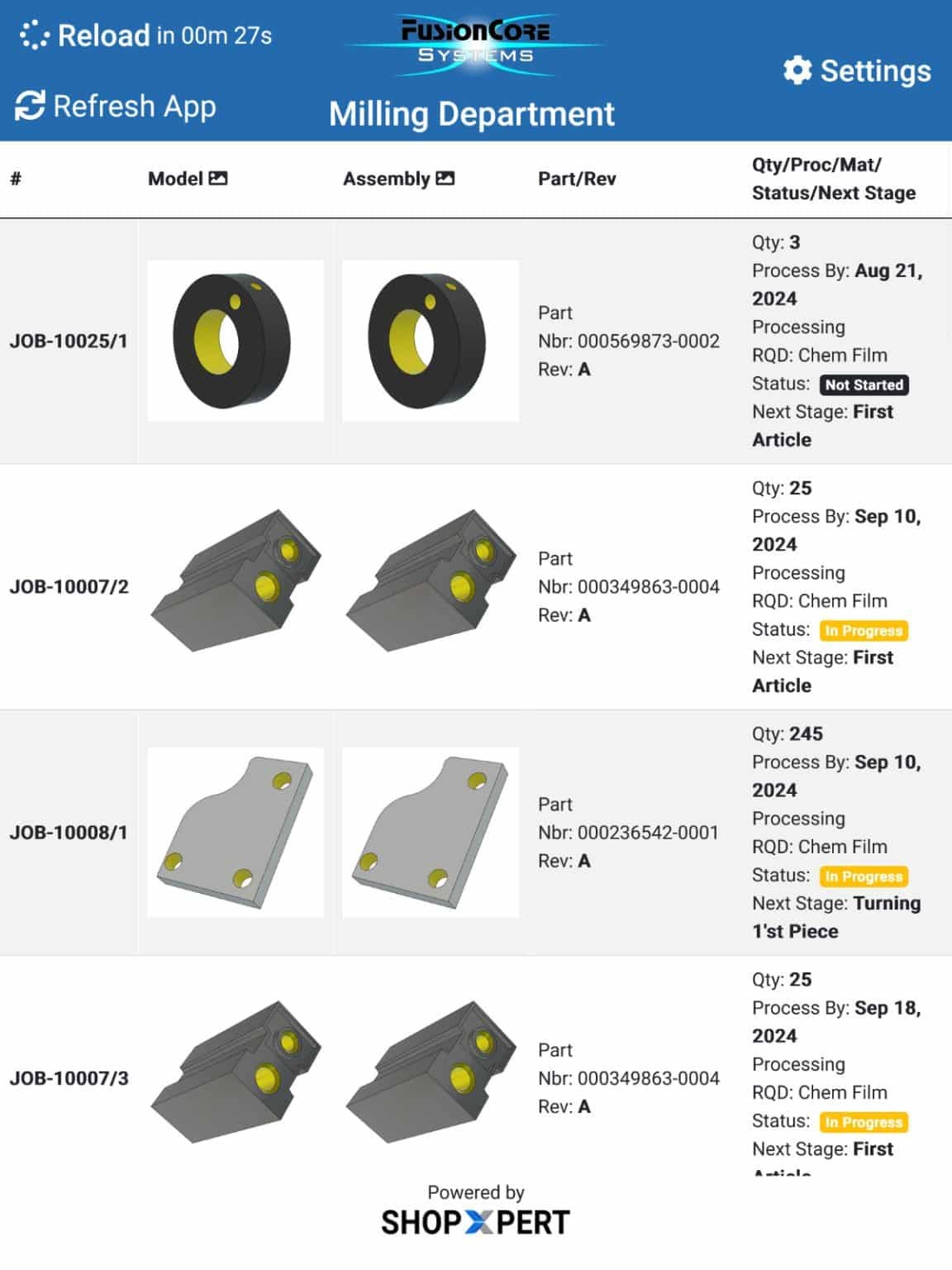
Production management software Workstation job list on a shop floor tablet in ShopXpert
Job Detail
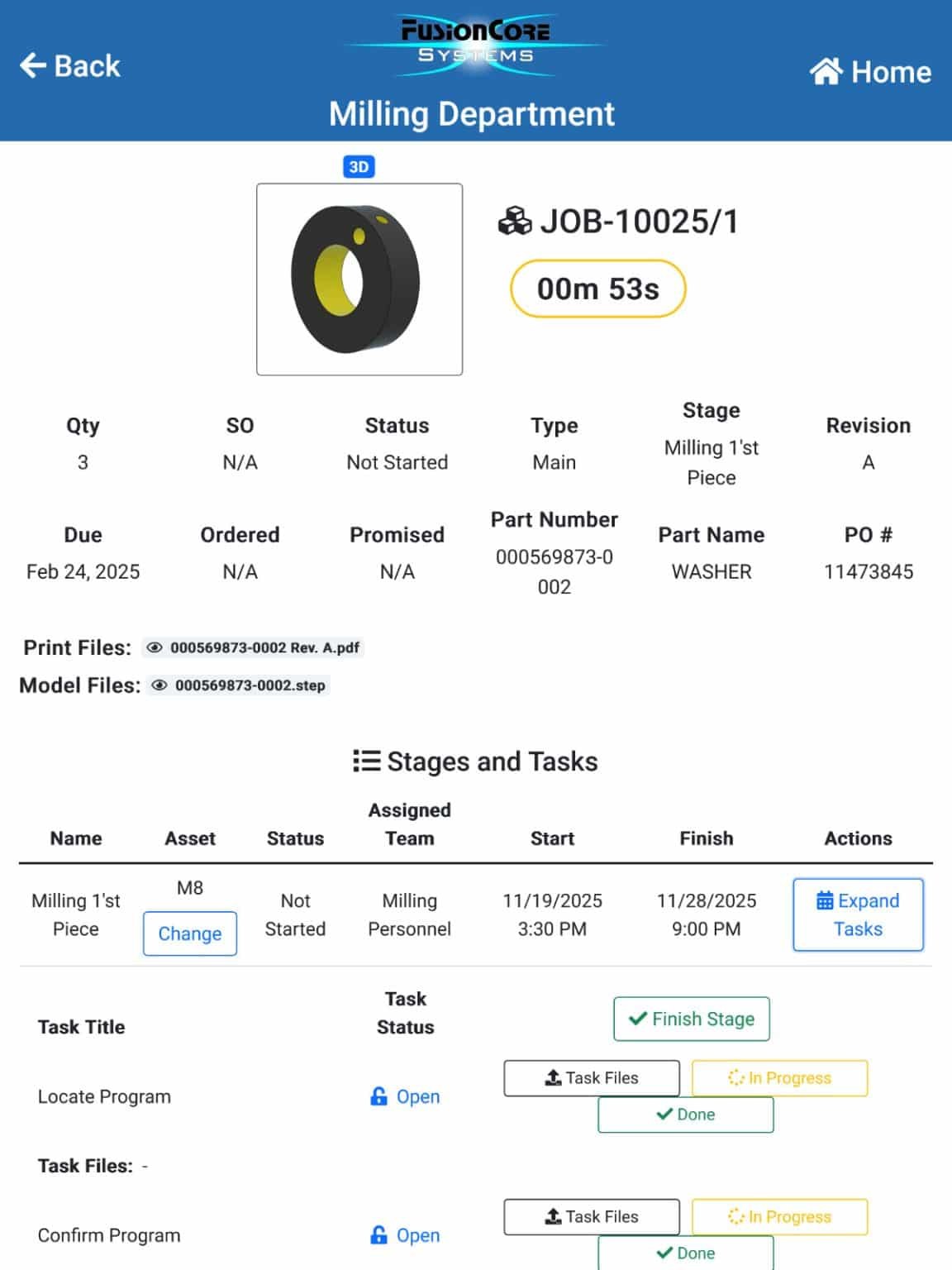
ShopXpert Workstation tablet job detail with stages, tasks, and a running timer
Workstation

The problemOperators lose time finding the next job, the right drawing, and someone to ask.

Workstation Screens That Show What to Run Next.

Operators log in with their badge, then find the job by scanning the job card or entering the serial number. They see stages, tasks, attachments, and notes, and record progress as they go.

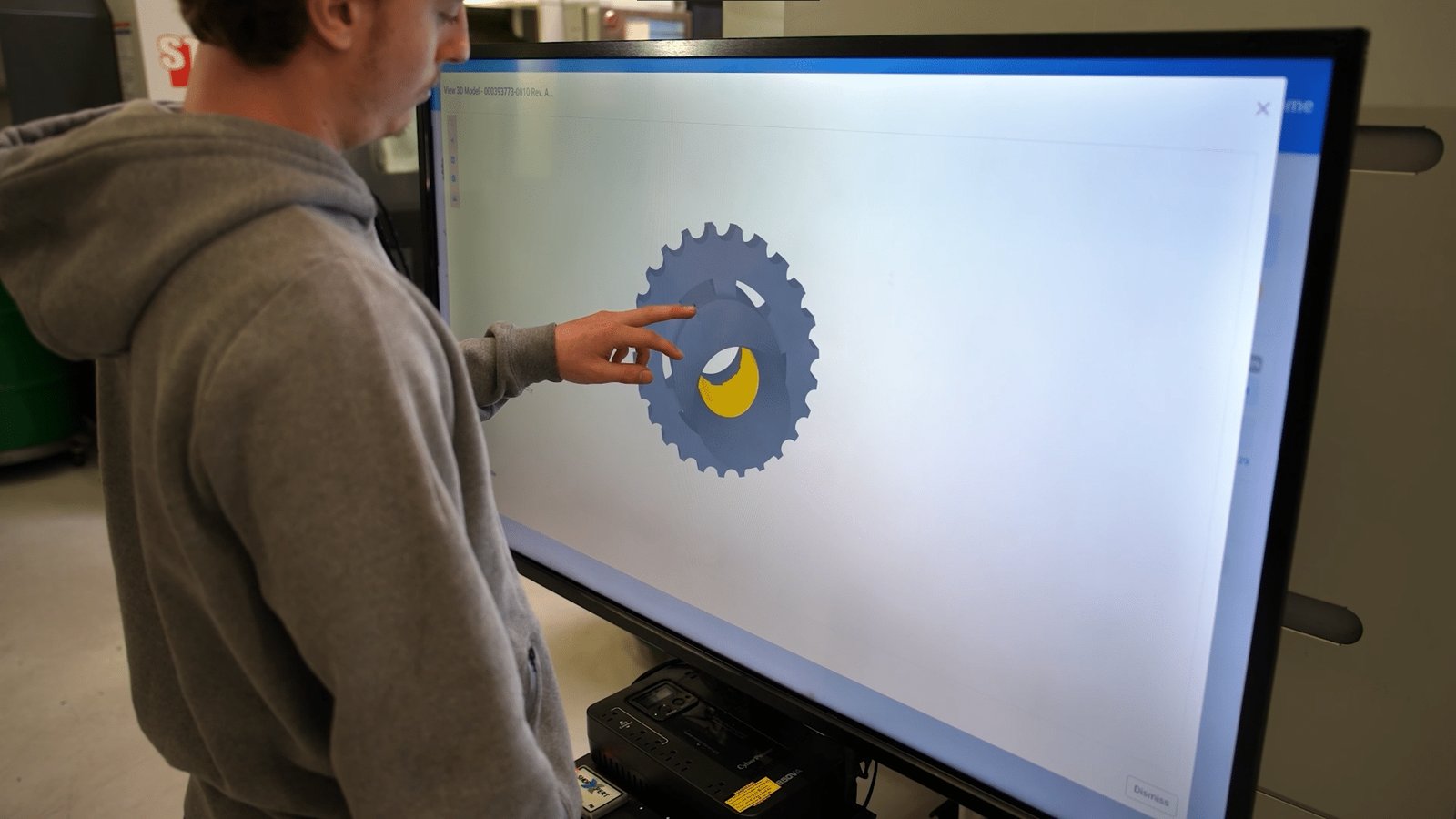
Run Workstation on tablets, rugged XpertTab devices, or large 43-inch kiosks, with an interactive 3D viewer for STEP files. See the Workstation screens and hardware you can order with ShopXpert.

  • Badge login at the workstation
  • Find jobs by card or serial number
  • Stages, tasks, files, and notes in one view
  • Tablets, XpertTab, and 43-inch kiosks
Files and Instructions

The problemPaper travelers get lost, marked up, or replaced by an old revision.

Drawings and Instructions Where the Work Happens.

Attach drawings, 3D models, instructions, and messages to the job. Operators open them at the workstation, so there is no paper traveler to lose and no outdated copy on the bench.

QR codes on jobs, sales orders, and purchase orders take anyone straight to the right record.

  • Files and drawings stored on the job
  • Interactive 3D model viewer
  • Messages and instructions on the work
  • QR codes for jobs and orders
Operator rotating a 3D part model on a ShopXpert 43-inch shop floor kiosk
Time Clock
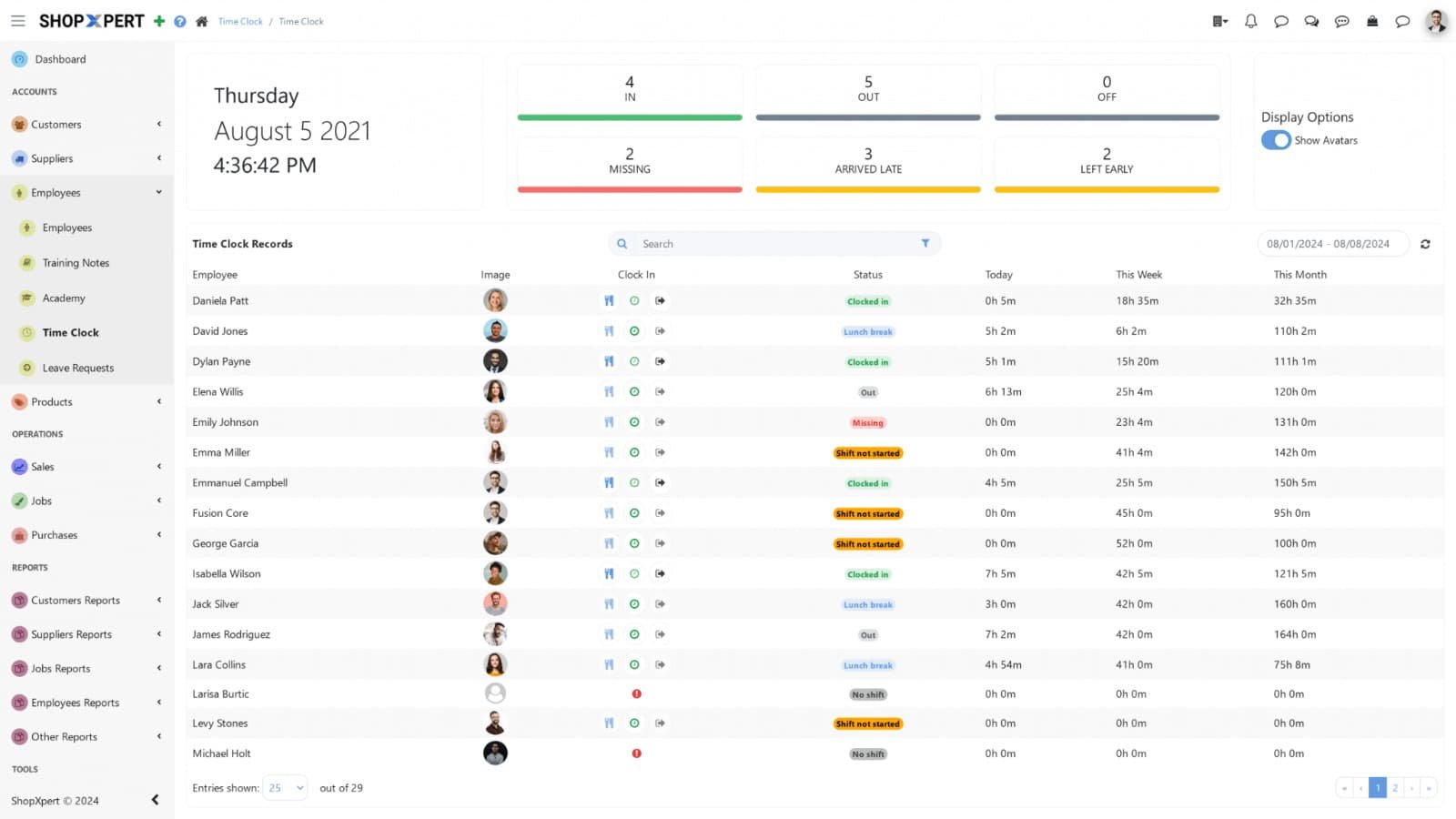
ShopXpert time clock dashboard showing employees clocked in, breaks, and hours
Tasks
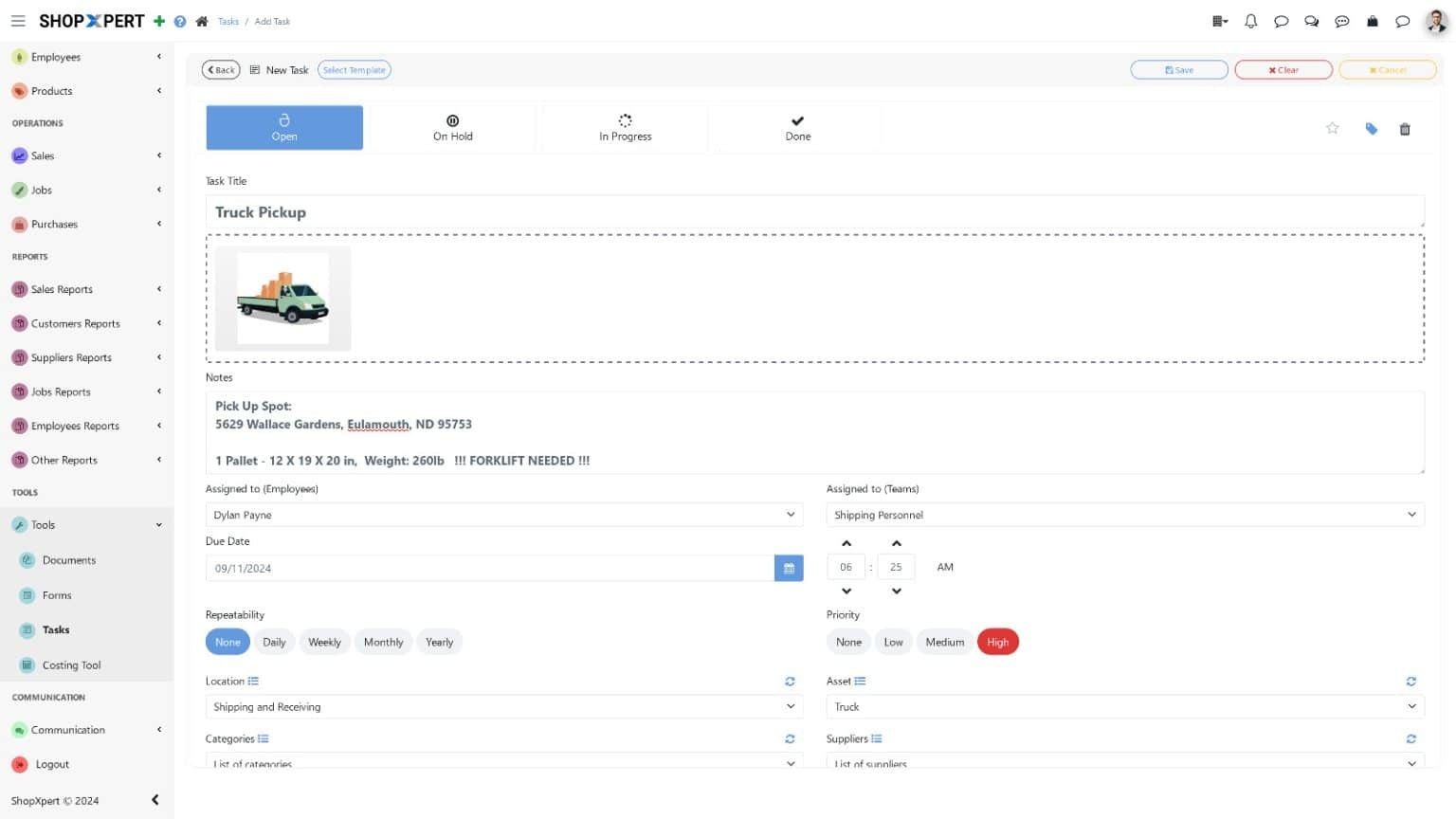
ShopXpert task assigned to an employee with due date, priority, and status
Tasks and Time

The problemSetups, cleanups, and follow-ups are handed out verbally and forgotten by the next shift.

Tasks and Time, Captured at the Source.

Use Tasks for everything that is not a job step: setups, cleanups, follow-ups, and recurring checks, each with an owner, a deadline, and its own chat.

The Time Clock records clock-ins, breaks, and shifts on the ShopXpert TimeClock Tablet, and operators log time against the job at the workstation, so labor is accurate without timesheets.

  • Tasks with owners, deadlines, and chat
  • Recurring tasks for routine work
  • Clock in and out, breaks, and shifts
  • Labor time recorded on the job
Planning

The problemThe schedule is a whiteboard, and it is wrong by mid-morning.

A Plan That Shows the Real Capacity of Your Shop.

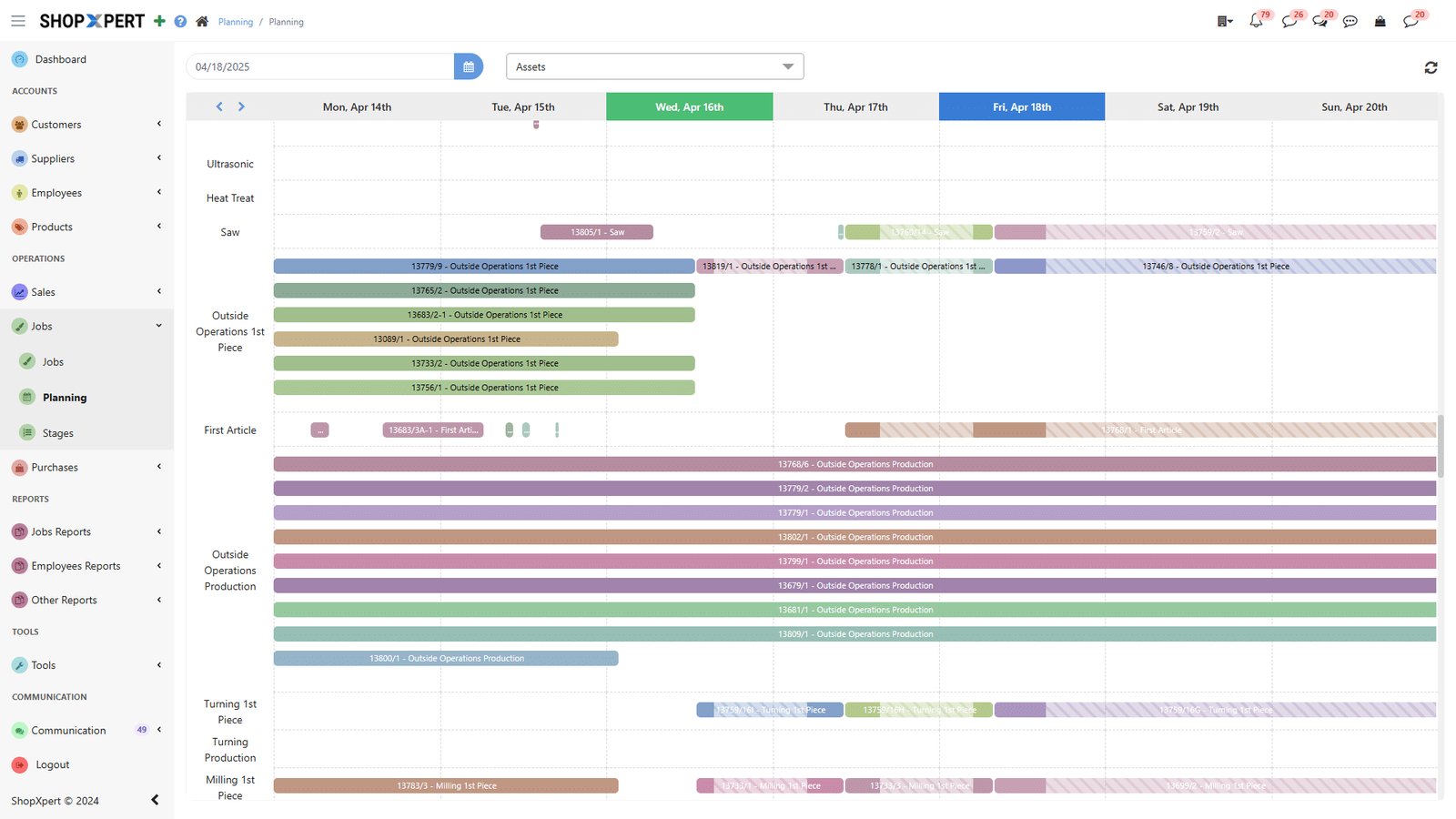
Drag jobs on a Gantt board, and let ShopXpert set start and end times from machine and employee availability. Link dependent steps, compare planned against actual, and find the bottleneck before it stops the floor.

Changes to the plan reach the workstations right away, so everyone works to the same priorities.

  • Drag-and-drop Gantt planning
  • Times based on real availability
  • Task dependencies
  • Planned vs actual and bottleneck view
Planning
ShopXpert production planning Gantt board with jobs scheduled across resources
How It Works

Watch Work Move Across the Floor.

Jobs move from station to station, and every step is recorded where it happens.

01

PlanJobs are scheduled on the Gantt board by real availability.

02

QueueEach workstation shows its next job in priority order.

03

RunOperators open drawings and record time and progress.

04

Move OnThe job moves to the next station, and the plan updates.

SAWCNC MILLINSPECTIONSHIPJOB 1842Bracket · Qty 40JOB 1846Housing · Qty 12JOB 1851Flange · Qty 90Work moves, and everyone sees itEach step is recorded at the workstation, not on paper.
What Changes

What Production Management Software Changes.

Less walking, less paper, and fewer surprises.

Everyone Knows What Is Next

Workstations always show the right job in the right order.

No More Lost Travelers

Current drawings and instructions live on the job.

Real Progress, Not Guesses

Status comes from the floor in real time.

Fewer Late Jobs

Bottlenecks show up while there is still time to act.

FAQ

Production Management Software Questions.

Want to see your own routings in it? Talk to our team.

What is production management software?

Production management software plans, releases, and tracks work on the shop floor. ShopXpert combines Jobs, Workstation, Tasks, and Planning, similar to a manufacturing execution system connected to your ERP.

Does ShopXpert replace paper travelers?

Yes. Jobs carry their stages, tasks, drawings, files, and notes, and operators open them at the workstation by scanning a job card or entering a serial number.

What hardware do operators use?

Workstation runs on tablets, rugged XpertTab devices, and 43-inch shop floor kiosks. Operators log in with an RFID badge.

How does planning work?

Jobs are scheduled on a drag-and-drop Gantt board. ShopXpert sets start and end times from machine and employee availability, supports dependencies, and compares planned against actual.

Is production management connected to the ERP?

Yes. Jobs, time, and progress flow into job costing, purchasing, and invoicing in the same system.

Production Management

Give Every Person the Right Work, Context, and Next Action.

See Jobs, Workstation, Tasks, and Planning running with your own shop floor.