
Solutions / Vending and Inventory

Turn the Tool Cabinets You Already Own Into an Industrial Vending System.

Tools walk away, consumables run out at the worst moment, and nobody knows which job used what. ShopXpert turns your existing cabinets into a connected industrial vending system with badge access, job-level tracking, real-time stock levels, and automatic reordering.

Works with Lista, Vidmar, Rousseau, and moreRFID badge and job trackingAutomatic purchase orders
Vending KioskCabinet 3 · Milling Department
LIVE
Badge scanned
JM

Jose MarquezMachinist · 2nd shift

Job selectedJOB-10001 · Op 30Charged to the job
Product0.5" 4FL Carbide End Mill
Drawer D1 · Bin B2Drawer D1 · Bin B3 · OpeningDrawer D2 · Bin A1
Stock after transaction21 / min 20
PO-10058Created for 3 items below minimum
Sound Familiar?

Problems an Industrial Vending System Should Fix.

Tooling and consumables are small items with a big effect on cost, uptime, and job margins.

Inserts and end mills disappear, and nobody knows where they went.
With ShopXpertBadge access records who took what, from which drawer, and for which job.
We run out of a $4 insert and a whole machine sits idle.
With ShopXpertMinimum and maximum levels flag low stock and create the purchase order before the drawer is empty.
Vending sounds great, but we are not replacing cabinets we already paid for.
With ShopXpertXpertLock and a conversion kit turn the cabinets you own into smart vending.
Tool spend is one big number with no idea which job drove it.
With ShopXpertReports break consumption down by job, employee, location, and product.
Cabinet Conversion

The problemNew vending machines are expensive, and the cabinets on your floor already hold your inventory.

Same Cabinets, Smarter Inventory.

ShopXpert converts existing industrial cabinets, vending systems, and tool storage into one connected vending solution. A touchscreen kiosk gives employees a simple way to search, select a product, and open the right cabinet.

It works with leading cabinet brands, including Lista, Vidmar, Rousseau, US General, and Sonic. Have a different cabinet? Talk to us about a conversion.

  • Vending conversion kits for existing cabinets
  • Touchscreen kiosk for employees
  • Controlled access to the whole cabinet
  • Exact product locations by drawer and bin
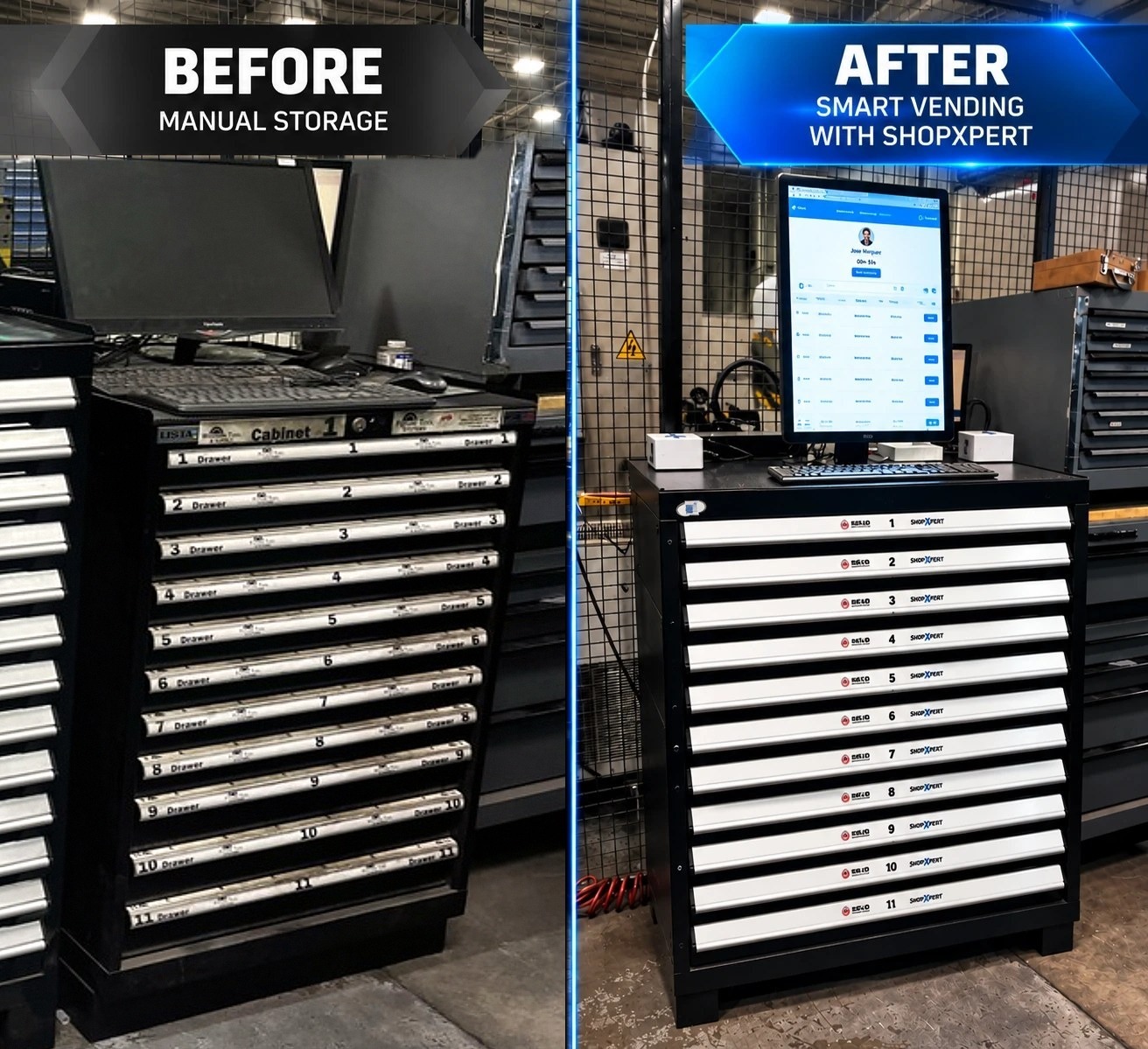
Industrial vending system conversion: a tool cabinet before as manual storage and after as smart vending with a ShopXpert kiosk
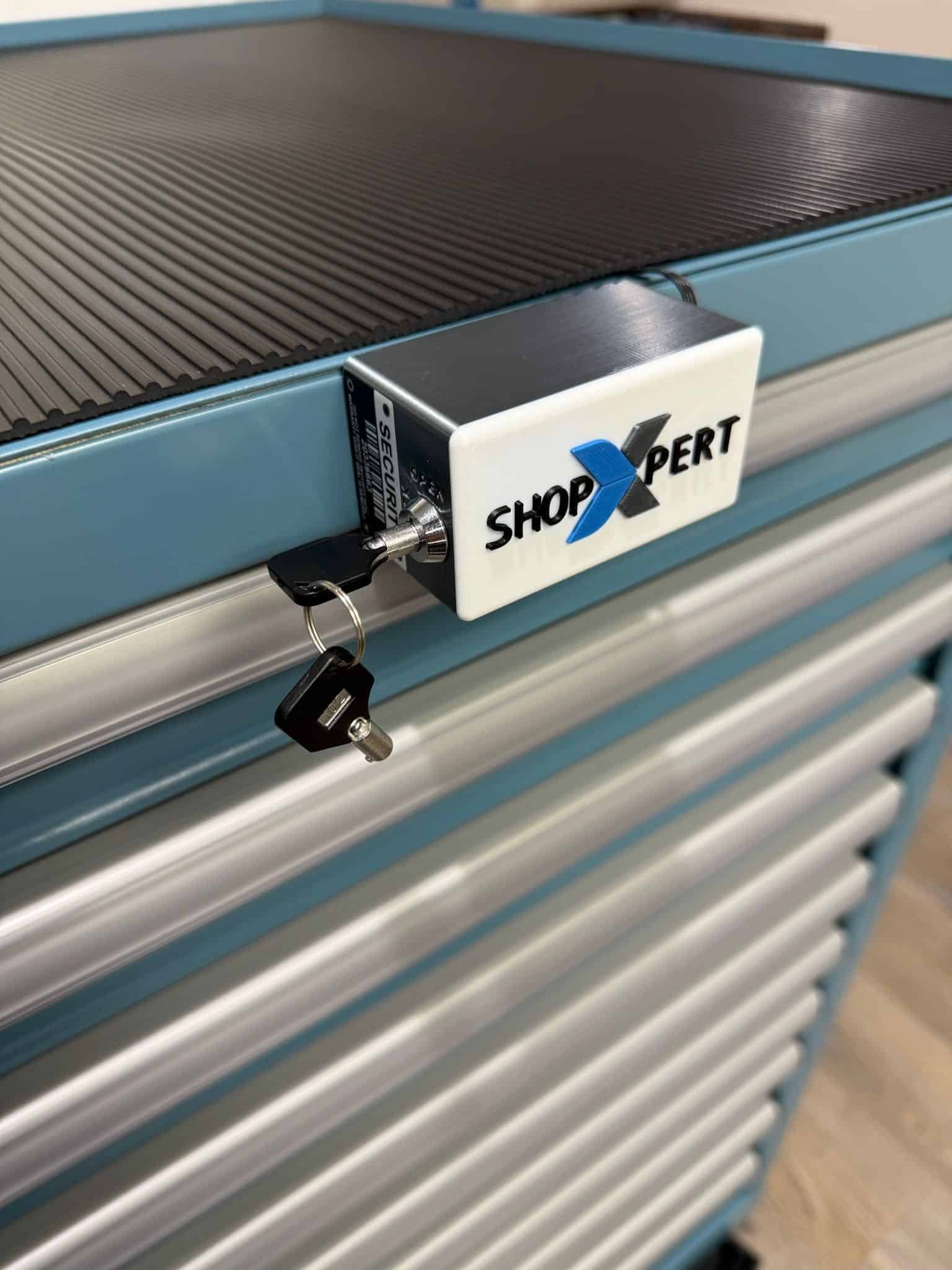
XpertLock electronic lock installed on a blue industrial tool cabinet, part of the ShopXpert industrial vending system
RFID READER
JMJose MarquezMachinist · Badge 0451
Lock closedTap a badge to open
Lock openAccess logged for Jose
XpertLock

The problemA key on a hook decides who opens the cabinet, which means anyone can.

Replace the Key With Badge Access and a Full History.

XpertLock replaces the original key-operated cam lock with an electronic lock at the same location, so there is no drilling or cabinet redesign. It connects the cabinet to ShopXpert and controls access to every drawer.

Users and permissions are managed in ShopXpert, employees open the cabinet with their RFID badge, and every opening is logged. The XpertLock Relay connects existing vending systems to ShopXpert, too.

  • Drop-in replacement for a cam lock
  • RFID badge access per user
  • Access history for every cabinet
  • Manual override for emergencies
RFID Job Tracking

The problemTool costs land in overhead because nobody records which job they were used on.

Scan a Badge, Pick the Job, and Every Tool Is Charged to the Work.

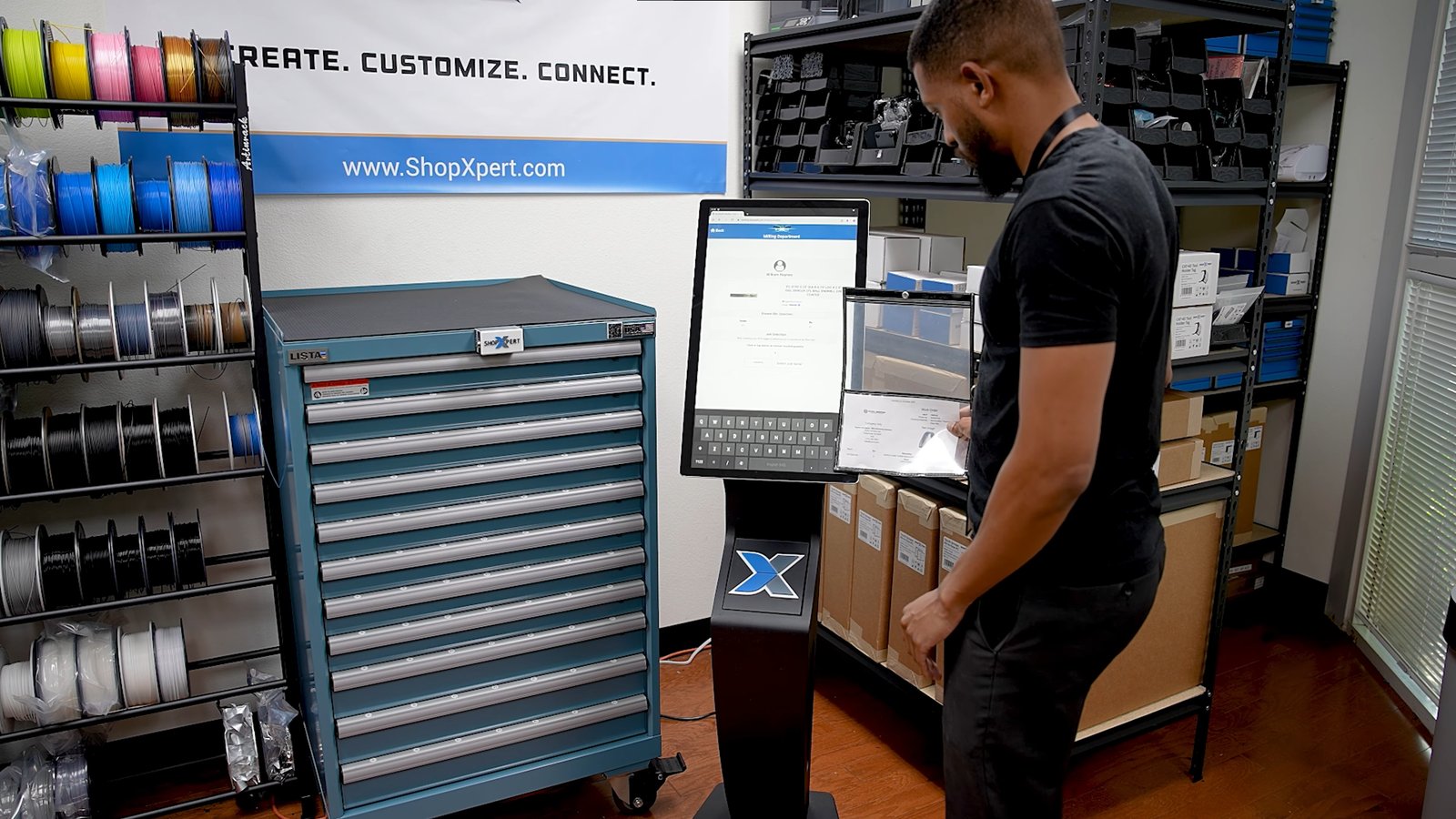
At the kiosk, operators scan their RFID badge, then scan the job badge or select the job serial. Every product they take is linked to the employee and the job, and returnable tools are checked out and back in.

Because vending lives inside ShopXpert, those costs flow straight into job costing instead of a separate system.

  • RFID badge login at the kiosk
  • Job badge scan or job serial selection
  • Check-out and check-in for returnable tools
  • Consumption posted to the job
Operator scanning a job traveler at a ShopXpert industrial vending kiosk beside a Lista cabinet
Kiosk Products
ShopXpert vending kiosk product list with SKUs, drawers, bins, categories, and stock quantities
Product and Job
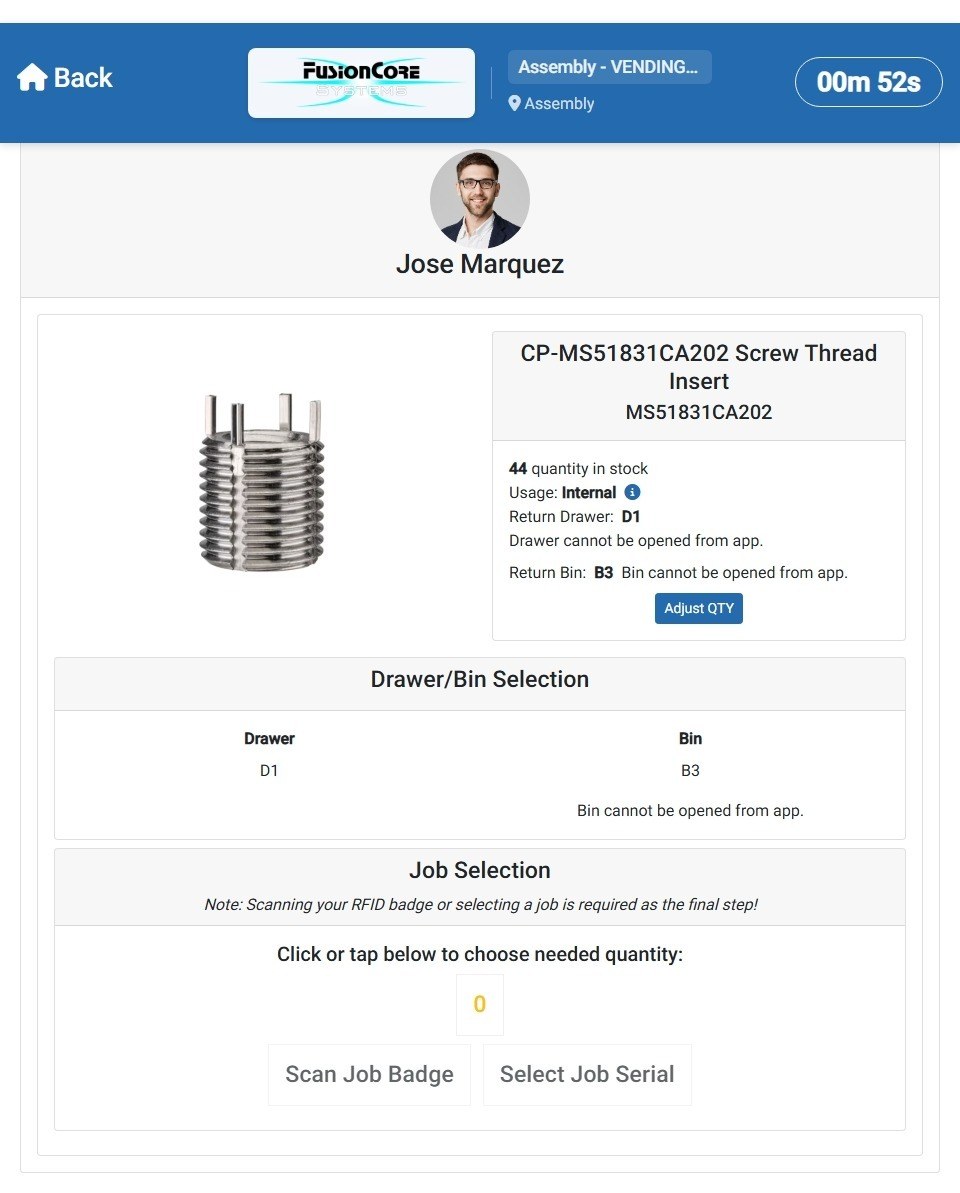
ShopXpert vending kiosk product screen with stock, return drawer and bin, quantity, and job selection
Inventory Control

The problemStock counts live in someone’s head, or on a clipboard that is two weeks old.

Know Exactly What Is in Every Drawer and Bin.

Load your catalog with images, SKUs, categories, and suppliers. Assign every product to a location, drawer, and bin, and set minimum and maximum quantities.

Every transaction updates stock in real time, and the movement history shows each change with the quantity before and after.

  • Product catalog with images and SKUs
  • Organized categories
  • Locations by cabinet, drawer, and bin
  • Min and max levels with movement history
Automated Purchasing

The problemReordering waits until someone notices the drawer is empty.

Low Stock Turns Into a Purchase Order Automatically.

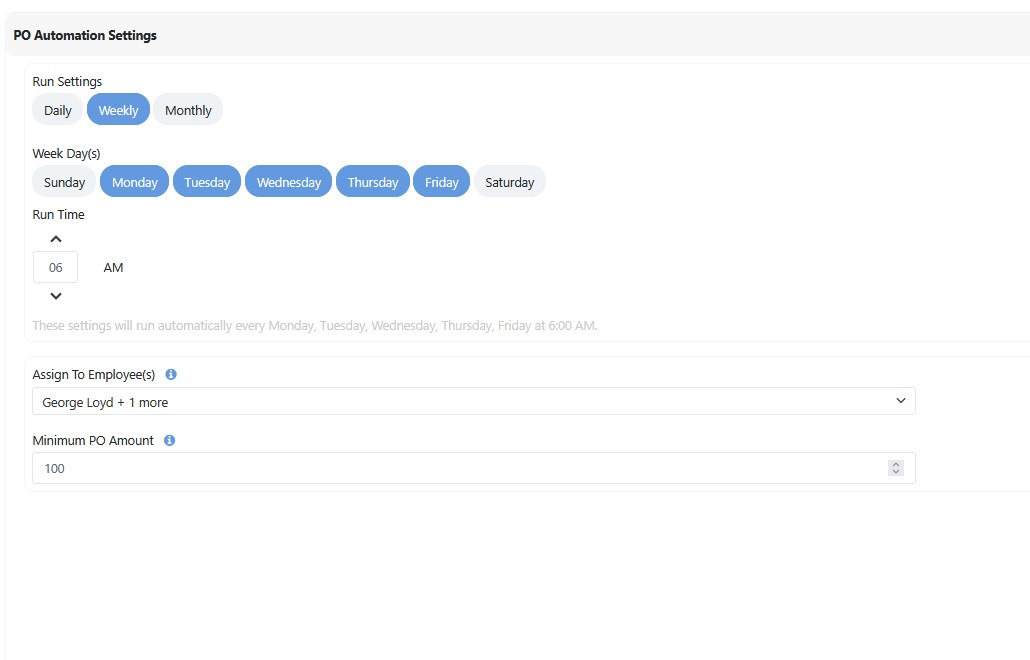
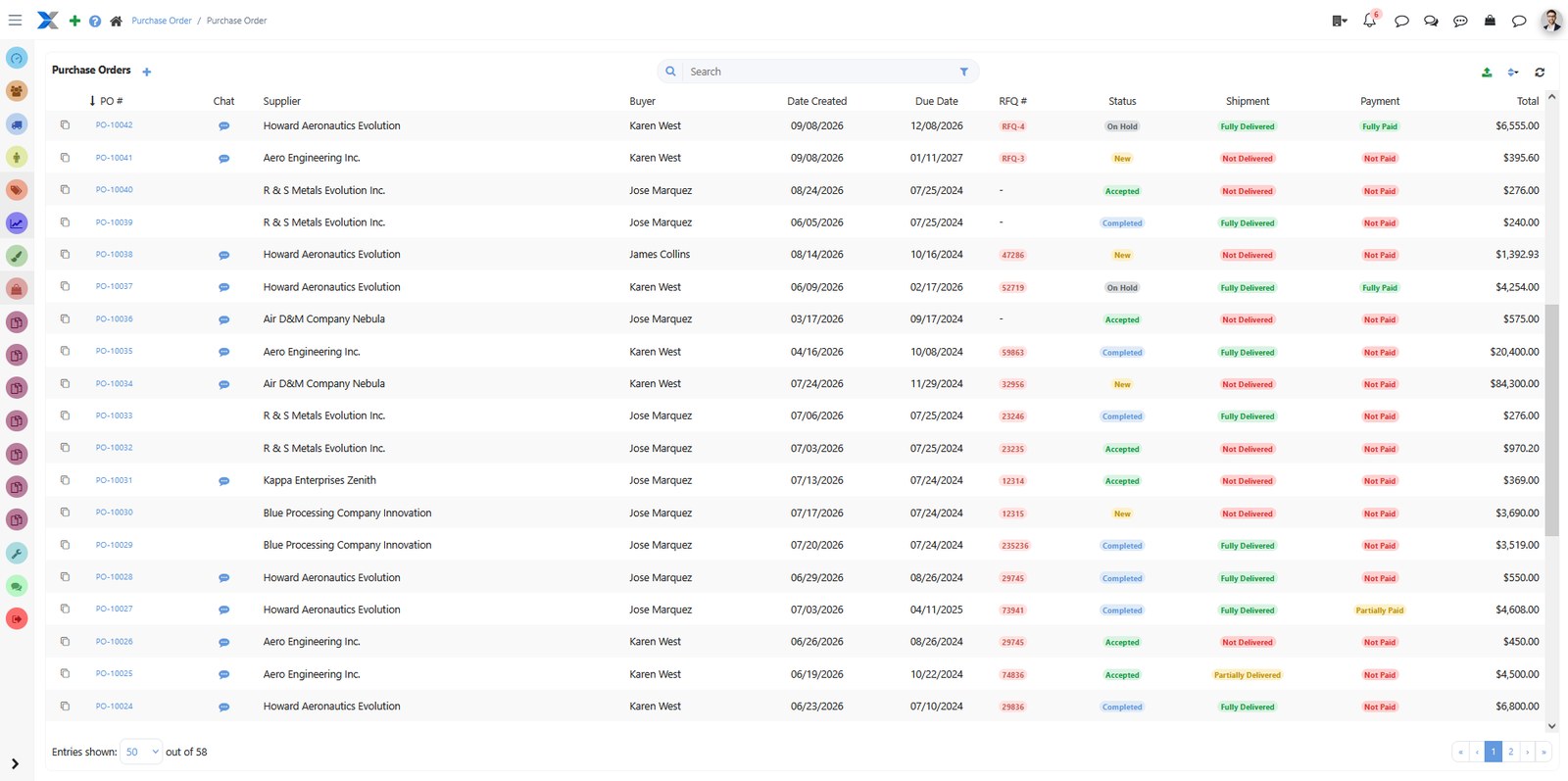
ShopXpert flags every product that reaches its minimum. With one click, or on a schedule you set, it creates purchase orders for everything below minimum, ordering enough to reach the maximum, and sends them to each product’s assigned supplier.

Choose daily, weekly, or monthly runs, the days and time, who is notified, and a minimum PO amount.

  • Products below minimum flagged automatically
  • One-click or scheduled PO creation
  • Supplier assigned per product
  • Purchasing history on every product
PO Automation
ShopXpert PO automation settings with weekly run days, run time, assigned employees, and minimum PO amount
Purchase Orders
Purchase orders generated automatically by the ShopXpert industrial vending system
How It Works

The Replenishment Cycle, Without Anyone Chasing It.

From the moment a product leaves the drawer, ShopXpert keeps the cabinet stocked.

01

Product DispensedAn employee takes a product with their badge and job.

02

Inventory UpdatedStock quantity drops in real time.

03

Reorder Level ReachedThe product is flagged as ready to order.

04

Purchase Order GeneratedOne click or a schedule creates the PO.

05

RestockedThe supplier delivers and the cabinet is full again.

CABINET 3MINDISPENSEDSTOCK UPDATEDREORDER POINTPO GENERATEDRESTOCKEDEvery dispense keeps the cabinet stockedUsage lowers stock, the reorder point creates the PO.
Reporting

The problemAt month end, tooling is one large invoice and nobody can say where it went.

See Consumption by Job, Employee, and Location.

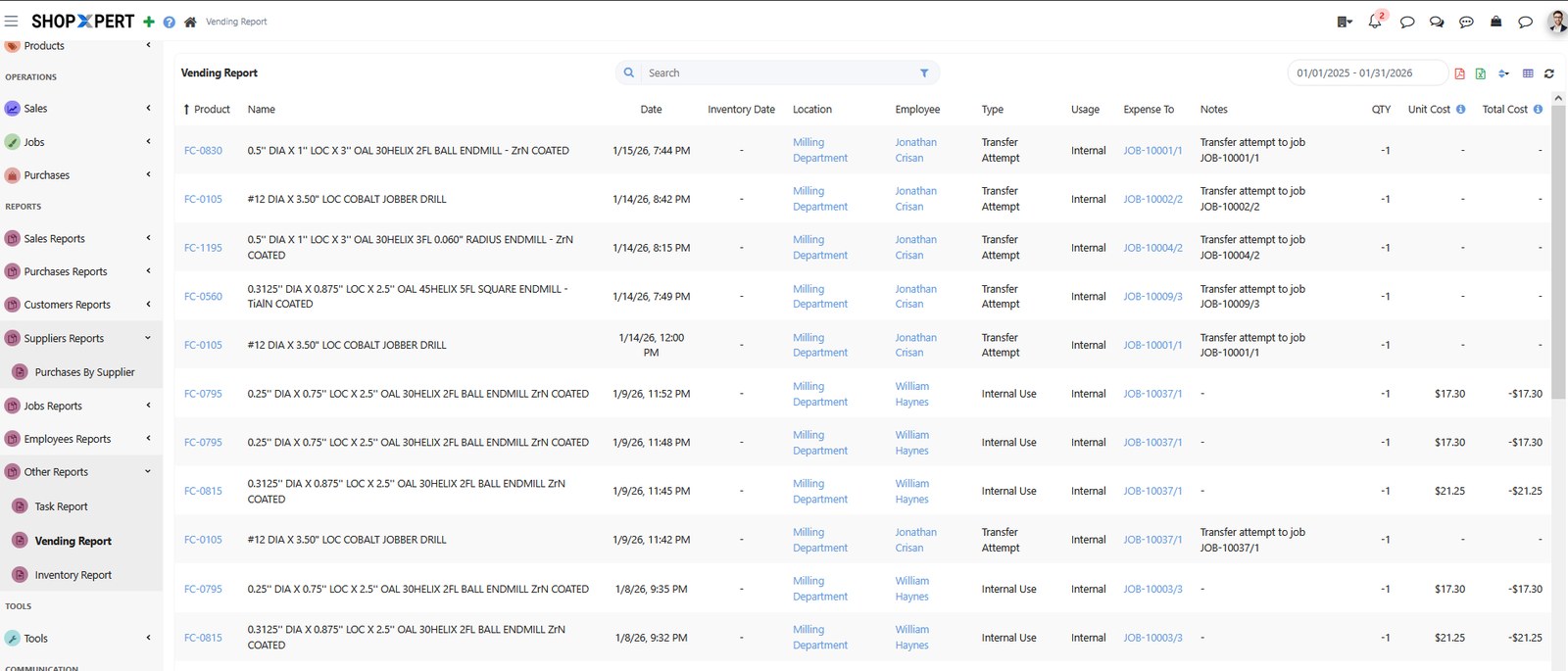
The vending report shows every product dispensed, by location, employee, and job. Filter it, save your favorite views, and export formatted reports.

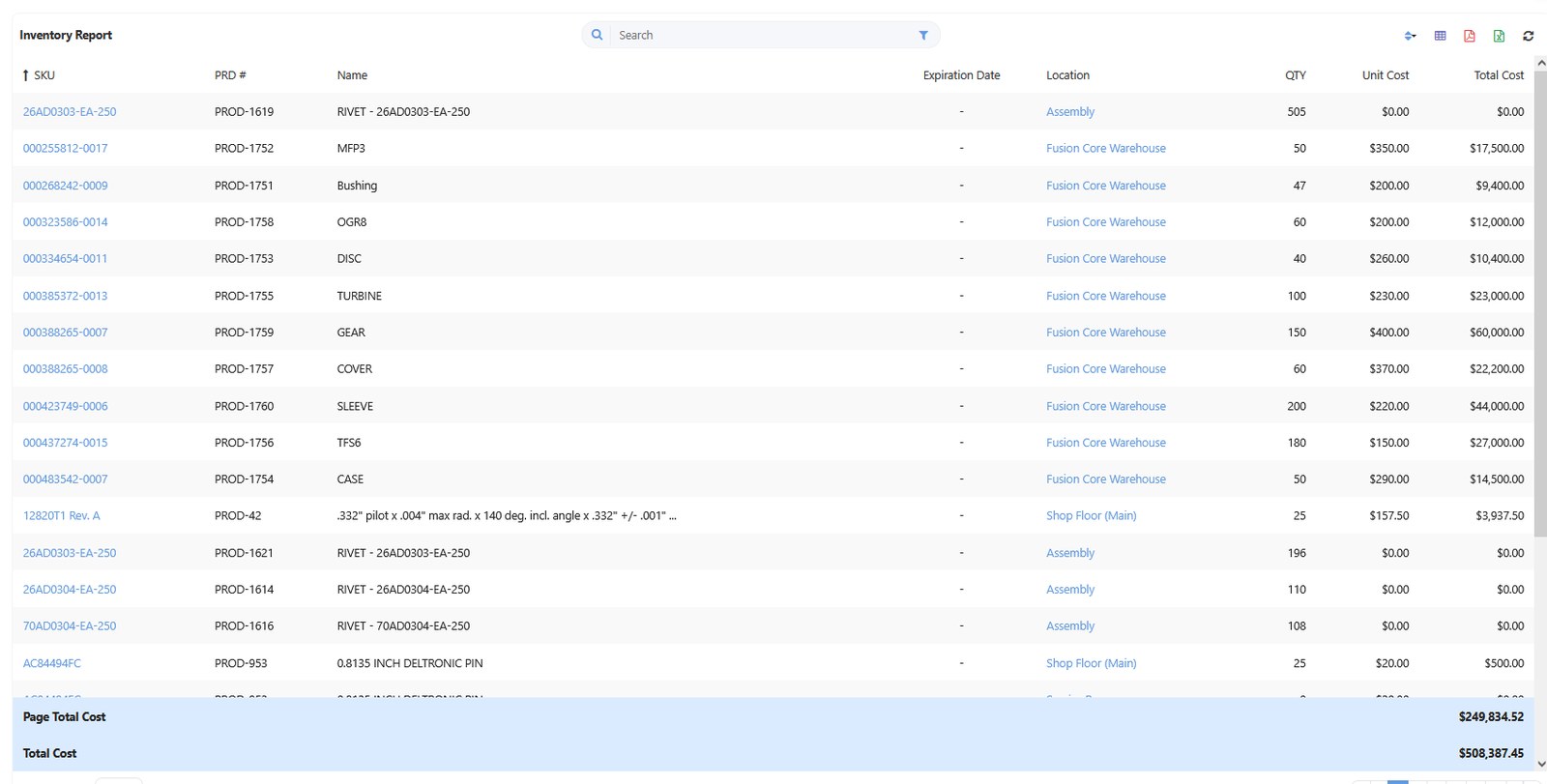
Inventory and expense reports show stock value and spend across every location, and an open API connects vending data to your other systems.

  • Vending report by job and employee
  • Saved filters and favorite views
  • Inventory value and expense reports
  • Open API integrations
Vending Report
ShopXpert vending report listing products dispensed by location, employee, and job
Inventory Report
ShopXpert inventory report with quantities, unit cost, total cost, and page totals
For Distributors

Distributors: Turn Customer Cabinets Into a Recurring Channel.

Stock your customers’ existing cabinets with your products, from cutting tools and inserts to abrasives, PPE, and MRO supplies, and let ShopXpert handle visibility and replenishment. It works like vendor-managed inventory with live consumption data.

01
Recurring Sales

Usage Becomes Orders

Every dispense creates a future replenishment order.

02
Retention

Part of Daily Operations

Your products sit where your customer works every day.

03
Visibility

Know What They Use

See what customers use, where, and how often.

04
Automation

Less Manual Work

Purchase orders are created from real usage and inventory levels.

FAQ

Industrial Vending System Questions.

Want to see it on your cabinets? Talk to our team.

What is an industrial vending system?

An industrial vending system controls access to tools and consumables, records who took each item, and keeps stock replenished. ShopXpert does this with your existing cabinets, an XpertLock, a touchscreen kiosk, and software that tracks every transaction.

Do we need to buy new cabinets?

Usually not. XpertLock replaces the original cam lock at the same location, and conversion kits work with cabinet brands such as Lista, Vidmar, Rousseau, US General, and Sonic.

How does RFID job tracking work?

Employees scan their RFID badge at the kiosk and scan a job badge or select the job serial. Every product they take is linked to them and to that job.

Can ShopXpert reorder automatically?

Yes. Products below their minimum are flagged, and purchase orders can be created with one click or on a daily, weekly, or monthly schedule, ordering enough to reach the maximum quantity.

Does vending connect to the rest of ShopXpert?

Yes. Vending is part of ShopXpert, so consumption feeds inventory, purchasing, job costing, and quality traceability without a separate integration.

Vending and Inventory

Stop Losing Tools and Start Charging Them to the Job.

See an industrial vending system built on the cabinets you already own.