
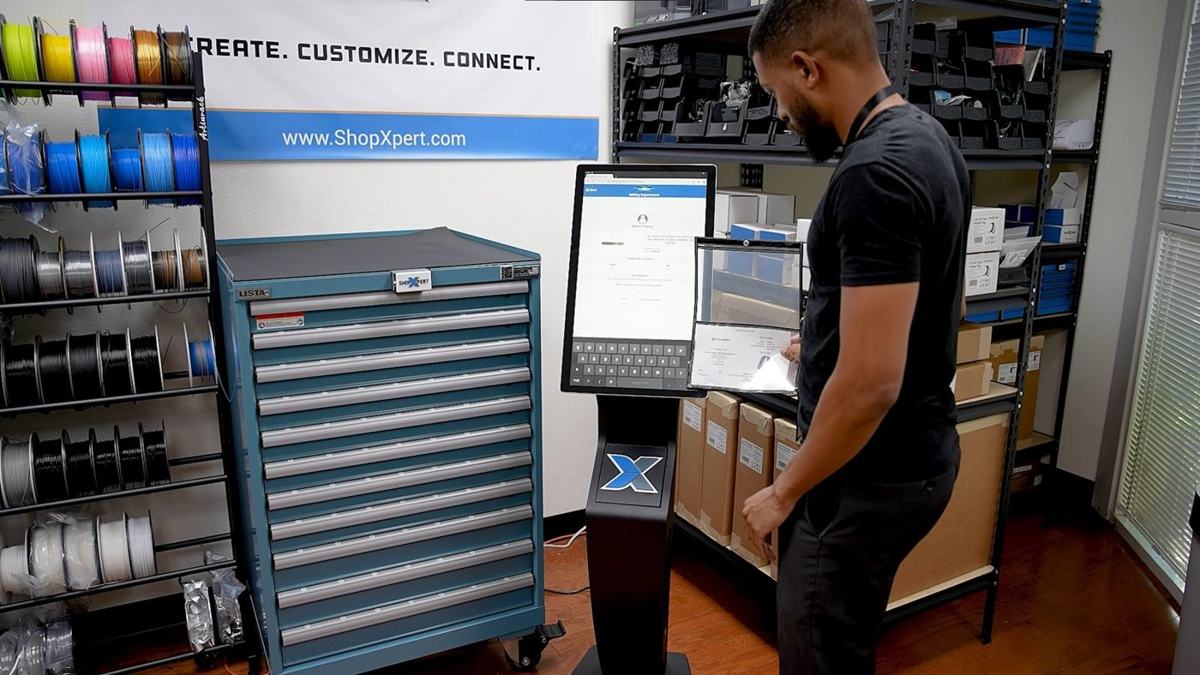
Inserts, end mills, drills, taps, gloves, and gages are small items, but they have a big effect on a machine shop. When a $4 insert runs out, a machine can sit idle. When end mills disappear, the cost shows up as one large tooling number with no idea which job drove it. And when nobody knows who has the good micrometer, someone spends twenty minutes looking for it.
Tool crib management is how shops keep that under control. This guide covers the common ways shops run a tool crib, the problems to watch for, what to look for in tool crib management software, and how to improve control without replacing every cabinet you own.
What a Tool Crib Needs to Do
Whether your tool crib is a locked room, a row of drawer cabinets, or a vending machine, it has the same basic jobs:
- Keep the right tools in stock so machines don’t wait.
- Know where every item is, down to the drawer and bin.
- Record who took what, and for which job.
- Reorder before you run out, without tying up too much cash in stock.
- Show where tooling money is going, by job, employee, and product.
A tool crib that does the first two but not the last three will always feel like it is leaking money.
Common Ways Shops Run a Tool Crib
Open cabinets
Many shops start with open drawer cabinets near the machines. Access is easy, but there is no record of who took what, and stock levels are guessed.
Attended crib
A dedicated attendant hands out tools and logs usage. This gives better control, but it costs labor, and second and third shift often run without an attendant.
Clipboard or spreadsheet sign-out
Operators write down what they take. It works when people remember, and it usually stops working when the shop gets busy.
Industrial vending
Vending machines or connected cabinets control access with a badge and record each transaction. This gives the best data, but buying new vending machines can be expensive, especially when you already own good cabinets.
Problems to Watch For
If any of these happen in your shop every week, your tool crib needs attention:
- Tools and inserts disappear and nobody knows where they went.
- A machine stops because a consumable ran out.
- Reordering happens only when someone notices an empty drawer.
- Tool spend can’t be tied to jobs, so quotes don’t reflect real tooling cost.
- Keys control cabinet access, which in practice means anyone can open it.
- Gages come back to the wrong drawer, or don’t come back at all.
Our post on MRO inventory in a machine shop explains why these small items deserve real attention, and 5 inventory mistakes that cost your shop money covers related pitfalls.
Best Practices for Tool Crib Management
- Give every item a home. Assign a cabinet, drawer, and bin, and label it.
- Set minimum and maximum levels. Minimums trigger a reorder; maximums keep you from overbuying.
- Tie every withdrawal to a person and a job. This is what turns tooling cost into job cost.
- Automate reordering so it doesn’t depend on someone noticing.
- Review consumption regularly by job, employee, and product to spot waste and pricing problems.
- Control access without adding a full-time attendant, especially for off shifts.
How to Roll Out Better Tool Crib Control
Changing how people get tools can meet resistance, so plan the rollout as carefully as the system itself.
- Start with the items that hurt most. Pick the inserts, end mills, and gages that go missing or run out most often, and control those first.
- Count what you have. A clean starting count makes every report after it believable.
- Explain the reason to operators. The goal is fewer stockouts and less searching, not watching people. Most machinists are glad when the tool they need is in the drawer.
- Make access easy. If getting a tool takes longer than walking to an open drawer somewhere else, people will find the open drawer.
- Set minimums from real usage. After a few weeks of data, adjust minimum and maximum levels to match what the shop actually uses.
- Review reports with leads. Share consumption by job and product, and ask what is behind any surprises.
A gradual rollout lets you prove the value on a few cabinets before extending it to the whole floor.
What to Look For in Tool Crib Management Software
When you compare tool crib software, ask:
- Can it work with the cabinets you already own, or do you have to buy new ones?
- How do employees get access: key, PIN, or badge?
- Is every transaction tied to an employee and a job?
- Does it track stock by drawer and bin with minimum and maximum levels?
- Can it create purchase orders automatically when items reach minimum?
- What reports does it give you on consumption and cost?
- Is it connected to your jobs and purchasing, or is it a separate system?
How ShopXpert Handles Tool Crib Management
ShopXpert vending and inventory turns existing industrial cabinets into a connected vending system with badge access, job-level tracking, real-time stock levels, and automatic reordering. It works with leading cabinet brands, including Lista, Vidmar, Rousseau, US General, and Sonic. A touchscreen kiosk lets employees search, select a product, and open the right cabinet.
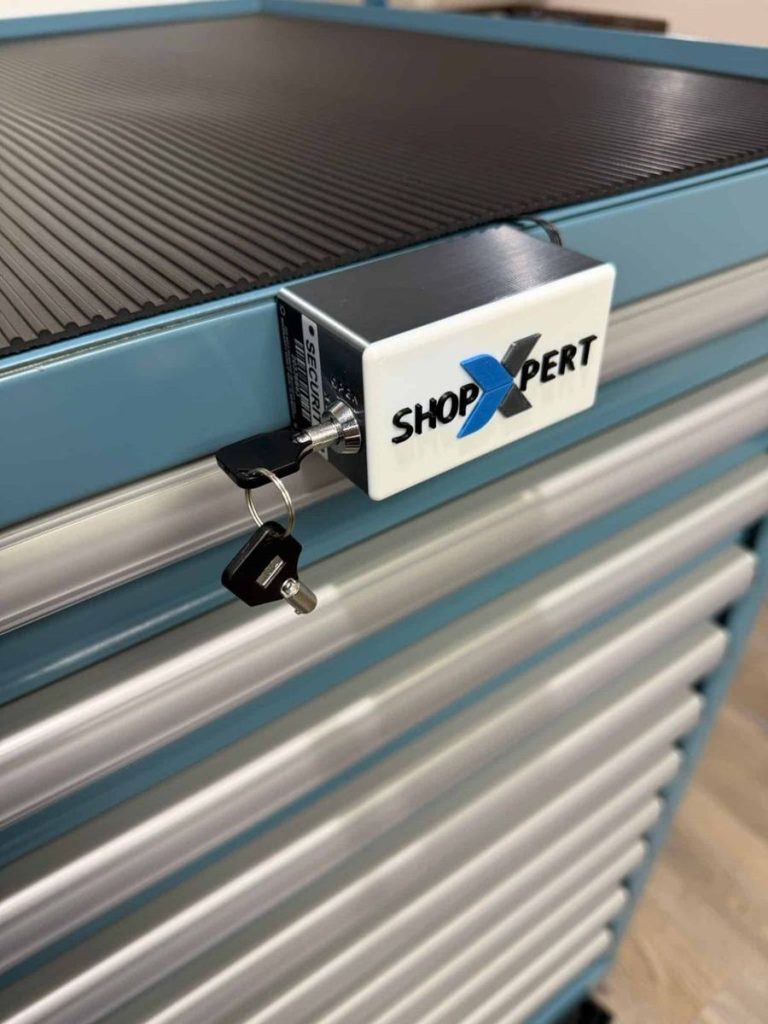
XpertLock replaces the original key-operated cam lock with an electronic lock in the same location, so there is no drilling or cabinet redesign. Employees open the cabinet with their RFID badge, permissions are managed in ShopXpert, and every opening is logged.
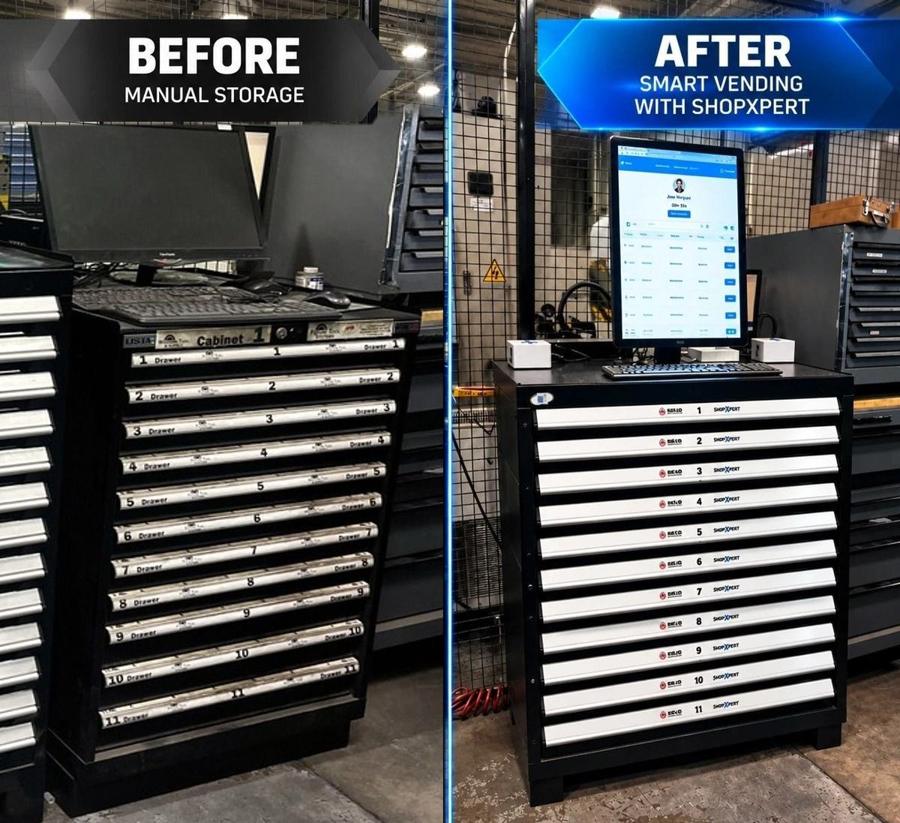
Every product can be assigned to a location, drawer, and bin with minimum and maximum quantities, and the movement history shows each change. When a product reaches its minimum, ShopXpert can create purchase orders with one click or on a schedule you set, sent to each product’s assigned supplier. Reports break consumption down by job, employee, location, and product.
If you are setting up a new crib, you can configure Lista modular drawer cabinets drawer by drawer and pair them with ShopXpert badge access and job tracking.
See It on Your Own Cabinets
The fastest way to judge a tool crib system is to see it running on the kind of cabinet you already have. Book a ShopXpert demo.