
How to Operate Employee Portal
Employee User Guide
ShopXpert Employee
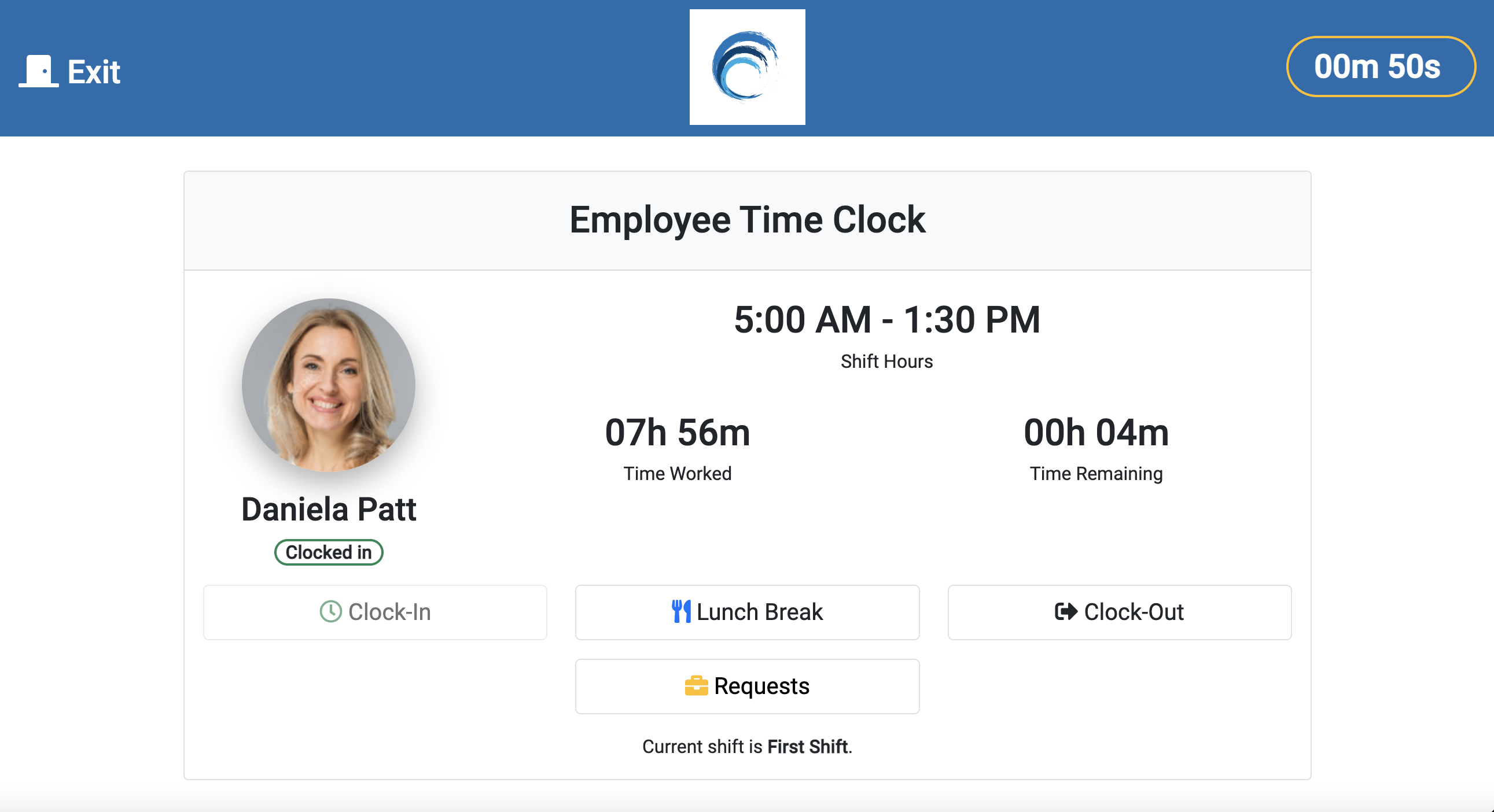
- Page is opened 15 seconds. If the countdown is under 10 seconds a button to Extend Time will be available (up to 1 min)
- Details about employee:
- Employee’s profile picture
- Employee’s name
- Employee Status
- Organization Name
- Shift Name
- Today Time Worked (time logged today)
- Today Time Remaining
- Clock-In – The employee should use this button when he arrives at work or after lunch break/clock-out.
- Lunch Break – Option to be used by the employees when taking the Lunch Break.
- Clock-Out – Option to to be used by the employees when they finish working day or when they leave the workspace.
- Clock-In option available means Lunch Break and Clock-Out are unavailable and vice versa.
- Options are available if the employee has a shift for current day.
Was this article helpful?
Still stuck?
Ask Tessa in chatEmail supportTessa can point you to the right guide, or bring in a ShopXpert teammate.