Ask most shop owners how busy their machines are and you will get a number based on the schedule. Ask what the machines actually did yesterday and the answer gets less certain. A mill that sat waiting on material for two hours, a lathe that stopped after a tool broke at the start of second shift, a CMM that has become the real bottleneck: these things are easy to miss when nobody is standing next to the machine.
CNC machine monitoring closes that gap. This guide explains what machine monitoring is, the different ways to do it, what to look for in a CNC machine monitoring system, and how to start without turning it into a large IT project.
What Is CNC Machine Monitoring?
Machine monitoring means collecting data from your equipment so you can see its status as it happens and review it later. At minimum, a monitoring system tells you whether each machine is running, idle, down, or offline, and for how long.
That simple information answers questions every shop owner asks:
- Which machines are actually the busiest?
- How much time do we lose to idle machines waiting for an operator, material, or a program?
- Does second shift run as much as first shift?
- Do we really need another machine, or do we need to use the ones we have better?
- Which machine stops most often?
Why Schedule-Based Utilization Can Mislead You
Many shops estimate utilization from the schedule or from hours logged on jobs. The problem is that the schedule shows what was planned, not what happened. A job can be “in progress” on a machine for eight hours while the spindle only turns for five.
When capacity decisions rely on planned numbers, a shop can end up buying a new machine when the real problem was setup time, material staging, or a single operator covering too many machines. Measured running time gives you a more honest starting point.
Common Approaches to Machine Monitoring
There are a few ways to collect machine data, each with tradeoffs.
Controller-based monitoring
Some systems connect directly to the CNC controller using protocols supported by newer machines. This can provide detailed data, but it often requires controller access, adapters, network changes, and help from IT or the machine builder. Older machines may not support it at all.
Power or current monitoring
Clamping sensors on the power supply can tell when a machine is drawing load. This works on many machines but usually needs an electrician to install.
Vibration-based monitoring
A sensor mounted on the machine reads vibration and motion to determine whether it is running. Because it doesn’t depend on the controller, it can work on equipment of any brand or age, including manual machines, presses, CMMs, and robot cells.
Operator input
Operators press a button or select a reason when a machine stops. This adds context, such as why a machine is down, but depends on people remembering to do it.
Many shops combine automatic status with job data from the floor, so they see both what the machine did and which job it was working on.
What to Look For in a CNC Machine Monitoring System
When comparing CNC machine monitoring software, consider these points:
- Installation effort. How long does it take to get one machine reporting? Does it need wiring, controller changes, or an electrician?
- Machine coverage. Will it work on your oldest machines as well as your newest, and on inspection and automation equipment?
- Network impact. Does it require changes to your internal network, or can it connect on its own?
- Live status and alerts. Can the right people get an alert when a machine stops, instead of finding out on the next walk around the floor?
- History and reporting. Can you compare shifts, departments, and date ranges to make capacity decisions?
- Where the data lives. Is machine data in a separate platform nobody opens, or next to your jobs, schedule, and maintenance?
The last point matters more than it seems. Monitoring data is most useful when it sits beside the job and maintenance records your team already uses.
How to Start Without a Big Project
You don’t need to monitor every machine on day one. A practical rollout looks like this:
- Pick the machines you argue about. Start with the machine everyone thinks is the bottleneck, and one that seems underused.
- Collect a few weeks of data before changing anything. Let the baseline show you what is really happening.
- Review idle and downtime with the team. Ask operators and leads what caused the patterns. They usually know.
- Fix one cause at a time. Material staging, tool presetting, program readiness, or maintenance.
- Expand to more machines once the first ones prove useful.
How ShopXpert Handles Machine Monitoring
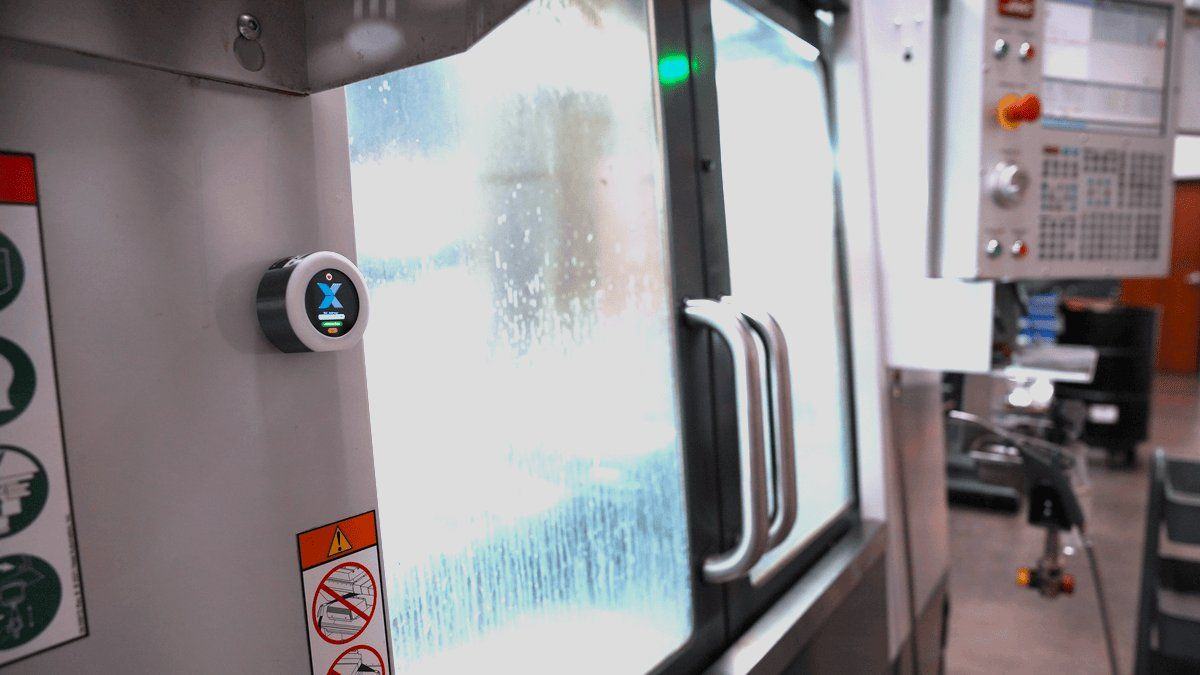
ShopXpert includes XpertTrack machine monitoring. The XpertTrack sensor mounts on the machine with a magnet and measures vibration and motion, and ShopXpert turns the readings into running, idle, downtime, and offline status. There is no drilling, wiring, or controller integration, and it works regardless of machine brand or age, including CNC mills and lathes, presses, CMMs, and robot arms.
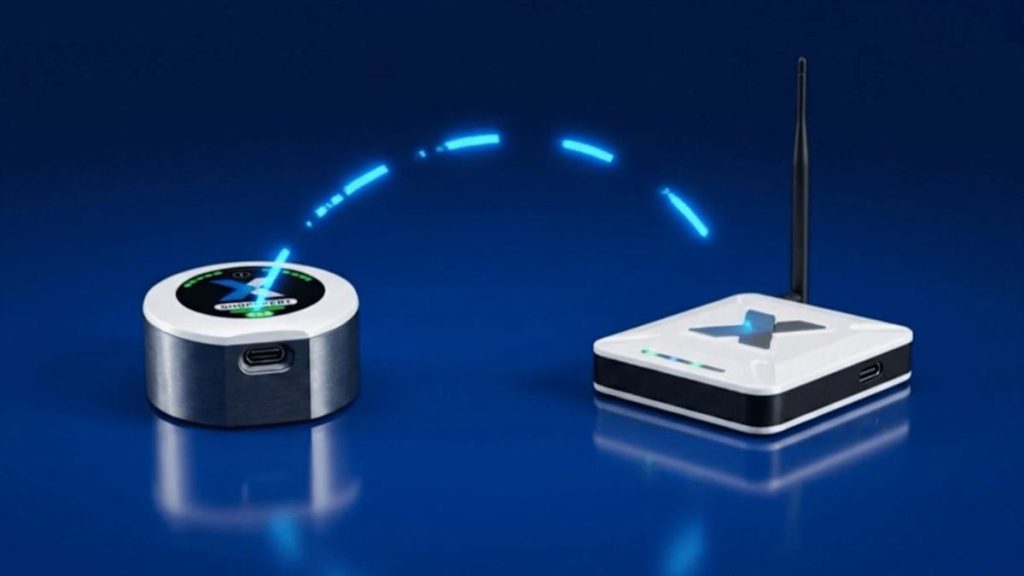
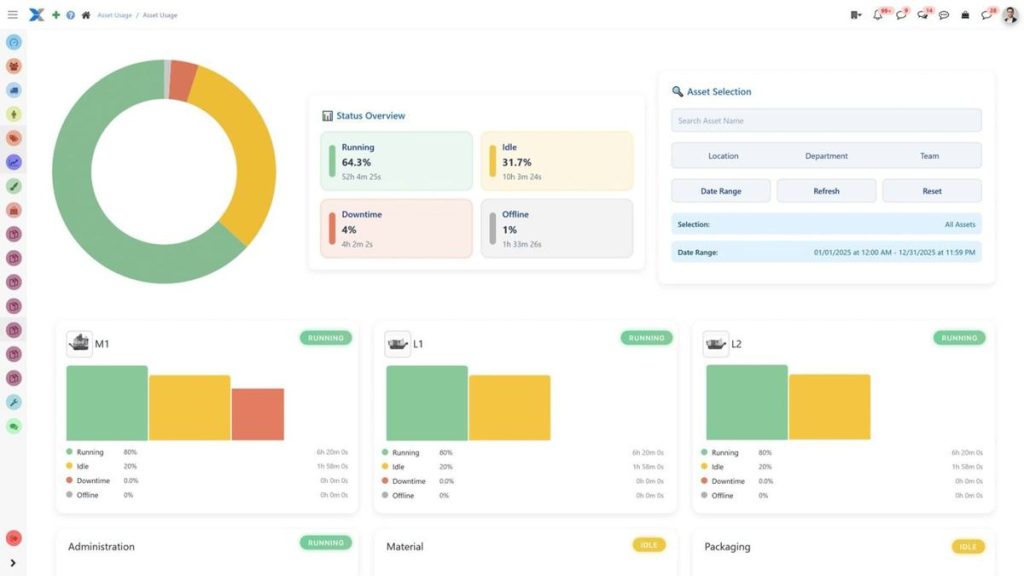
A gateway is included with every sensor package and connects over WiFi or Ethernet without changes to your internal network. The Asset Usage dashboard shows time running, idle, in downtime, and offline as hours and percentages, with filters by location, department, team, and date range, and history stored for reporting. Downtime alerts tell the right people when a machine stops.
Because XpertTrack is part of ShopXpert, machine status sits next to your jobs and planning in production management and your maintenance tasks in CMMS and preventive maintenance. If you want to compare measured run time against your plan, our guide to job shop scheduling software is a good next read, along with what preventive maintenance is and how to implement it.
See Your Machines Live
If you want to know what your machines are really doing, the simplest step is to see monitoring on the kind of equipment you run. Book a ShopXpert demo.