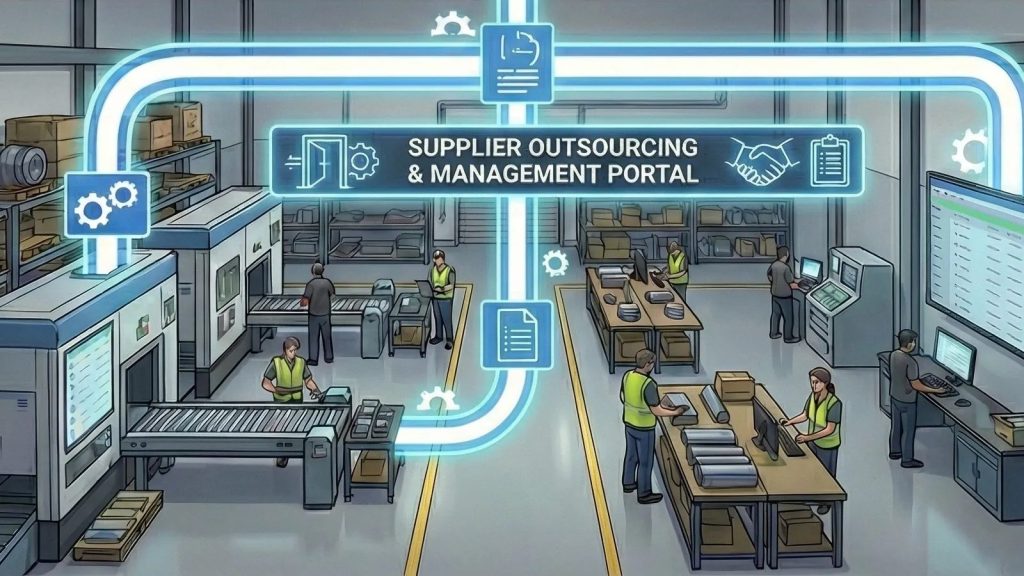
A customer auditor walks in at 9 AM. A tooling vendor is waiting by the front desk. A contractor is already on the floor fixing a compressor, and nobody remembers signing him in. In most machine shops, the front door is the one place where nothing is tracked, even though the shop floor behind it is full of controlled drawings, customer parts, and expensive equipment.
Visitor management is how a shop fixes that. This guide covers why the paper sign-in sheet falls short, what a good visitor process includes, how to set one up without slowing down your front office, and what to look for in software.
What Visitor Management Means in a Machine Shop
Visitor management is the process of recording who comes into your building, who they came to see, why they are there, and when they leave. In an office, that may be a courtesy. In a machine shop, it connects to safety, customer confidentiality, and export rules.
A complete process answers four questions at any moment: who is on site right now, who is responsible for them, what rules did they agree to, and who was here on a given date.
Why the Paper Sign-In Sheet Falls Short
A clipboard is better than nothing, but it has predictable problems in a working shop:
- Handwriting is hard to read. Names and companies are scribbled, so the log is nearly useless later.
- Visitors skip it. Drivers, contractors, and people who just need to drop something off walk past the desk.
- Nobody tells the host. The person who is supposed to meet the visitor finds out when someone wanders the floor looking for them.
- There is no sign out. You cannot tell who is still in the building during a safety event.
- Rules are not captured. A sticker on the wall about safety glasses is not the same as a visitor agreeing to your policy.
- Old sheets get lost. When a customer asks who was on site last Tuesday, someone digs through a binder.
Each of these gaps is small. Together they mean you cannot prove who was on your floor, which is a problem when a customer or auditor asks.
What a Good Visitor Process Includes
You do not need a security department. You need a consistent set of steps that every visitor follows at every door.
1. Check in at one known place
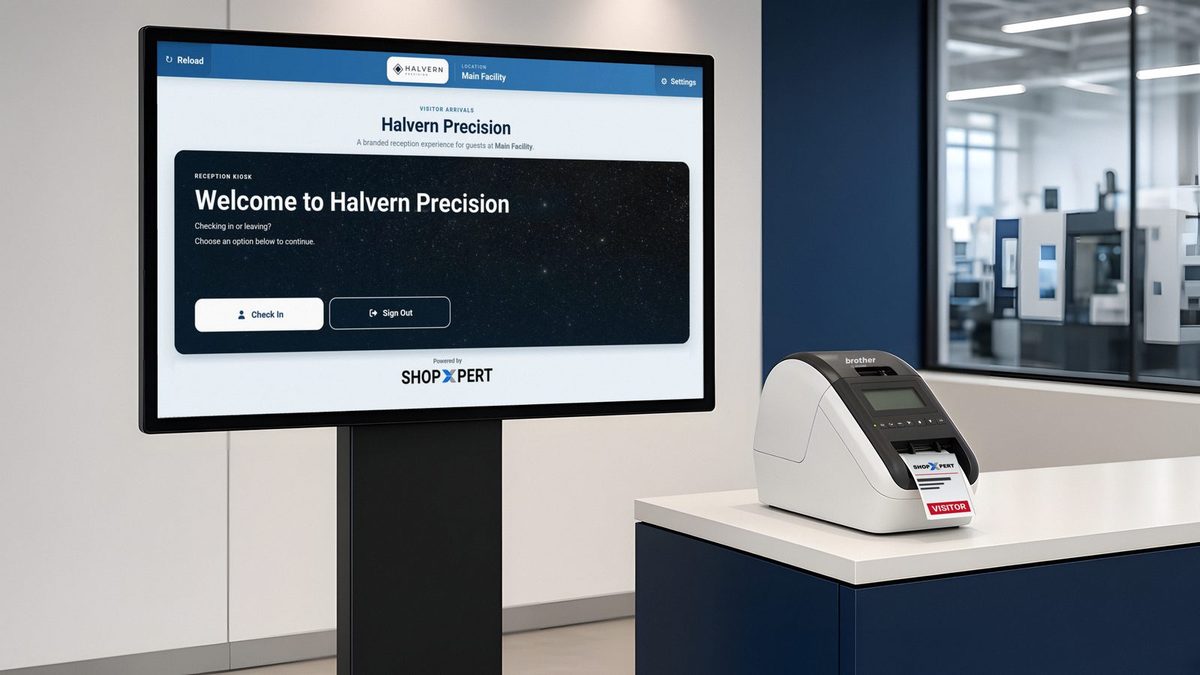
Pick a single entrance for visitors and make it obvious. A kiosk or clearly marked desk works better than hoping someone at the counter remembers to hand over a clipboard. If you have a shipping dock or a second building, give each entrance the same process.
2. Capture the basics every time
Record the visitor name, company, reason for the visit, and who they are here to see. Returning visitors should be able to skip retyping their details, which keeps repeat vendors from getting frustrated.
3. Ask the export control question
Shops that work under ITAR or other export rules need to know whether a visitor is a US person before that visitor walks past controlled work. Ask the question at check in, every time, and save the answer with the visit. A visitor system helps you collect that answer, but it does not replace your own compliance process or your escort rules.
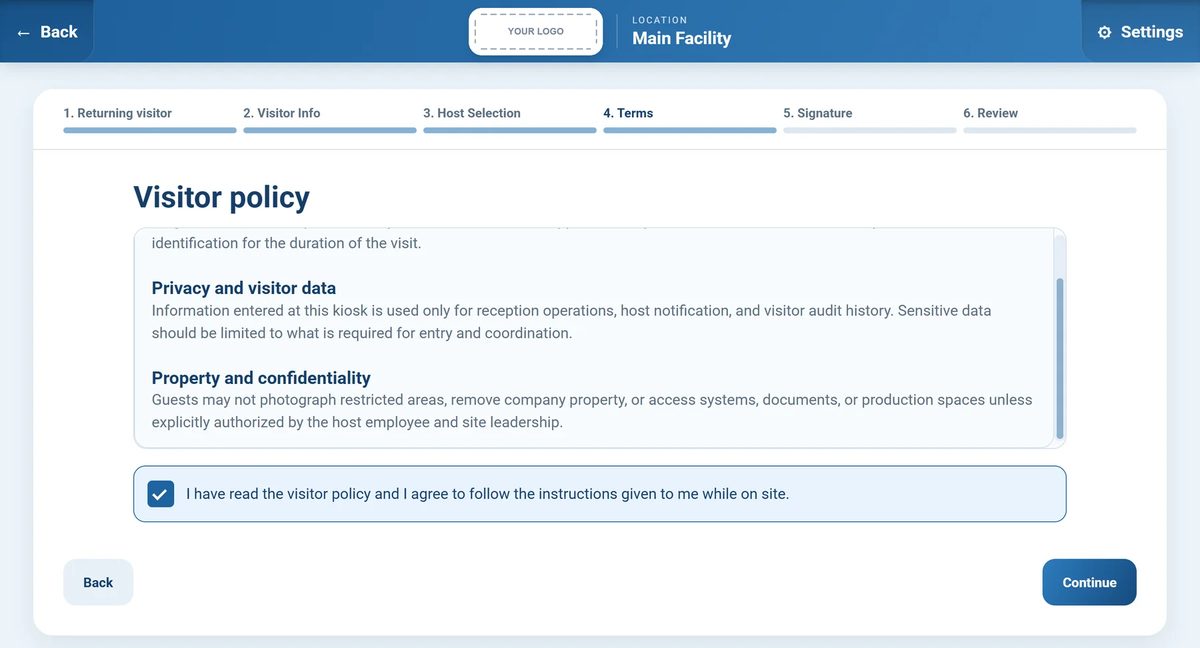
4. Have visitors agree to your policy and sign
Show your rules on screen: safety gear, no photos, areas that need an escort, and what you expect from guests. The visitor agrees and signs, and that record is saved with the visit.
5. Give every visitor a badge
A printed badge with the visitor name, company, host, and time lets anyone on your floor see at a glance who is a guest and who they are with. Make it look different from an employee badge. A bold red VISITOR label does the job.
6. Tell the host right away
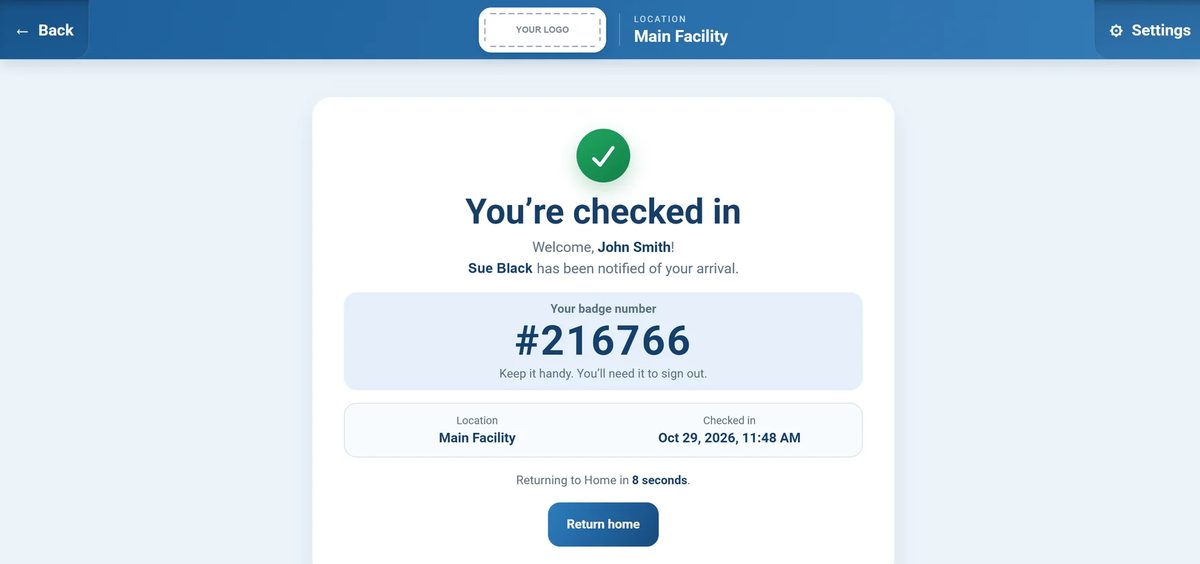
The person the visitor came to see should know the moment the visitor checks in. This keeps your receptionist from playing messenger and keeps guests from waiting in the lobby.
7. Sign out on the way out
A visit is not finished until the visitor leaves. Give each visitor a badge number to enter at sign out, so your log shows arrival and departure times.
Visitor Management Mistakes to Avoid
- Using one process for the front office and a different one at the dock.
- Skipping the policy step because it feels formal.
- Letting vendors and drivers bypass sign in because they come every week.
- Keeping the log on a clipboard that anyone can read, including other visitors.
- Treating the export question as a checkbox without any escort rules behind it.
- Never testing the badge printer until the day a customer visit starts.
What to Look For in Visitor Management Software
You can run a visitor process with paper and discipline, but software removes the steps people skip. When you compare options, ask:
- Can visitors check in on their own, without tying up reception?
- Does it ask the US person question and save the answer?
- Can you show your own visitor policy and capture a signature?
- Does it print a badge right away?
- Is the host notified when the visitor arrives?
- Can you pull up a record by date, host, or company when an auditor asks?
- Are the settings locked so only an admin can change them?
Also think about the rest of the building. Visitor records matter most when they sit alongside the traceability records you already keep for jobs and inspections. Our guide to AS9100 traceability requirements covers the records auditors usually ask for, and visitor logs are part of the same conversation about proving who did what and when.
How ShopXpert Handles Visitor Check-In
ShopXpert has been building shop management software for machine shops since 2020. The Receptionist Portal is its visitor check-in system for your front door. With it you can:
- Check visitors in on a touch screen. Visitors use a 43-inch touch screen kiosk at your entrance and tap through six screens: returning visitor, visitor info, host selection, your policy, signature, and review.
- Print a badge right away. A Brother label printer prints a red and black badge with the visitor name, company, host, time, and badge number.
- Notify the host. The person the visitor came to see is told they have arrived.
- Ask the US person question. Each visitor answers whether they are a US person or US citizen, which is useful for shops that work under ITAR or other export rules.
- Capture your policy and a signature. Your shop rules show on screen, and the visitor agrees and signs. The signature is saved with the visit.
- Keep visit records. Every visit is saved with the host, reason, policy, signature, and time, so you can answer an audit question about who was on site.
- Lock the settings. Only an admin or team leader can open settings, using an employee card or a six digit PIN.
- Run one kiosk per entrance. Front office, shipping dock, or a second building each ask the same questions and save the same details.
See the full check in flow on the ShopXpert Receptionist Portal page. If your shop works with defense or space customers, our pages for defense manufacturing and aerospace manufacturing show how ShopXpert fits those shops. Visitor check in connects with the same ShopXpert platform that runs your jobs, tools, and inspections, and the quality and traceability page shows how those records come together.
Know Who Is in Your Building
Tell us how many entrances your shop has and what your visitors look like, and we will show you how check in, badges, and visit records would work at your front door. Book a ShopXpert demo.