Most machine shops find out whether a job made money after it ships, if they find out at all. The invoice goes out, the month closes, and the profit or loss gets blended into one number for the whole shop. Meanwhile, the next quote for the same part is built on the same assumptions.
Job costing fixes that by tracking what each job actually costs as it runs. This guide explains how job costing works in manufacturing, what costs to track, where shops usually lose accuracy, and how software can show you the margin while there is still time to act.
What Is Job Costing?
Job costing means collecting all the costs that go into a single job, so you can compare them to the price you quoted. In a machine shop, the main cost categories are:
- Labor: setup, run, inspection, and other time spent on the job.
- Material: raw stock and any purchased components.
- Outside processing: heat treat, coating, grinding, and other vendor work.
- Tooling and consumables: inserts, end mills, and other items used on the job.
- Overhead: shop costs applied using a rate your shop has chosen.
The goal is simple: estimate versus actual, job by job.
Why Job Costing Matters for a Machine Shop
A shop can be busy and still lose money on some of its work. Without job costing, it is hard to tell which jobs, customers, or part families are the problem. Good job costing helps you:
- Spot jobs going over budget while they are still on the floor.
- Improve future quotes with real numbers from similar work.
- Find which customers or parts are most and least profitable.
- See where cost is going, such as setup time, scrap, or outside processing.
- Have better conversations with customers about pricing on repeat work.
If you want a deeper look at how quoting connects to costing, see our guide on how to quote CNC machining jobs.
Where Job Costing Usually Breaks Down
Most shops understand job costing in principle. The trouble is collecting accurate data.
- Labor is written on paper and entered days later, if at all.
- Material is pulled without being charged to a job.
- Outside processing invoices arrive weeks later and aren’t tied back to the job.
- Tooling is one big expense line with no link to the jobs that used it.
- The quote, the job, and the invoice live in different systems, so comparing them takes manual work.
When the data comes in late, job costing becomes a report you look at after the fact instead of a tool you use while the job runs.
How to Set Up Job Costing in Your Shop
Here is a practical way to get started:
- Use the same cost categories in quotes and jobs. If you estimate labor, material, outside processing, and overhead, track actuals in the same buckets.
- Capture labor at the source. Operators should record time against the job at their workstation, not on a timesheet at the end of the week.
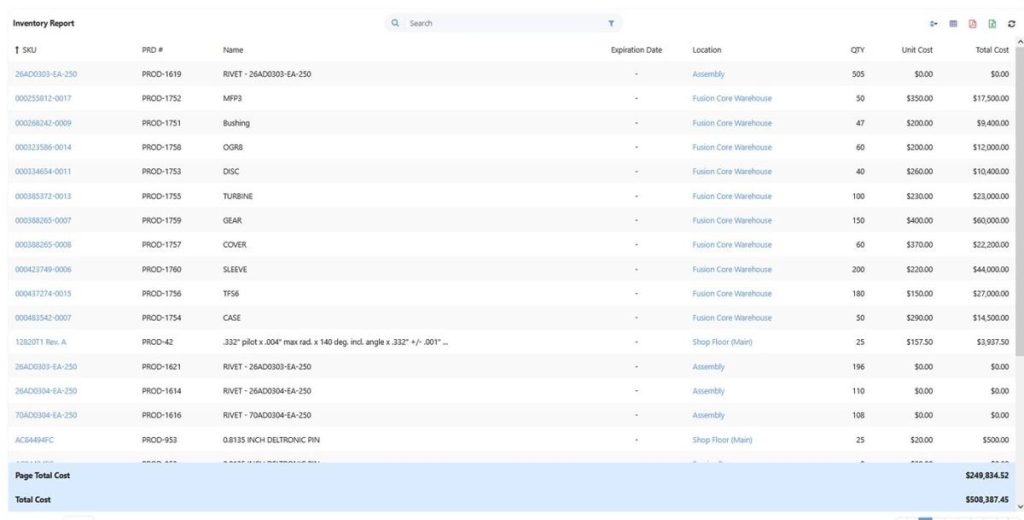
- Issue material to the job. Every time stock leaves inventory for a job, record it.
- Tie purchase orders to jobs. Outside processing and job-specific purchases should be linked to the job record.
- Track tooling by job where you can. A vending or badge-access system makes this possible without extra paperwork.
- Review estimate versus actual every week, not only when the job closes.
Common Job Costing Mistakes
Even shops that track job costs can draw the wrong conclusions. Watch for these:
- Comparing totals only. A job can land close to its total estimate while labor ran well over and material came in under. Compare each cost category, not just the bottom line.
- Ignoring setup separately from run time. On short runs, setup is often where the estimate misses. Track it as its own line.
- Waiting until the job closes. By then the margin is locked in. Weekly reviews let you catch a drifting job while it can still be corrected.
- Not feeding results back into quoting. Job costing pays off when the next estimator can see what similar jobs really cost.
- Treating every overrun as an operator problem. Overruns often trace back to the routing, the program, the fixture, or the quote itself.
Good job costing is less about blame and more about learning where your estimates and processes need adjustment.
What to Look For in Job Costing Software
When you compare job costing software for manufacturing, look for:
- Live estimate versus actual, updated as work happens.
- Labor captured at the workstation, linked to the job and operation.
- Material and outside costs posted to the job.
- One record from quote to job to invoice, so numbers don’t need to be retyped.
- Job history you can use when quoting the next similar job.
- A link to accounting, so the books and the shop agree.
How ShopXpert Handles Job Costing
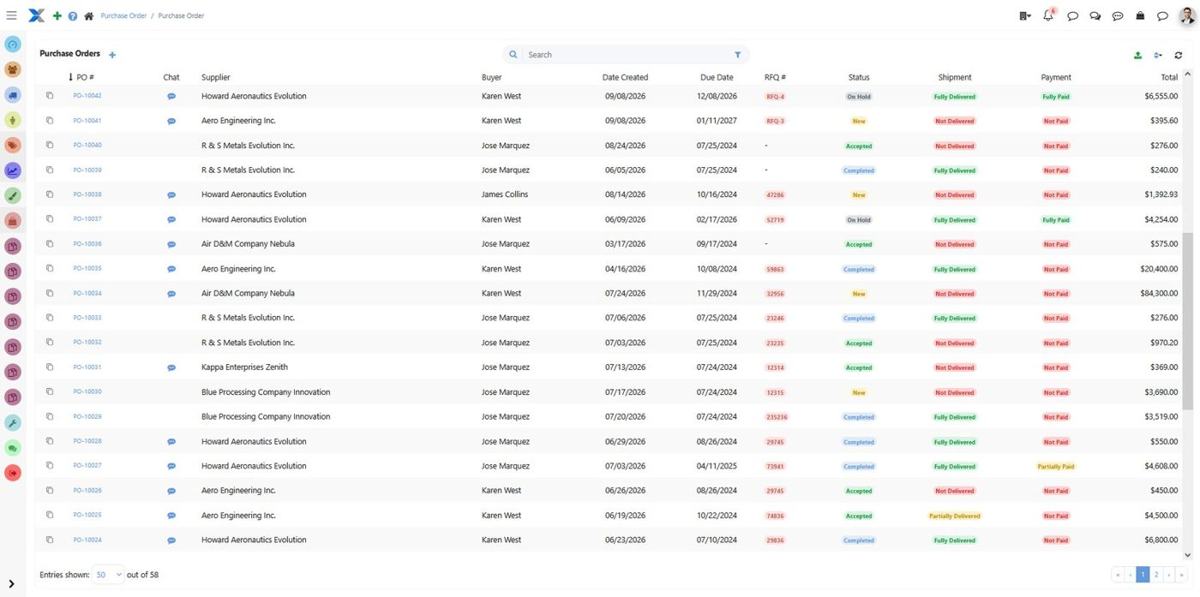
ShopXpert manufacturing ERP compares estimated and actual labor, material, and outside costs while the job is still on the floor. Operators record time against the job at their workstation, material is issued from inventory to the job, and outside processing purchase orders are tied to the same record. Costs add up as the work happens, so managers can see which jobs are on budget, which are drifting, and why.
One record follows the work from RFQ to quote, sales order, job, purchase order, and invoice. When the job ships, you create the invoice in ShopXpert, and the accounting integration syncs invoices, purchase orders, customers, suppliers, items, time entries, and job costs. You can see the available connections on the integrations page.
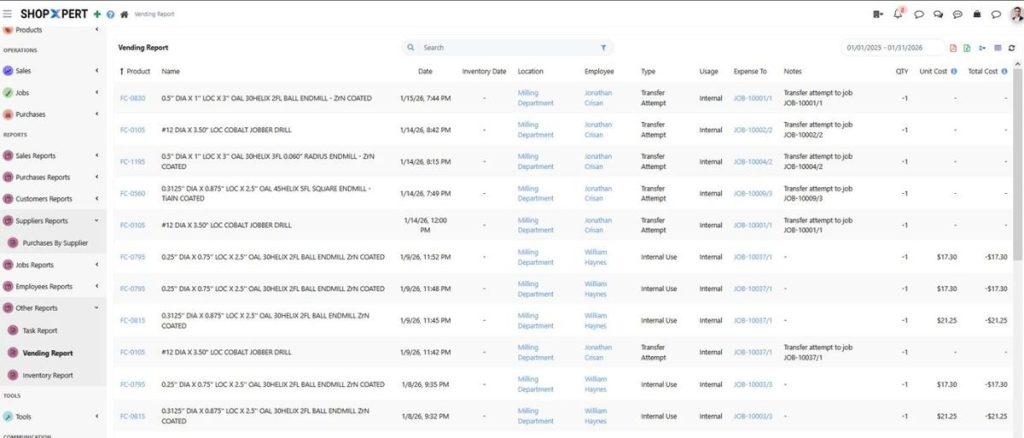
Tooling can be part of the picture too. With ShopXpert vending and inventory, tools are dispensed with a badge and a job, and reports break consumption down by job, employee, location, and product. On the floor, production management records time and progress at each workstation, which feeds the same job record. For how that floor data supports planning, read our guide to job shop scheduling software.
See Live Job Costing on Your Own Work
The clearest way to evaluate job costing is to watch a job’s costs build up as it runs. Book a ShopXpert demo and bring a job you want to understand better.