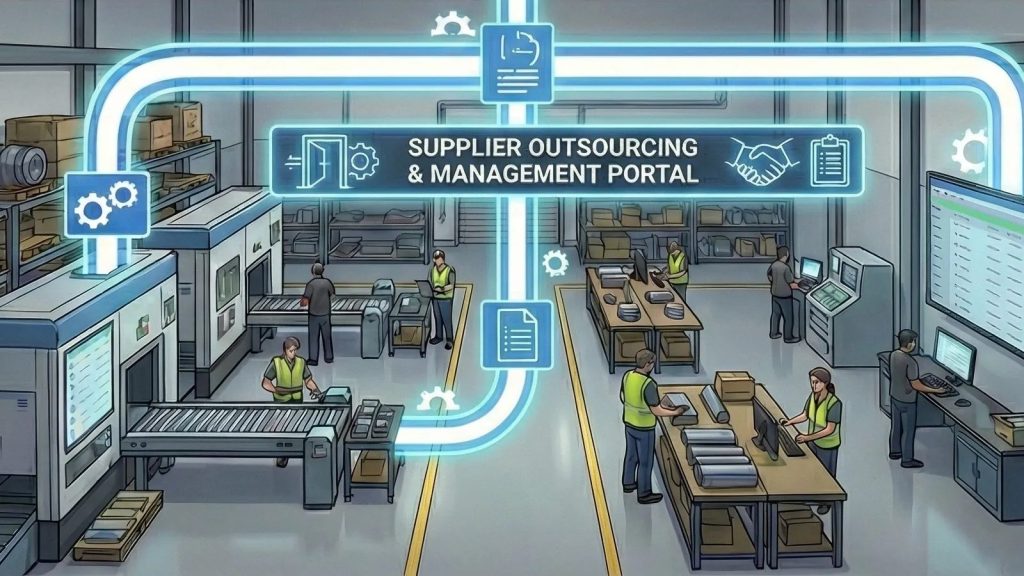

Most machine shops start with QuickBooks. It sends invoices, pays bills, runs payroll, and gives the accountant the reports they need at tax time. For a shop with a few machines and a handful of customers, that is often enough.
The trouble starts when the shop grows. Jobs get bigger, travelers multiply, and the owner wants to know which jobs made money. That is when people start searching for QuickBooks for manufacturing and finding that the answer is more complicated than one product. This guide covers what QuickBooks does well in a machine shop, where it stops, and how shops connect it to a manufacturing system instead of replacing it.
What QuickBooks Does Well in a Machine Shop
QuickBooks is accounting software, and it is good at accounting. In a typical job shop it handles:
- Invoicing and receivables. Customer invoices, payments, credits, and aging reports.
- Bills and payables. Supplier bills, payments, and vendor balances.
- Payroll and taxes. Paychecks, payroll taxes, and sales tax, depending on the plan you use.
- Financial statements. Profit and loss, balance sheet, and the reports your CPA and bank ask for.
- The general ledger. One place where every dollar is recorded.
Your accountant knows it, your bookkeeper knows it, and your bank is used to its reports. There is rarely a good reason to rip it out. The better question is what should sit next to it.
Where QuickBooks Stops for Manufacturing
QuickBooks tracks money. A machine shop also has to track work: what is being made, on which machine, by whom, with which material, and against which revision of the drawing. Some QuickBooks editions add inventory items and simple assemblies, but the daily work of a job shop still falls outside what accounting software is built to do.
Jobs, routings, and travelers
A job in a machine shop has operations: saw, mill, turn, deburr, outside heat treat, inspect, ship. Each operation has a machine, an operator, a setup, and a due date. Accounting software can record a customer and an amount, but it has no place for routings, stage status, or the traveler that follows the part across the floor. Shops end up running the floor on paper, whiteboards, and spreadsheets, with QuickBooks only seeing the invoice at the end.
Job costing that reflects the floor
Many shops try to job cost in QuickBooks by tagging bills and time to a customer or project. The numbers only come out right if every labor hour, material purchase, and outside service is entered against the right job, by hand, on time. In practice, labor gets entered late or in a lump, material is bought for several jobs at once, and the job report is missing half its cost. Our guide to job costing in manufacturing explains what a real job cost needs to include.
Labor by job and operation
Payroll needs hours per employee. Job costing needs hours per job and operation. If operators clock in and out of the building but not of each job, there is no way to know how long the second op on a bracket really took. See our article on time tracking for machine shops for how shops capture labor on every job.
Quoting, quality, and the shop floor
Estimates with material, tolerances, and outside processing, first article and inspection records, tool and gage control, machine status, and supplier follow-up all live outside accounting software. When those records sit in separate spreadsheets, the same customer, part, and PO get typed again and again.
Signs Your Shop Has Outgrown QuickBooks Alone
You do not need to switch anything just because you are growing. These are the signs that accounting software alone is no longer carrying the operation:
- You can say what a month made, but not which jobs made money.
- Quotes are built from a spreadsheet that only one person understands.
- Operators fill in paper travelers that someone retypes later, or never.
- Purchase orders are created in one place and received in another.
- Customers ask where their job is, and someone has to walk the floor to find out.
- The same customer, supplier, or part is entered in two or three systems, and they do not match.
If several of these sound familiar, the gap is not in your accounting. It is the operational system that should sit in front of it.
Replace QuickBooks or Connect It?
Some shops move everything, including accounting, into one large ERP. Others keep QuickBooks for the books and add a manufacturing ERP for jobs, purchasing, the floor, and quality. For most small and mid-size job shops, keeping QuickBooks is the simpler path. The accountant keeps the tools they know, and the shop gets software built for the work.
The part that matters is how the two systems divide the job. A clean setup usually looks like this:
- Decide which system owns each record. New customers, suppliers, products, sales, purchase orders, and invoices start in the operational system. QuickBooks remains the place for accounting.
- Align existing records once. Bring customers, suppliers, employees, products, and tax codes into the new system so nothing is duplicated.
- Let the work flow one way. Invoices, purchase orders, time entries, and job costs created during the work move to QuickBooks instead of being typed again.
- Bring payments back. Customer receipts and credits recorded in accounting come back so the shop can see what is paid.
- Check it monthly. Compare open invoices and purchase orders between the two systems until the team trusts the flow.
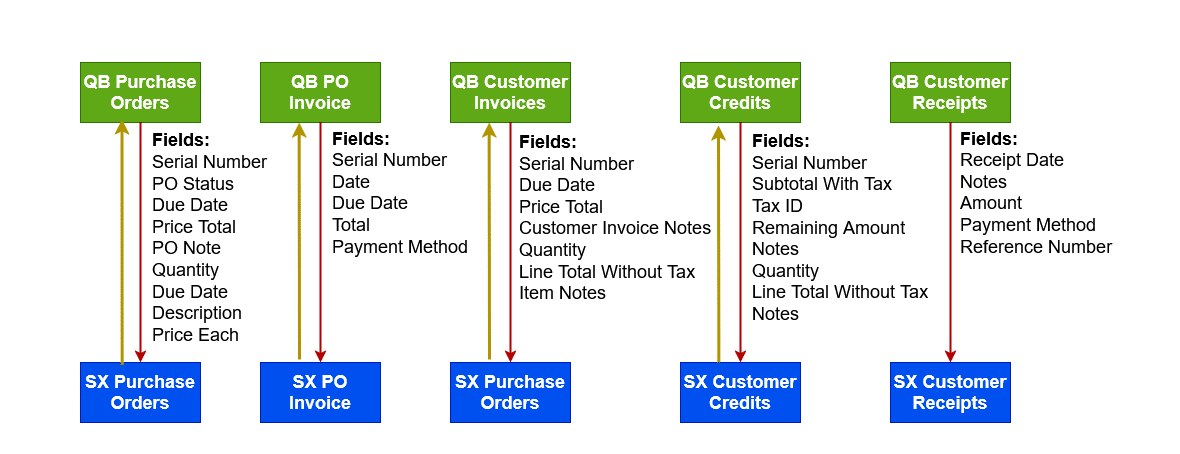
How ShopXpert Works With QuickBooks
ShopXpert has been building manufacturing software for machine shops since 2020. It runs the operational side of the shop, and its QuickBooks integration keeps accounting in QuickBooks with a clear division of responsibility:
- Two-phase sync. An initial sync aligns existing customers, suppliers, employees, products, and tax codes. After that, new operational records are created in ShopXpert and synchronized with QuickBooks.
- Operational data to QuickBooks. Invoices, purchase orders, new customers and suppliers, products, items, time entries, and job costs move from ShopXpert into the accounting workflow.
- Financial data back to ShopXpert. Customer receipts and customer credits come back from QuickBooks, so the operations team sees payments without asking accounting.
- Quotes that become jobs. With quoting and job costing, estimates are built from your own costing templates and formulas, approved estimates become a sales order and a job without retyping, and estimate vs actual is tracked on every job.
- Labor on every job. Workforce time tracking records clock-ins with an RFID badge and captures time on jobs at the workstation, so job costs reflect real hours.
- Reports in the same system. ShopXpert includes reports across the app, such as sales order shipments, job, KPI, and time management reports, so operations questions do not wait for month-end accounting.
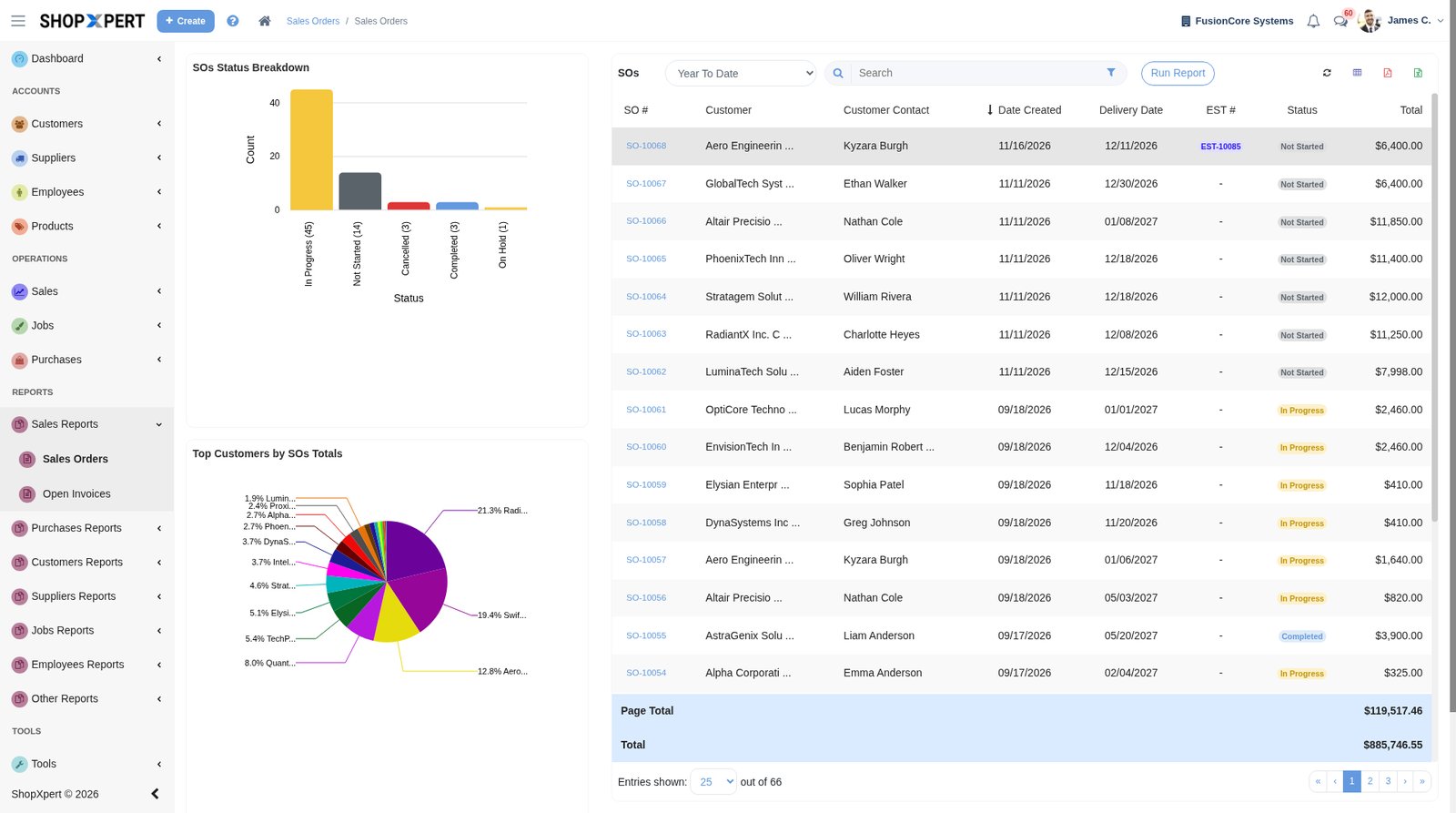
See how jobs, purchasing, inventory, and quality connect on the ShopXpert manufacturing ERP page. If you are moving off spreadsheets or another system, how to switch walks through the move. The ShopXpert team also works with new and existing customers through the integration setup so the initial alignment matches how your shop runs.
Keep QuickBooks, Run the Shop in a System Built for It
Bring a recent job, its quote, and the invoice that went out of QuickBooks, and we will show you how ShopXpert would track it from estimate to shipment and send the right records to accounting. Book a ShopXpert demo.