Most machine shop owners can tell you how the month felt. Fewer can tell you how many jobs shipped on time, what the real margin was on the last ten jobs, or how many hours the five-axis actually cut last week. The gap between how it felt and what happened is where money disappears.
Key performance indicators, or KPIs, close that gap. A good set of machine shop KPIs is short, easy to collect, and tied to decisions you make every week: what to quote, what to schedule, where to add a shift, and which supplier to stop using. This guide covers nine metrics that matter in a job shop, how to calculate each one, and how to collect the data without adding paperwork.
What Makes a Good KPI for a Job Shop
Before picking metrics, set a few ground rules:
- It drives a decision. If nobody would act differently when the number moves, drop it.
- It comes from data you already create. Clock-ins, job steps, shipments, and inspections should feed the number, not a separate spreadsheet.
- It is measured the same way every time. Write down the formula, so on-time means the same thing in March as it does in November.
- It is reviewed on a schedule. Some numbers belong in a daily huddle, others in a monthly review.
Start with five or six of the metrics below, get them reliable, then add more.
Delivery and Sales KPIs
1. On-time delivery
On-time delivery is the share of jobs or order lines that ship on or before the promised date. The formula is simple: lines shipped on time divided by total lines shipped in the period. Decide up front whether you measure against the customer’s requested date or the date you promised, and stick to it. Track the reasons for late jobs too, such as material, a machine down, an inspection hold, or a late outside process, because the reasons tell you what to fix.
2. Quote win rate
Quote win rate, also called hit rate, is quotes won divided by quotes sent. A very low win rate can mean your prices are high or you are quoting work that does not fit your shop. A very high one can mean you are leaving money on the table. Look at it by customer and by type of work, not just as one number.
3. Backlog
Backlog is the work you have committed to but not shipped yet, measured in dollars, in machine hours, or both. Dollars tell you about cash flow. Hours tell you about capacity. When backlog hours on a work center keep climbing past what that center can run in the coming weeks, delivery dates are at risk before anyone feels it on the floor. Compare backlog hours with what each work center can run every week, not just once a quarter.
Cost and Margin KPIs
4. Estimate vs actual
This is the most useful number in a job shop, and the one most shops do not have. For each job, compare the quoted hours and costs with what was actually spent on labor, material, and outside processing. A job that was quoted at 20 hours and ran 31 is not just one bad job. It is a sign that the next quote for that part, or that kind of part, needs to change. Our article on job costing for machine shops explains how to collect the actual costs.
5. Labor efficiency
Labor efficiency compares estimated hours with actual hours worked on jobs. Divide the estimated hours for the completed operations by the actual hours logged. Below 100 percent means jobs take longer than planned. Track it by operation or work center, so you can see whether the problem is setup, programming, or run time. Also watch overtime hours. Steady overtime on the same team usually means the schedule is fuller than the plan says.
Machine and Production KPIs
6. Machine utilization
Utilization is the time a machine actually runs divided by the time it was available, such as the scheduled shift hours. Many shops estimate this from the schedule, which says what was planned, not what happened. Measured running time is more honest. When you can see running, idle, and downtime hours for each machine, you can tell the difference between a machine that is busy and one that is mostly waiting for setups, material, or an operator. For more on how to collect the data, see our guide to CNC machine monitoring.

7. Downtime by reason
Total downtime is useful, but downtime by reason is what you act on. Group stops into a short list such as waiting on material, waiting on program, setup, maintenance, and no operator. If most downtime is setup, look at fixtures and tool presetting. If it is maintenance, look at your preventive maintenance plan. If it is waiting on material, look at purchasing lead times.
Quality and Supplier KPIs
8. Scrap and rework rate
Scrap rate is parts scrapped divided by parts produced. Track rework separately, since a reworked part still costs labor and machine time. A related measure is first pass yield: the share of parts that pass inspection the first time, with no rework. Tie every scrapped or reworked part to a nonconformance report, so you can see which part numbers, operations, or machines create the most problems.
9. Supplier on-time delivery and quality
Your delivery depends on your suppliers. For material and outside processing, track the share of orders that arrive on time and the share that pass receiving inspection. Review the results with each supplier, and use them when you decide who gets the next order.
How to Review KPIs Without Drowning in Reports
- Daily: jobs due today and this week, overdue jobs, machines down.
- Weekly: on-time delivery, backlog hours by work center, scrap and rework, downtime by reason.
- Monthly: estimate vs actual by customer and part family, quote win rate, labor efficiency, supplier scorecards.
Keep the review short. Look at the trend, pick one or two problems, assign an owner, and check the result next time. A KPI that is reviewed and acted on beats a dashboard with forty charts that nobody opens.
Common KPI Mistakes in Machine Shops
- Tracking too many numbers at once, so none of them get attention.
- Using data that is entered days later from paper, which makes every number late and less accurate.
- Changing the formula from month to month, so trends mean nothing.
- Measuring people instead of the process, which makes people hide problems instead of reporting them.
- Looking only at shop-wide averages, which hide the one machine or customer causing most of the trouble.
How ShopXpert Tracks Machine Shop KPIs
ShopXpert has been building manufacturing software for machine shops since 2020. Because jobs, machines, labor, quality, and suppliers live in one system, most of these numbers come from work your team already records.
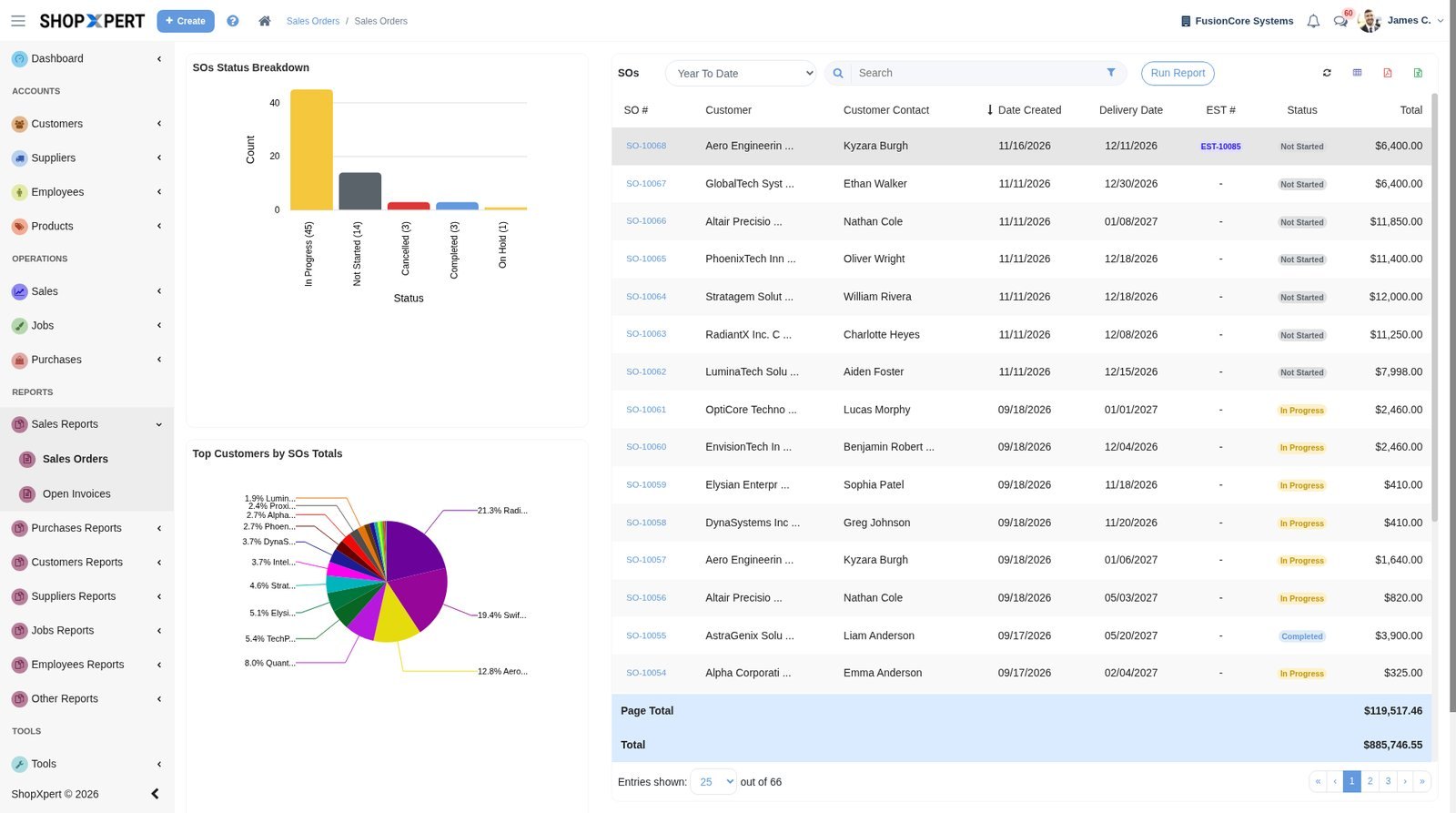
- Estimate vs actual on every job. ShopXpert quoting and job costing builds estimates from your costing templates, turns approved quotes into jobs, and posts labor, material, and outside costs to the job as work happens, so you compare the estimate with actual cost while the job is still running.
- Measured machine utilization. XpertTrack machine monitoring uses a magnet-mounted sensor to show running, idle, downtime, and offline time in hours and percent on the Asset Usage dashboard, filtered by location, department, team, and date range, with downtime alerts when a machine stops.
- Due dates and planned vs actual. ShopXpert production management sets priorities and deadlines for each stage and task, shows what is due today, due this week, and overdue, and compares planned against actual on the Gantt board.
- Quality records. Quality management and traceability lets you build your own inspection forms, including first article inspections, in-process checks, final inspections, and nonconformance reports.
- Supplier scorecards and labor time. The ShopXpert manufacturing ERP tracks suppliers with scorecards, and job time recorded at the workstation feeds estimate vs actual.
See Your Shop’s Numbers in One Place
Bring a few recent jobs and the numbers you track today, and we will show you how ShopXpert would collect on-time delivery, estimate vs actual, machine utilization, and quality data for your shop. Book a ShopXpert demo.