
How To Open & Fill Out Forms on Workstation Device
You will be able to open and fill out forms whenever they are available in the designated fields.
See in the below image, the following forms have been assigned to this job line from the App Portal.
– JOB GENERAL INFO
-PART PICTURES
-CERTIFICATE OF CONFORMANCE
-MATERIAL GUN SCAN
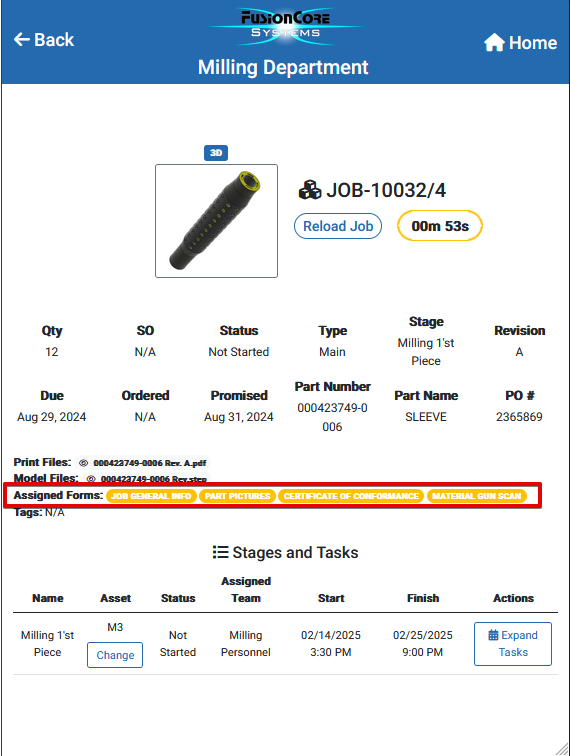
Depending on the department you are in , you will only see forms that are relevant to you.
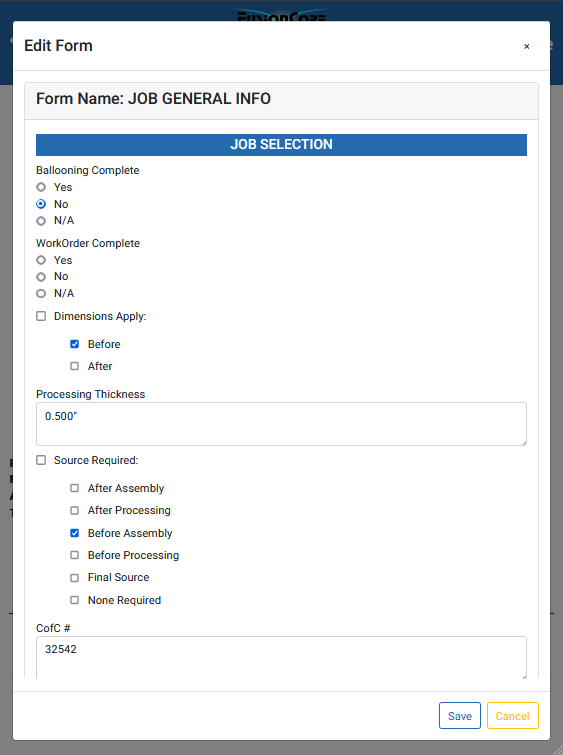
To open up a form simply click on the form you want to fill out.
Fill out all fields regarding the task assigned to you and click Save at the end. Otherwise all changes you did to the forms will be lost.
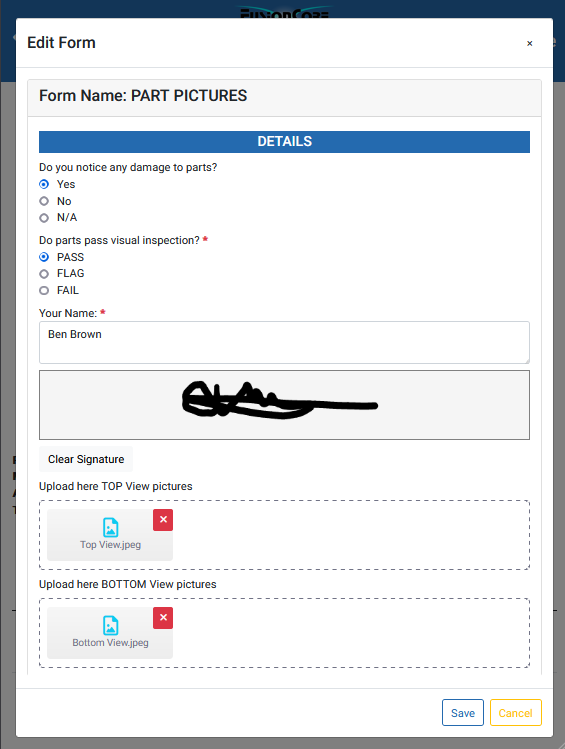
Certain Forms Can have Signature Fields and File Uploading fields. Again click save after each modification.
See how can you create a form and see all available fields explained —> How To Create a Form
Was this article helpful?
Still stuck?
Ask Tessa in chatEmail supportTessa can point you to the right guide, or bring in a ShopXpert teammate.