
Workstation Listing - How does it work?
Workstation Listing is designed for streamlined access to job list at a specific department stage. This is an overview of how it works:
Purpose:
- The Workstation Listing Device Type provides a focused view of job lists based on department and stage, ensuring clarity and simplicity for the operator.
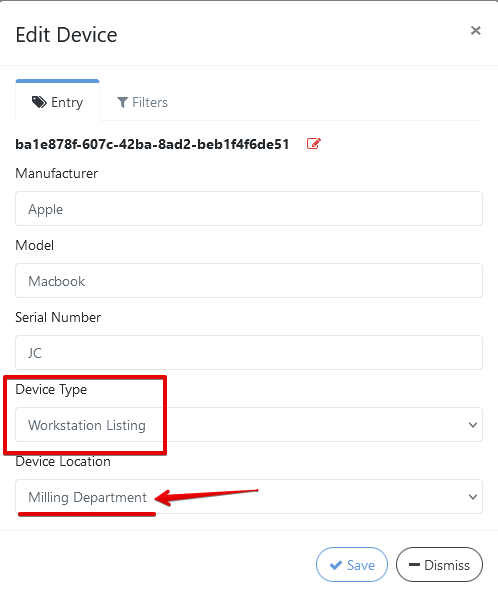
Choose your Device Type as Workstation Listing and then in what department is your device location. In this example it’s in Milling Department.
How It Functions:
- The screen will display a List of Jobs currently at the selected department stage. (For Ex: Milling Department)
- Jobs displayed are limited to those Specific to the Department and are filtered for simplicity.
- The List View is Static, meaning:
You cannot expand details for individual jobs.
You cannot select or interact with specific jobs.
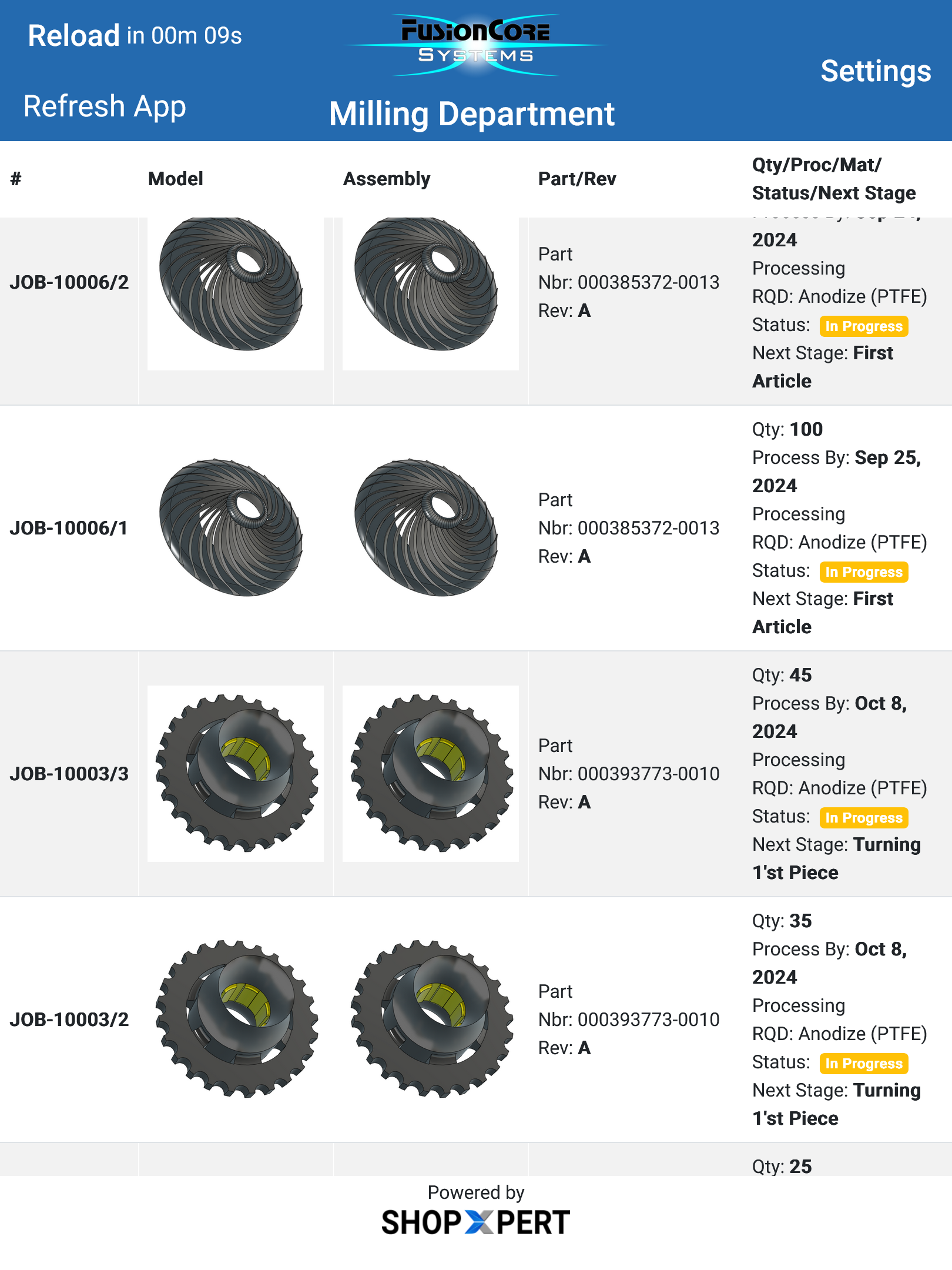
For further details on how to proceed next:
Follow this link at —> How to Set up a New Device for Workstation Portal
Was this article helpful?
Still stuck?
Ask Tessa in chatEmail supportTessa can point you to the right guide, or bring in a ShopXpert teammate.