
Workstation View - Available Job Data Explained
This article will contain explanations of every available job data and what it means.
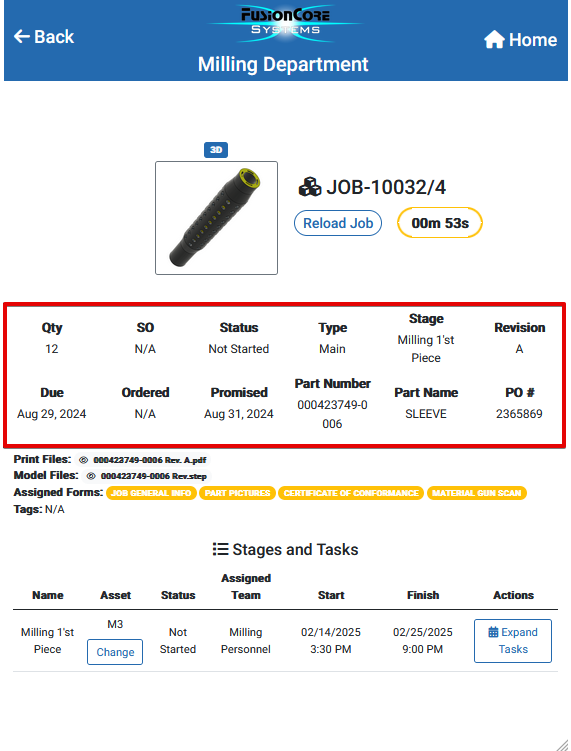
All fields explained:
QTY (Quantity) – Displays the number of pieces needed to manufacture.
SO (Sales Order) – Displays the sales order number.
Status – Displays the job status (Not Started, In Progress, On Hold, Cancelled)
Type – Displays if the job like is a Main line or it is a Split Job Line.
Stage – Displays the current Job Stage (It will only show stages from your department)
Revision – Displays the latest part Revision.
Due – Displays the job due date, the deadline.
Ordered – Displays the number of ordered parts.
Promised – Displays the Promise Date, a projected due date for customer updates.
Part Number – Displays the Part Number.
Part Name – Displays the Part Name.
PO # – Displays the Purchase Order number.
Tessa can point you to the right guide, or bring in a ShopXpert teammate.