A job can run perfectly on your own floor and still ship late. The parts leave for heat treat on Tuesday, everyone assumes they will be back Friday, and on the following Wednesday someone finally calls the vendor and learns the batch has not even been run. The machines were never the problem. The outside processing step was.
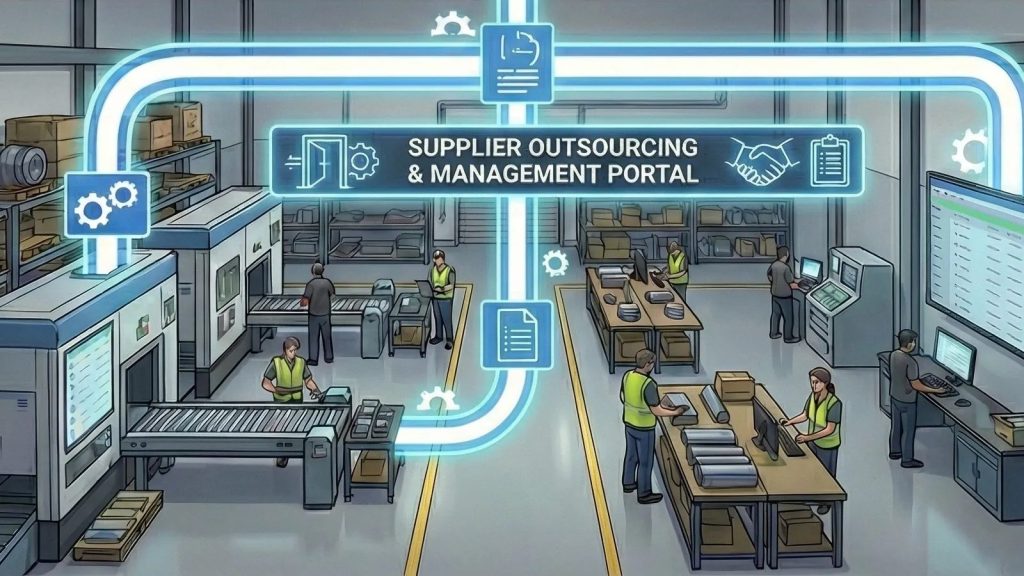
Most machine shops send some work outside: heat treat, plating, anodizing, painting, grinding, or overflow machining. That work is often the least visible part of a job, because once the parts leave the building nobody on your floor can see them. This guide covers what outside processing involves, where it tends to go wrong, and how to manage it so outsourced operations stop being the reason jobs are late.
What Outside Processing Means in a Machine Shop
Outside processing is any operation on a job that a supplier performs instead of your own people. It sits in the routing like any other step. Op 30 might be a turning operation in house, Op 40 heat treat at a vendor, and Op 50 final machining back on your floor.
The difference is control. In house, you decide the priority, see the progress, and know when it is done. Outside, you depend on someone else’s schedule, someone else’s paperwork, and someone else’s quality system. Every outside step adds a handoff out, a wait, and a handoff back in, and each one is a chance for the job to slip.
Where Outside Processing Goes Wrong
The same problems show up in shops of every size:
- RFQs live in email. You send a request to three vendors, two answer, and the third answer is buried in someone’s inbox. Comparing price and lead time means building a spreadsheet by hand.
- The vendor is picked by habit. Work goes to whoever answered the phone last time, not to the supplier with the best record on delivery and quality.
- Nobody knows where the parts are. Once the parts ship out, status depends on someone remembering to call.
- Due dates are not tied to the job. The PO has a date, the job has a date, and they do not talk to each other, so a late supplier is discovered when the customer asks.
- Certifications expire quietly. For aerospace and defense work, a lapsed supplier certification can put a whole lot at risk, and paper files do not send reminders.
- Costs are left out of the quote. If outside processing is not priced into the estimate, the job looks profitable until the vendor invoice arrives.
How to Manage Outside Processing Step by Step
A solid process does not need to be complicated. It needs every outside step to be recorded, dated, and tied to the job it belongs to.
1. Put the outside operation in the routing
Treat outside work as a real operation with its own planned duration, not as a note on the traveler. That way the schedule accounts for the time the parts are gone, and downstream operations are not planned to start before the parts return.
2. Send the RFQ from the job
Create the request for quote from the job so the part number, revision, quantity, and drawings travel with it. Send it to more than one supplier when price or lead time matters. Record who bid, who declined, and what each one quoted.
3. Choose the supplier on facts
Compare price, ship date, and the supplier’s past on-time delivery and quality side by side. The cheapest bid is not a bargain if that vendor has a history of shipping late and the job has a firm due date.
4. Turn the winning bid into a purchase order
Retyping a bid into a PO is where quantities and revisions get changed by accident. Create the PO directly from the accepted bid, linked to the job and the operation.
5. Track the order while it is out
Set an expected return date and check it against the job’s due date. Ask suppliers to update status as the work moves, rather than waiting for you to call. The goal is to know a supplier is slipping while there is still time to expedite, find another vendor, or warn the customer.
6. Receive and inspect
When parts come back, record the actual delivery date, check the paperwork and certifications, and inspect before the next operation starts. That actual date is what builds an honest on-time record for each supplier.
7. Close the loop on cost and performance
Compare the outside processing cost to what you quoted, and feed the supplier’s delivery and quality results into the next sourcing decision. Over time, this history tells you which vendors deserve the rush work.
Keep Supplier Paperwork Under Control
Outside processing creates paper: drawings going out, certifications and packing slips coming back, invoices, and for regulated work, audit records and corrective action requests. If your shop works to AS9100 or similar standards, you need to show which supplier performed each process on each lot, and that the supplier was approved and certified at the time.
Keep supplier certificates in one list with expiry dates, and set reminders well before they lapse. Store packing slips and certifications with the order they belong to, not in a shared folder. Keep conversations about an order with that order, so the answer to a question is still there six months later.
Questions to Ask About Supplier Management Software
If you are looking at software to manage outside work, ask these questions in the demo:
- Can we send one RFQ to several suppliers and compare every bid and no-bid in one list?
- Can we create the purchase order straight from the winning bid?
- Is outsourced work linked to the job and the specific operation?
- Do suppliers get their own portal to bid, update status, and upload documents?
- How are supplier certifications tracked, and who gets warned before they expire?
- Does the system score suppliers on real on-time delivery and quality?
- Do outside processing costs flow into quoting and job costing?
How ShopXpert Handles Outside Processing
ShopXpert has been building shop management software for machine shops since 2020, and outside work is managed in the same system as your jobs. Its supplier and outsource management covers the steps described above.
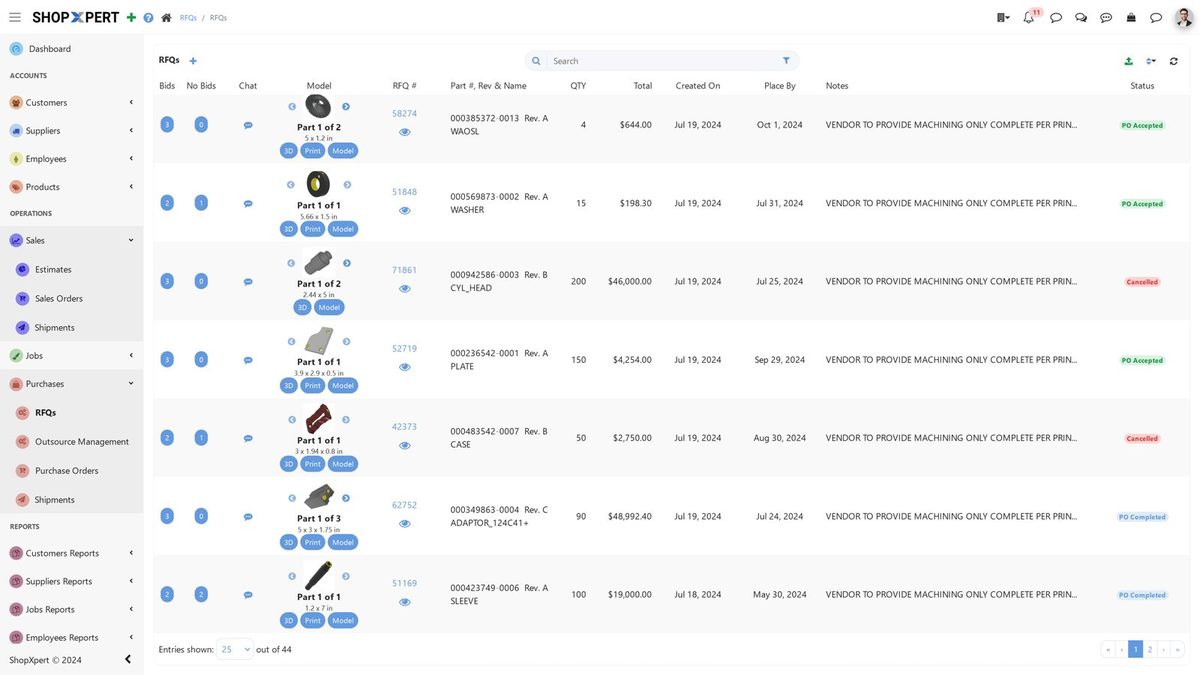
- RFQs and bids. Create an RFQ from the job, attach drawings, and send it to one or many suppliers. Bids, no-bids, prices, and ship dates come back into one list.
- POs from the winning bid. Pick the best bid and create the purchase order directly from it, with quote history kept for each supplier.
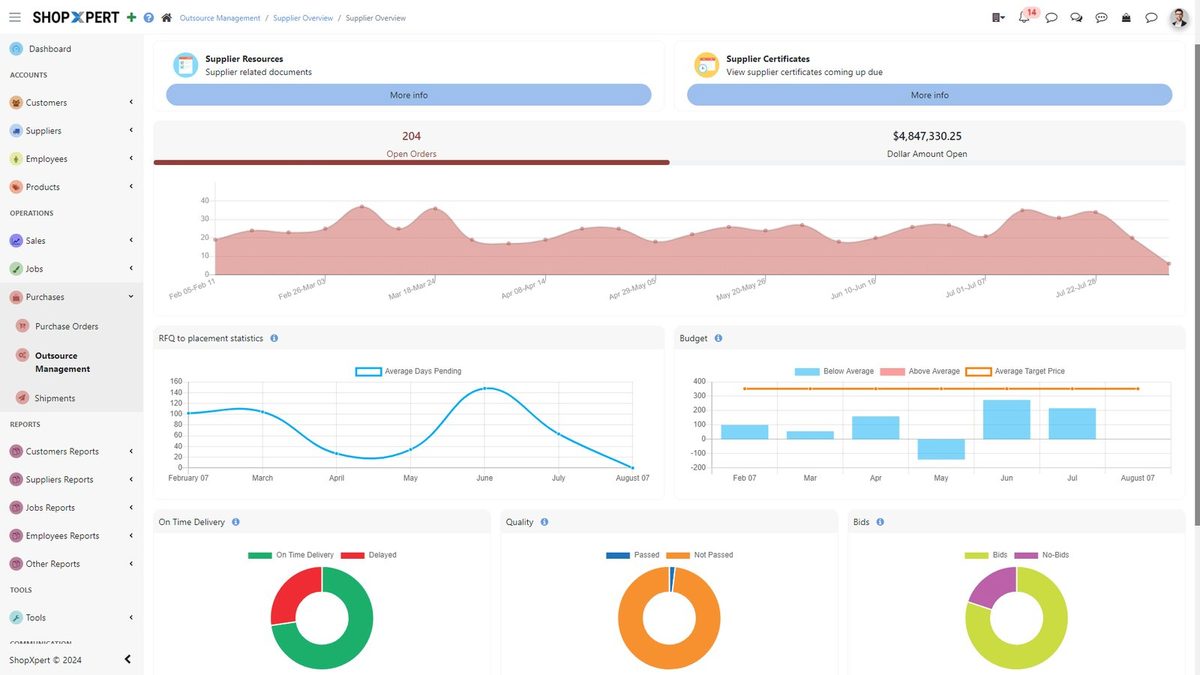
- Outsource dashboard. See open orders and dollars open, RFQ-to-placement time, budget, on-time delivery, quality ratings, and bids versus no-bids, and filter risky suppliers.
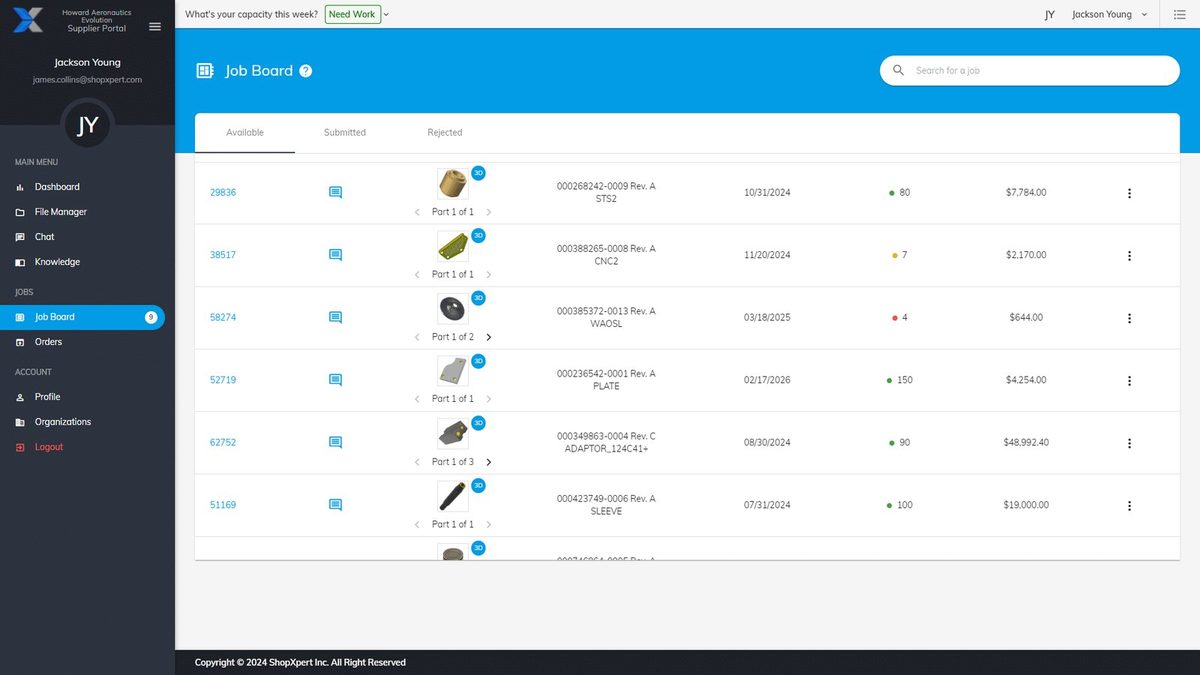
- Supplier portal. Suppliers bid or no-bid from a job board, update order status, upload packing slips and invoices, and keep their certifications and weekly capacity current.
- Certificates and chat. Supplier certificates are stored with expiry dates and alerts, and chat stays attached to each PO or RFQ. Supplier audits, SCARs, and deviation requests are tracked in the same place.
- Tied to jobs. Outsourced work links to jobs and operations, so you have traceability from RFQ to delivery.
Outside processing costs can go into every estimate through quoting and job costing, while jobs, workstation queues, and Gantt planning run in production management. For regulated work, quality and traceability adds inspection forms you design and traceability across jobs, all on the same ShopXpert platform.
For more on keeping supplier and lot records audit-ready, read our guide to AS9100 traceability requirements. To see how outside steps fit into a realistic schedule, see job shop scheduling software.
See Your Outside Work in One Place
The best test is one of your own jobs that went late because of a vendor. Book a ShopXpert demo and bring that job, your current supplier list, and the way you track outside work today.