
How To Notify Customer About Your Open Capacity
A very important aspect is updating your Work Capacity. Here is how to do it.
Update your capacity weekly to ensure your clients are always informed and can send RFQs accordingly.
In the top left corner of the page you can find a dropdown menu where to update your Status Capacity.
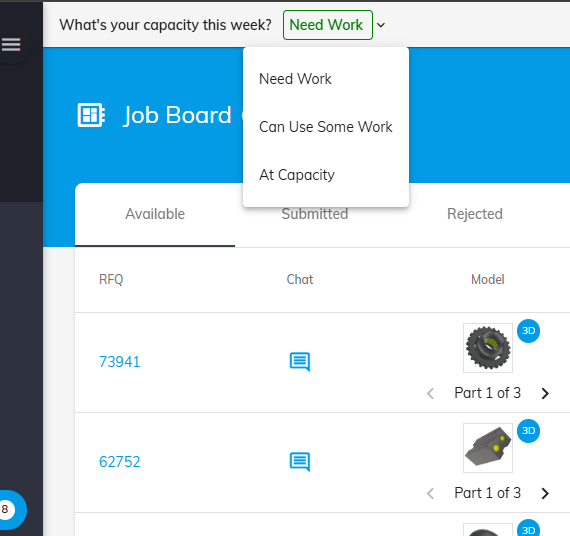
Choose one of the available option:
- Need Work
- Can Use Some Work
- At Capacity
Keep in mind that the status resets weekly!
Was this article helpful?
Still stuck?
Ask Tessa in chatEmail supportTessa can point you to the right guide, or bring in a ShopXpert teammate.