
How To Locate & View Drawings & Models In an RFQ
Files can be sent via ShopXpert, eliminating the need for alternative methods of document transmition. Here is how to find the files and documents.
Go to Job Board to see the RFQ.
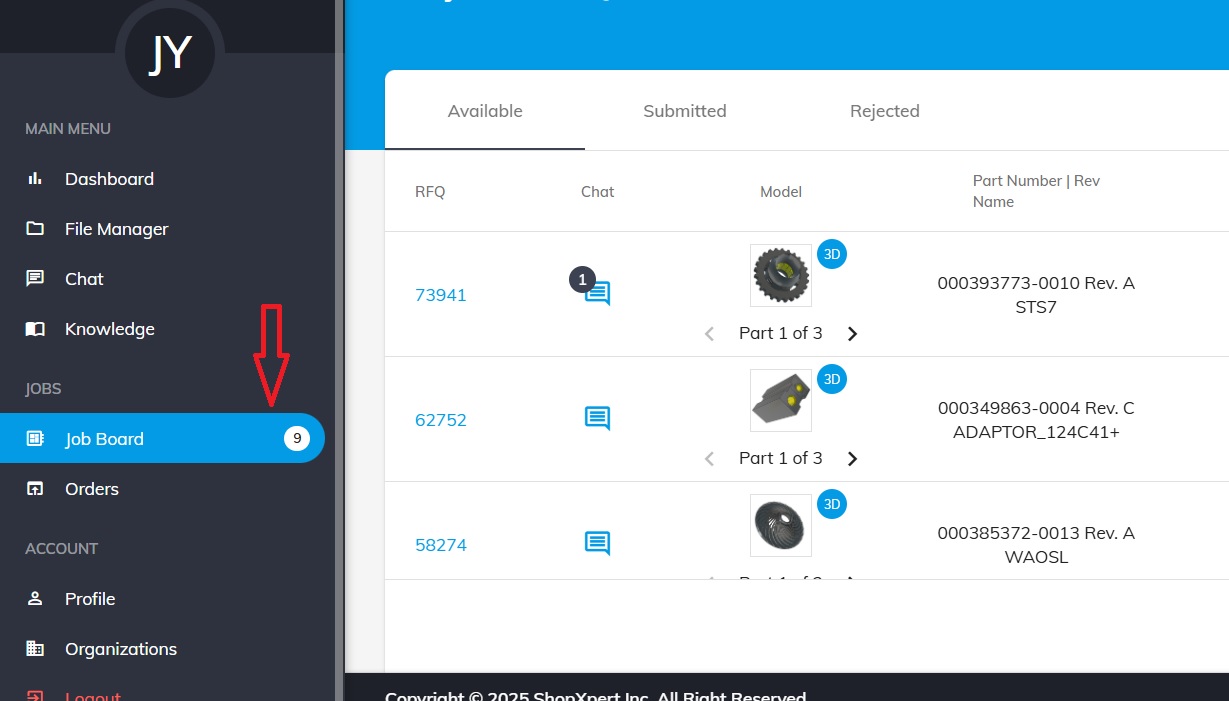
Here you can see some general details about every quote.
Click on the RFQ number.
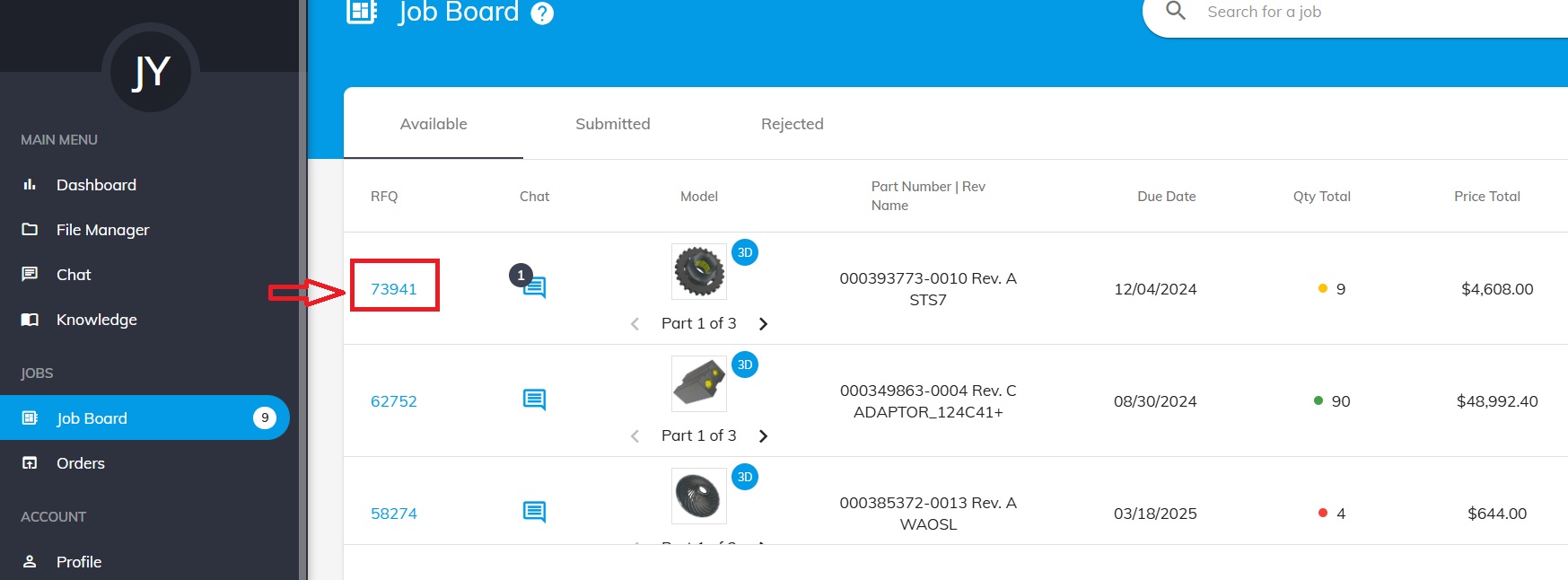
Here you will see all the information about the quote.
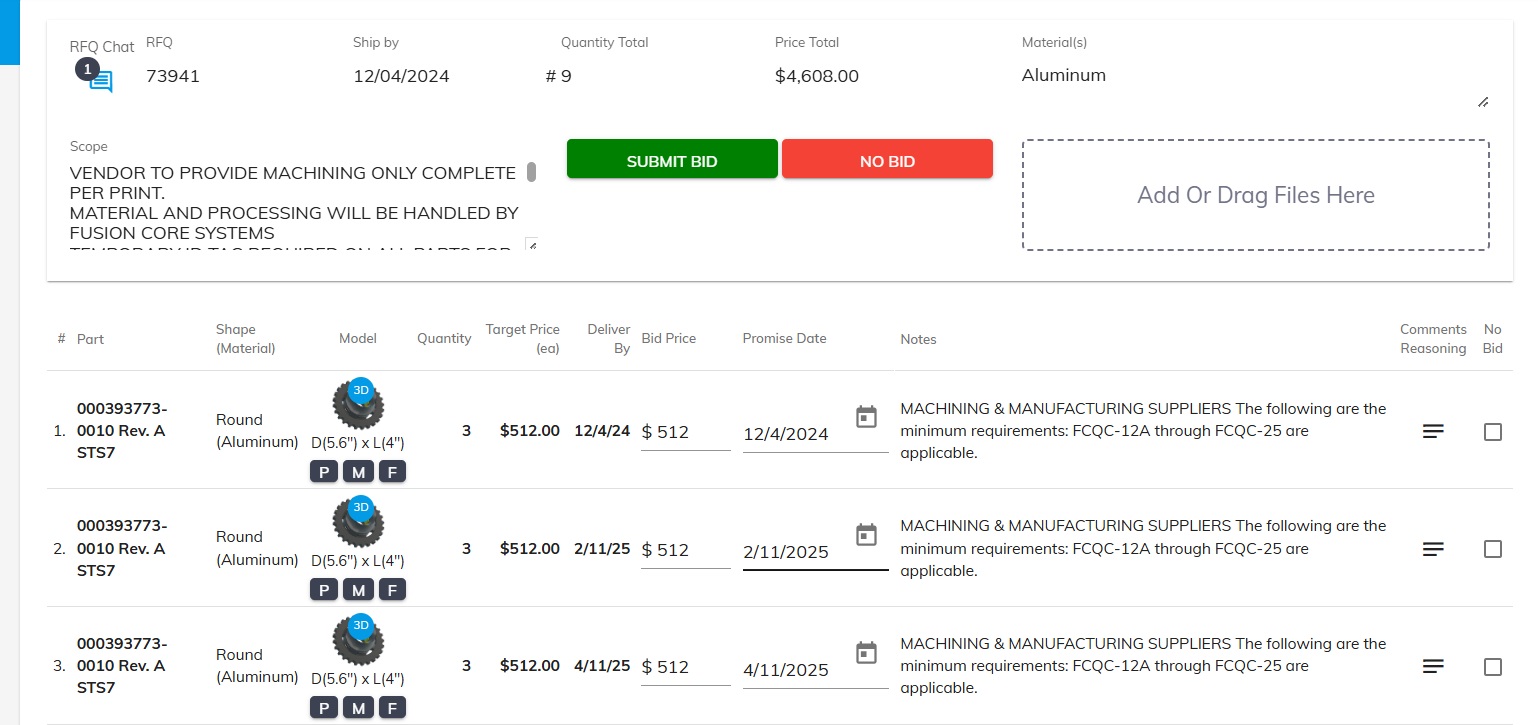
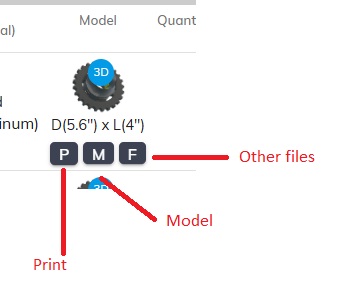
Right below the image and measurements of the part you will see the provided files.
Click to download the documents sent by the customer to see the Drawing, Model and other files.
Was this article helpful?
Still stuck?
Ask Tessa in chatEmail supportTessa can point you to the right guide, or bring in a ShopXpert teammate.