
How To Use Purchase Order Chat - Supplier's View
To ensure maximum organization, ShopXpert offers the option to use a separe chat fo each PO. Here is how to do it.
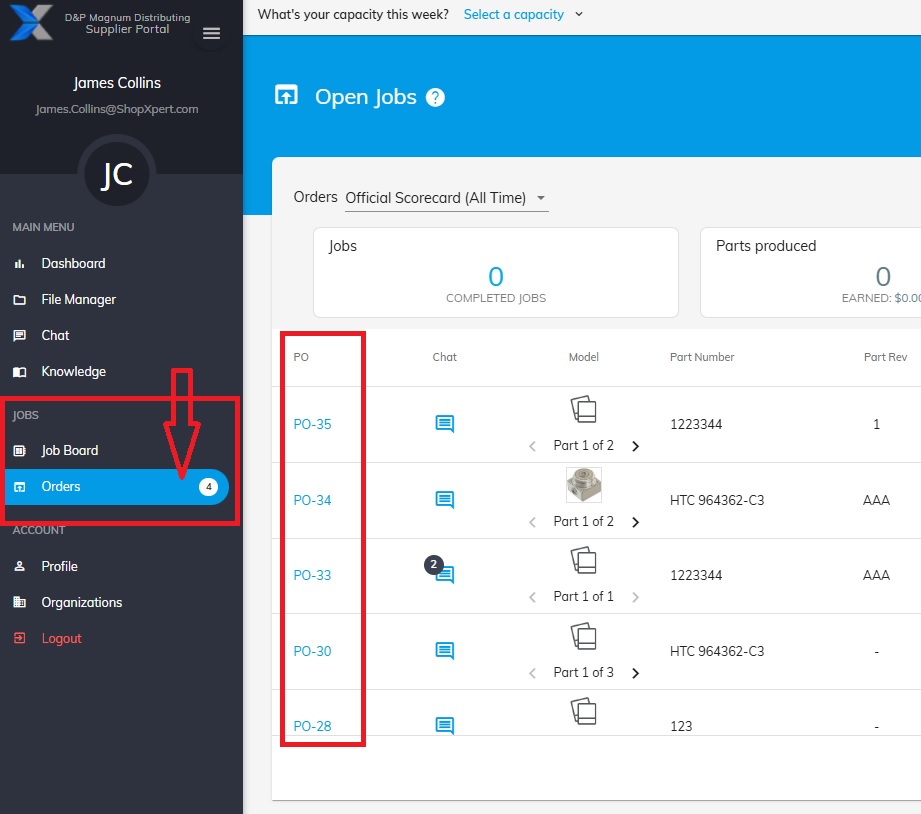
From the Main Menu list go to Jobs – Orders.
Here you can see all the Purchase Orders.
To use the Chat function click on the desired PO Chat icon.
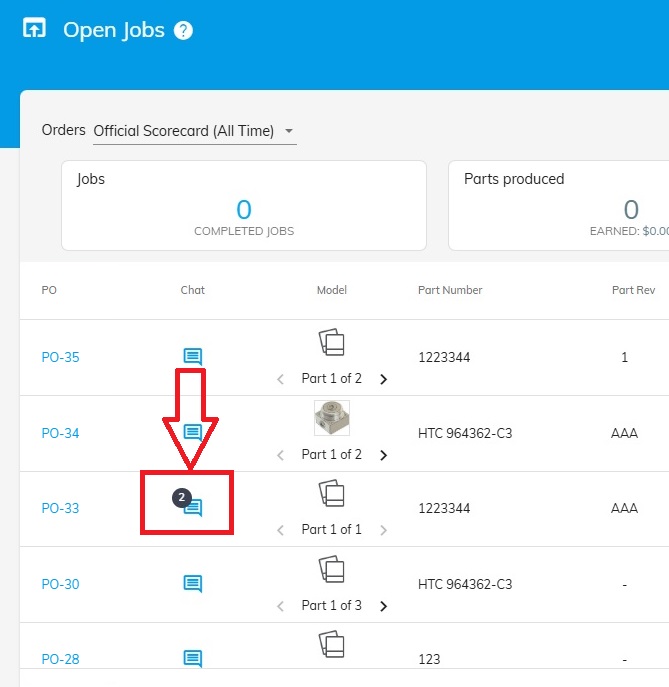
This icon will also show if you have unread messages.
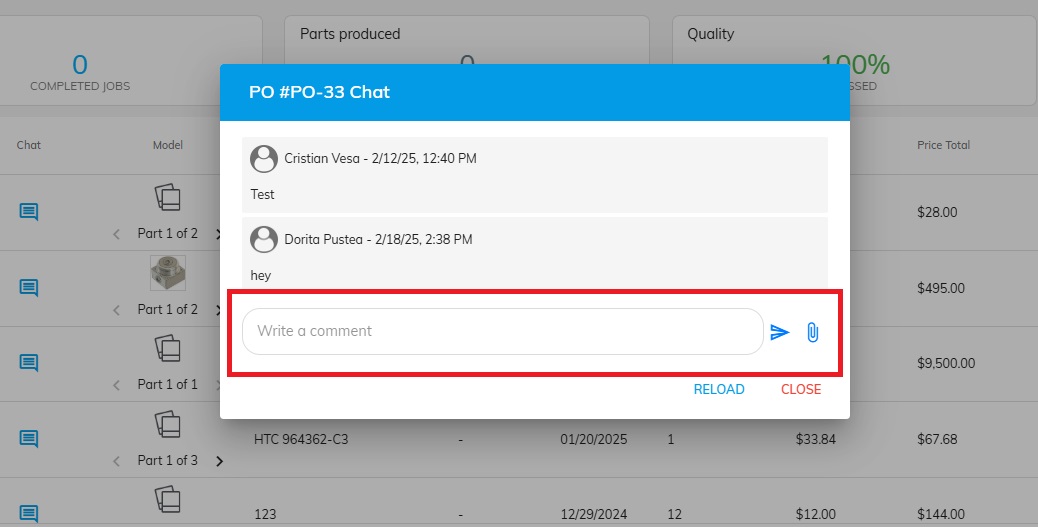
In the text box write your message or send files.
Was this article helpful?
Still stuck?
Ask Tessa in chatEmail supportTessa can point you to the right guide, or bring in a ShopXpert teammate.