
How To Submit a Bid on an RFQ
Each RFQ must be Accepted or Rejected in order to move forward. This is what we do when we BID. Here is how to do it.
Go to Job Board to see the RFQ and messages.
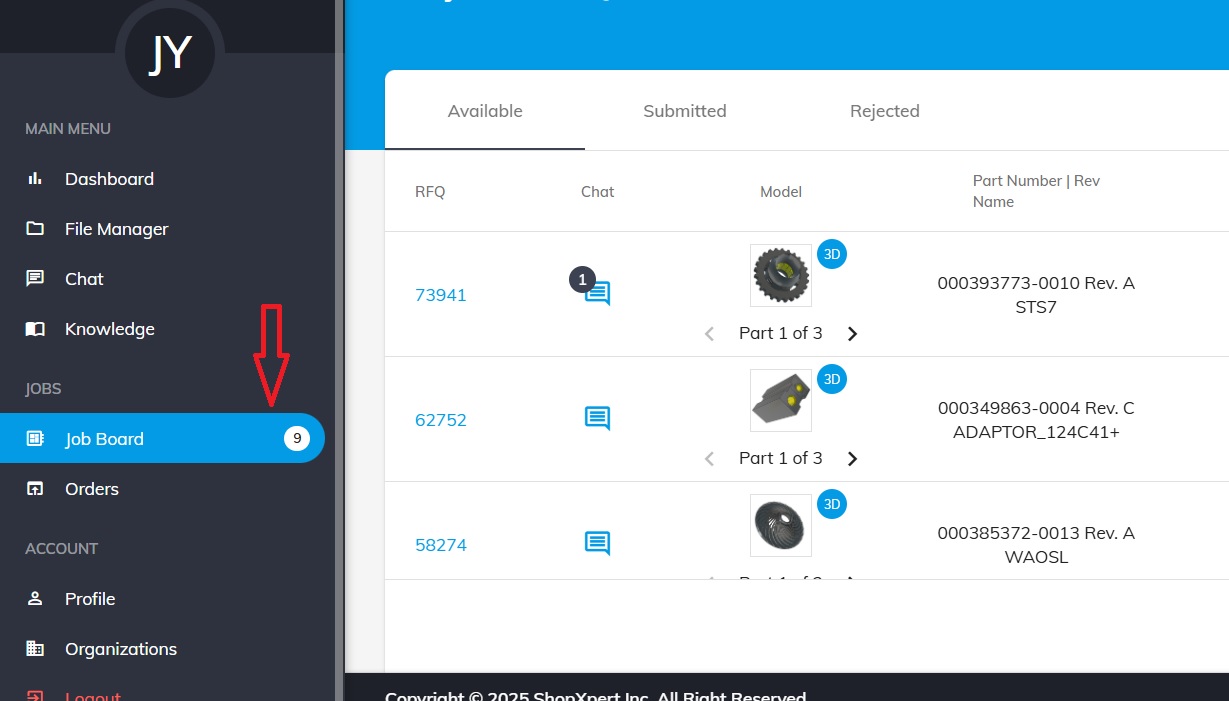
Here you can see some general details about every quote.
Click on the RFQ number.
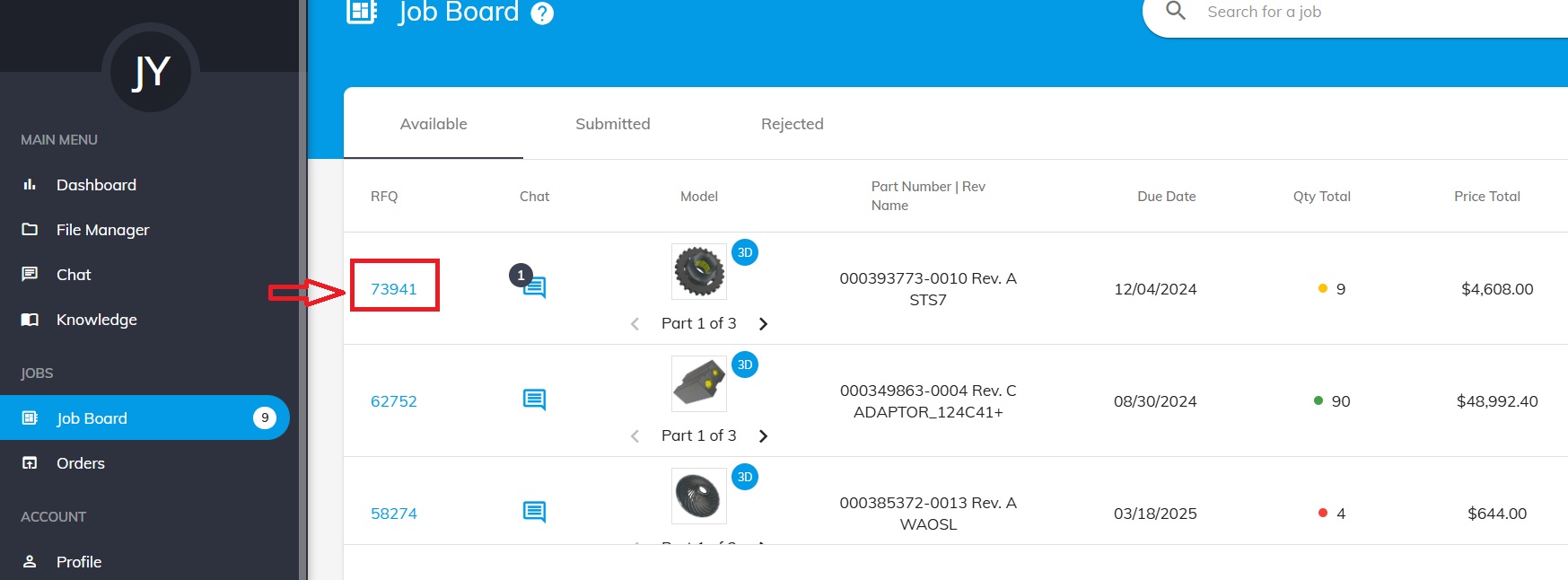
Here you will see all the information about the RFQ.
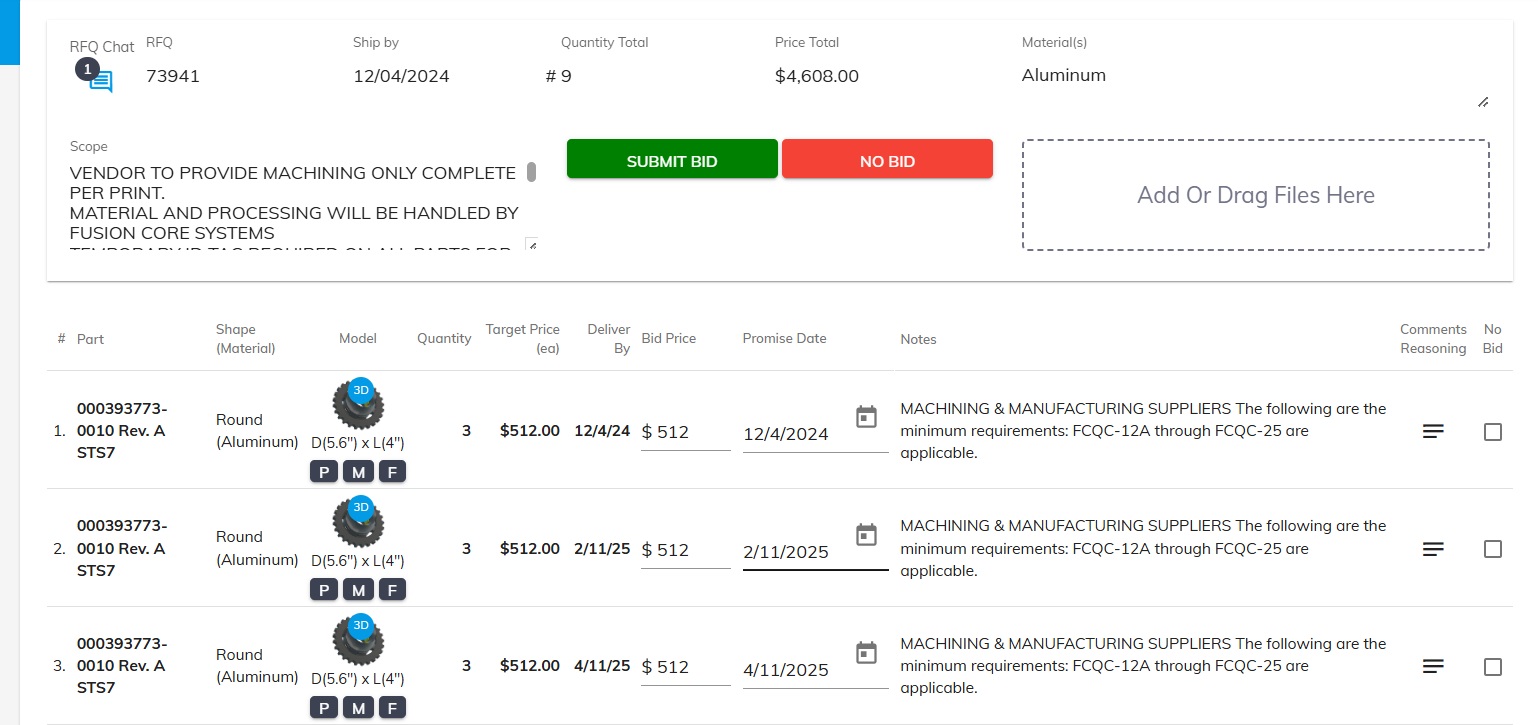
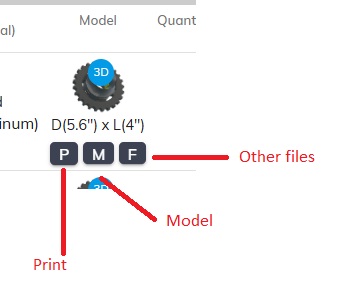
Download the files sent by the customer.
Make sure to read the messages from the chat (If available) , in case any additional info or notifications were provided, info that might influence the final price.
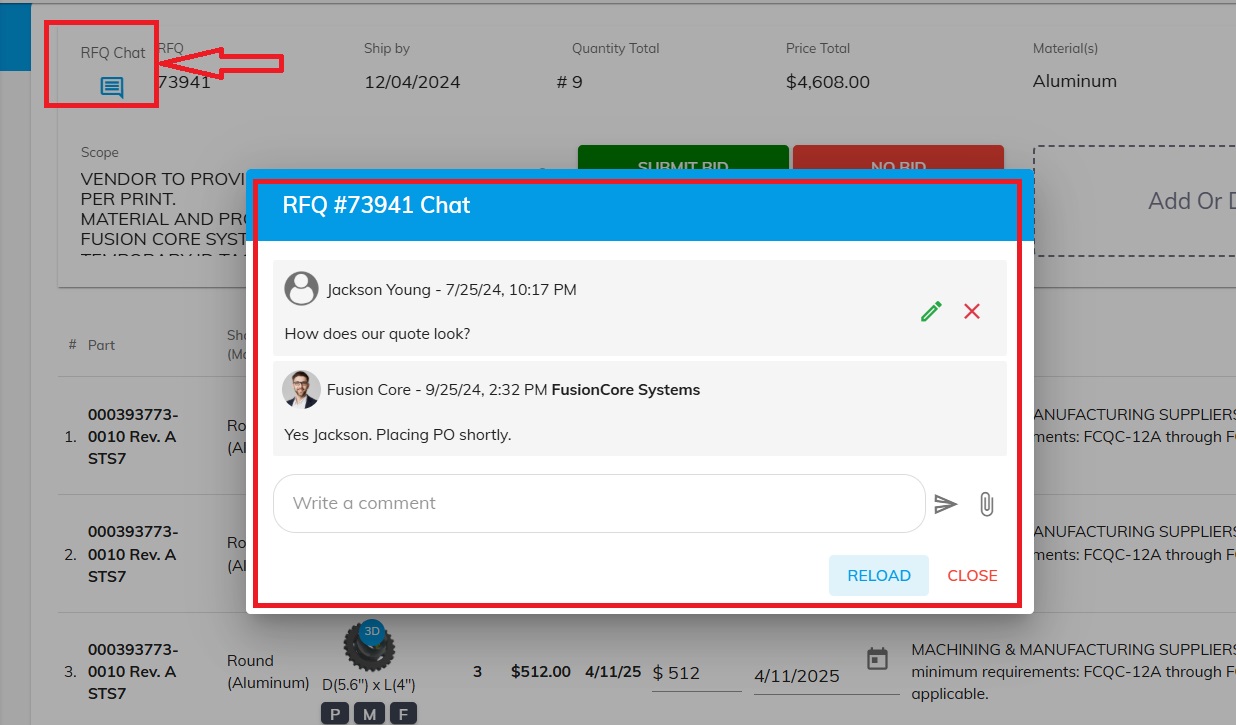
Now that you have all the necessary information you can start working on your bid.
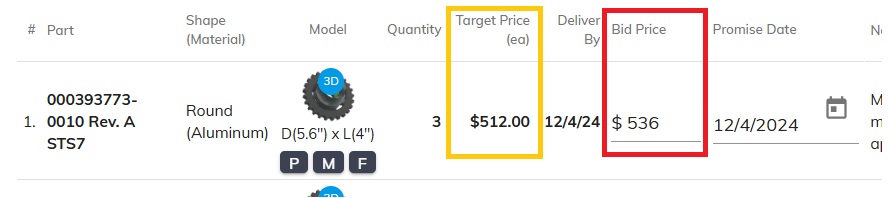
If the target price is too low, you’re welcome to increase your quoted price. Adjust it up or down as you wish.
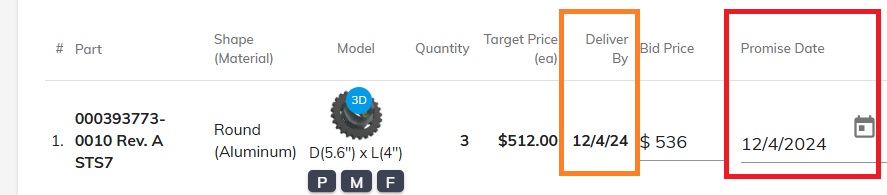
You can also edit the promise date if the target due date does not match your current capabilities
Leave comments outlining the reasons for modifying the offer in any way.
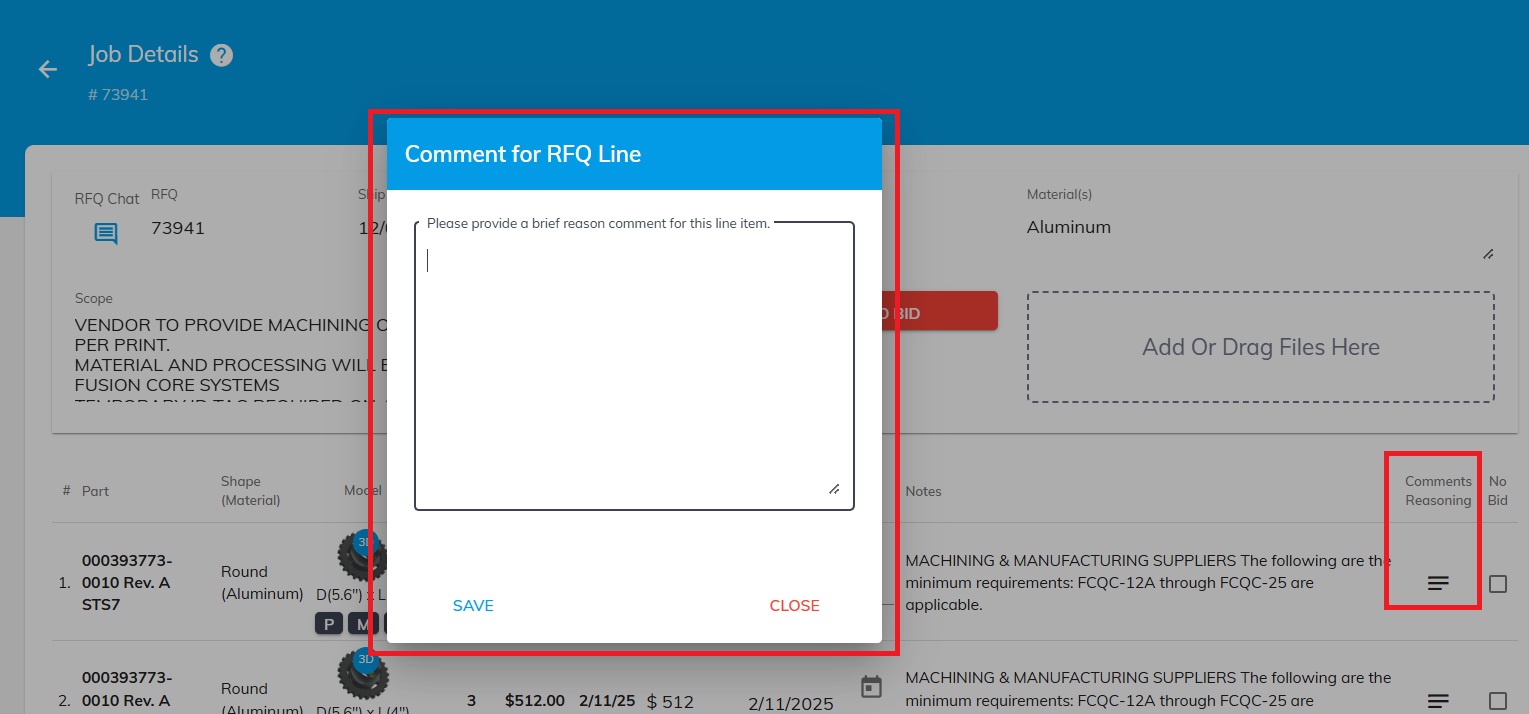
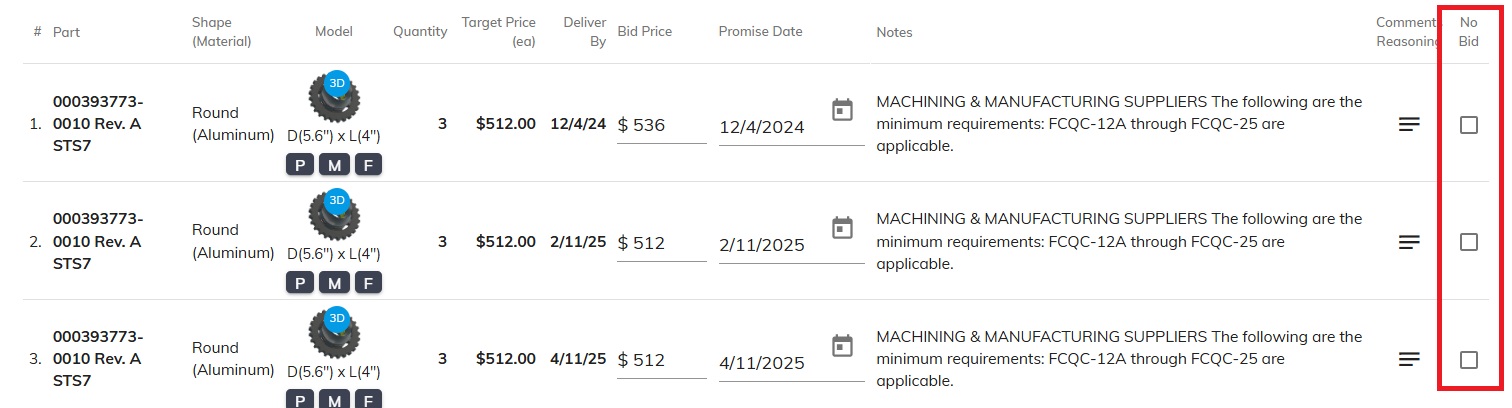
Choose if you want to select only some parts of the quote for bidding.
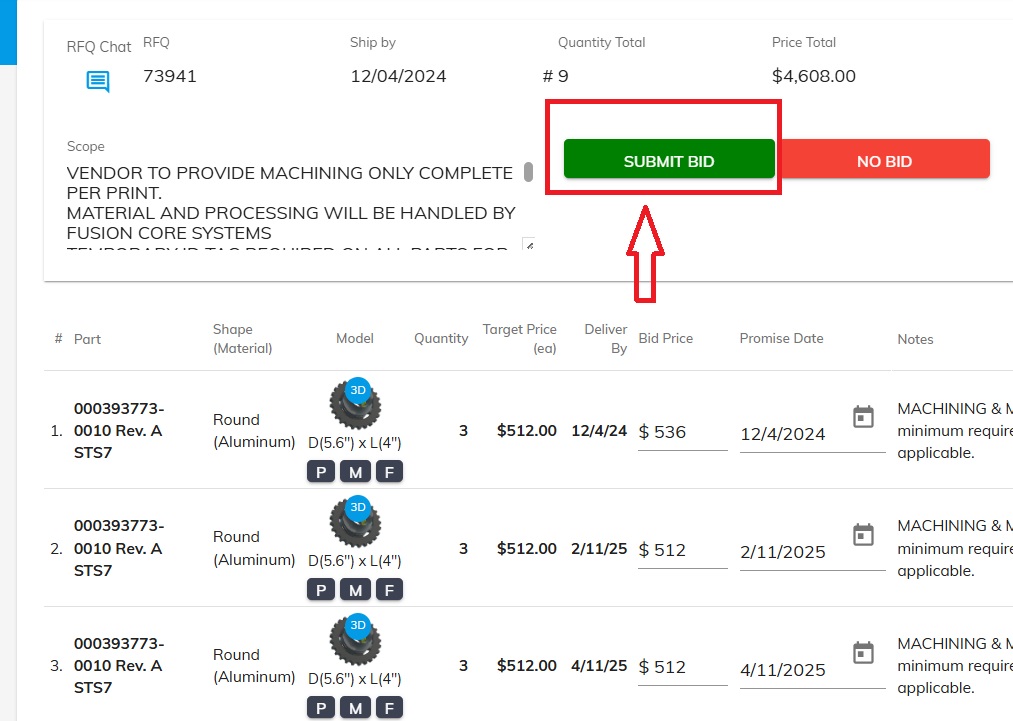
Submit BID.
Tessa can point you to the right guide, or bring in a ShopXpert teammate.