
How To Change Your Password
If you forgot your password, here are some steps you can make.
In case you forgot your password, you have two options to reset it:
- Go to “Forgot Password” option.
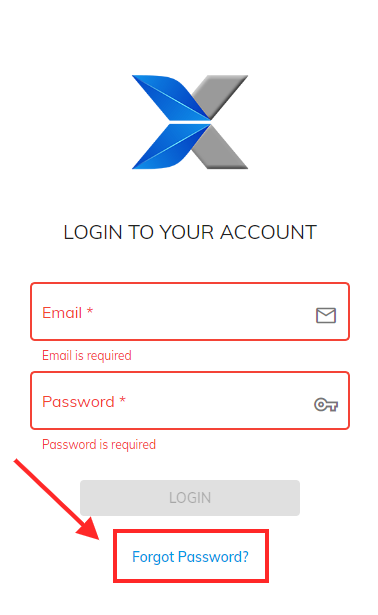
- Follow the link bellow, input your user email and you will get the details to reset your password via email.
https://supplier.shopxpert.com/#/auth/change-password-request
Was this article helpful?
Still stuck?
Ask Tessa in chatEmail supportTessa can point you to the right guide, or bring in a ShopXpert teammate.