
How To Operate Purchase Orders
Navigate and moderate your current PO's all from one place.
In Orders you will find all the Purchase Orders from your clients.
In the main window you can see General Details about every Purchase Orders.
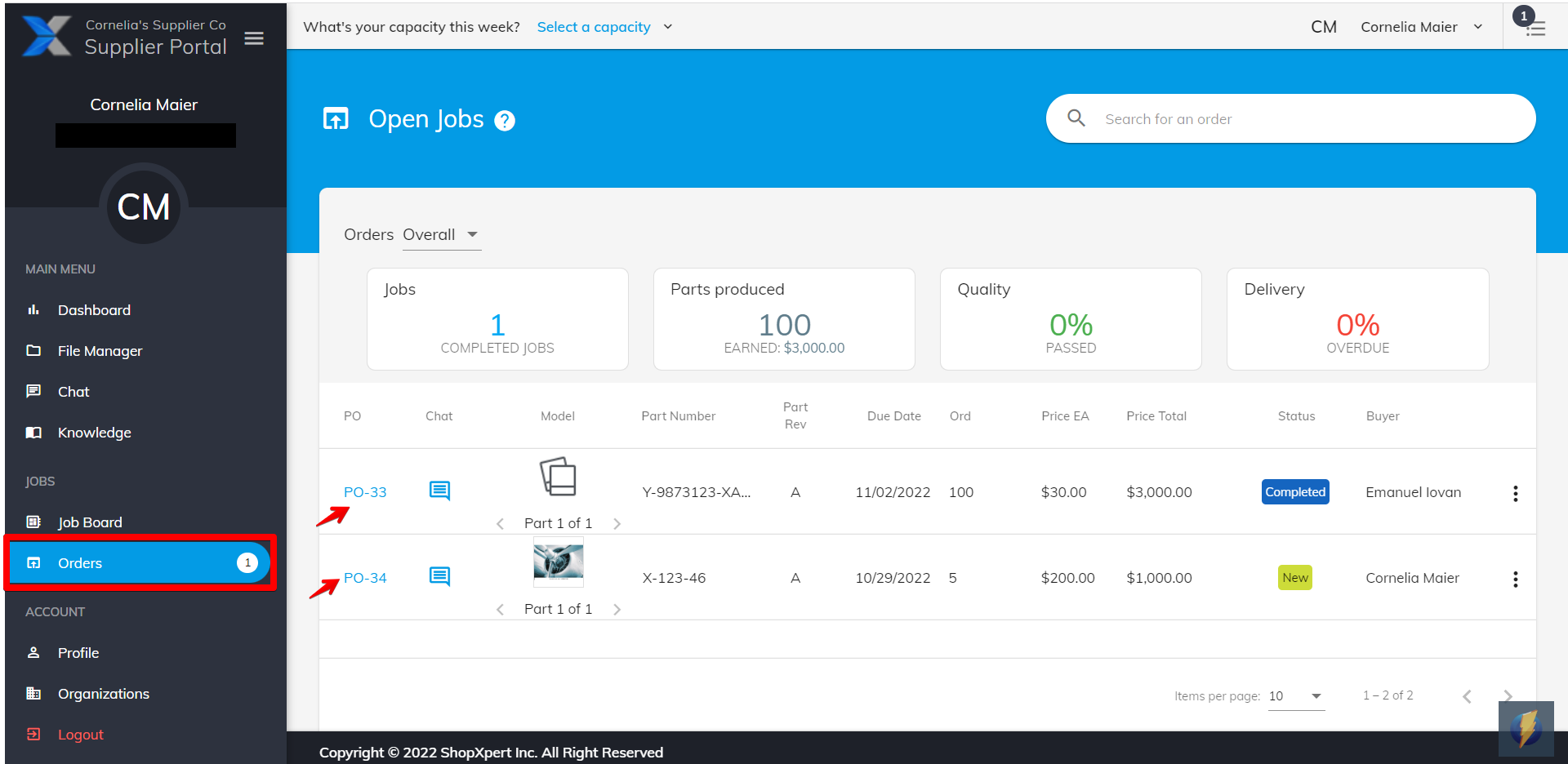
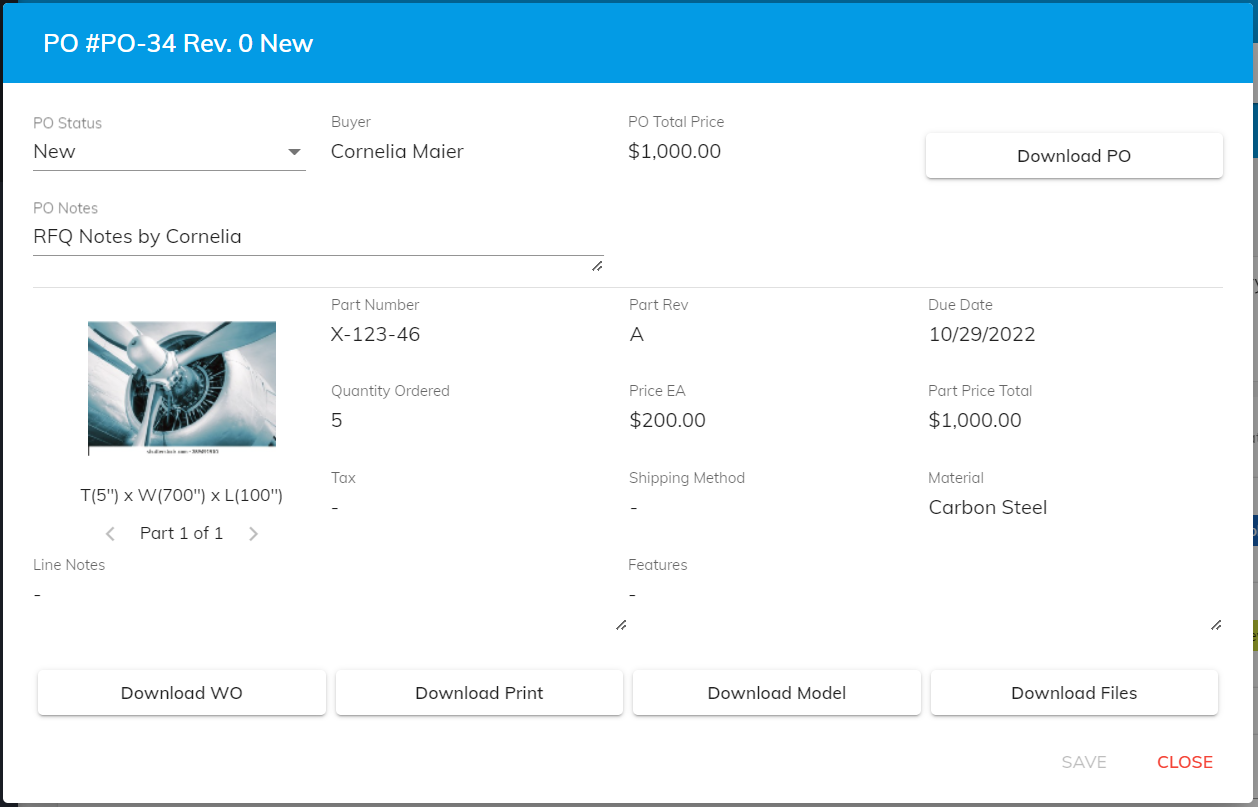
Once you enter the desired Purchase Order you can see all the information about the order (price, measurements, print, due date etc.)
From the PO status Accept or Reject the order.
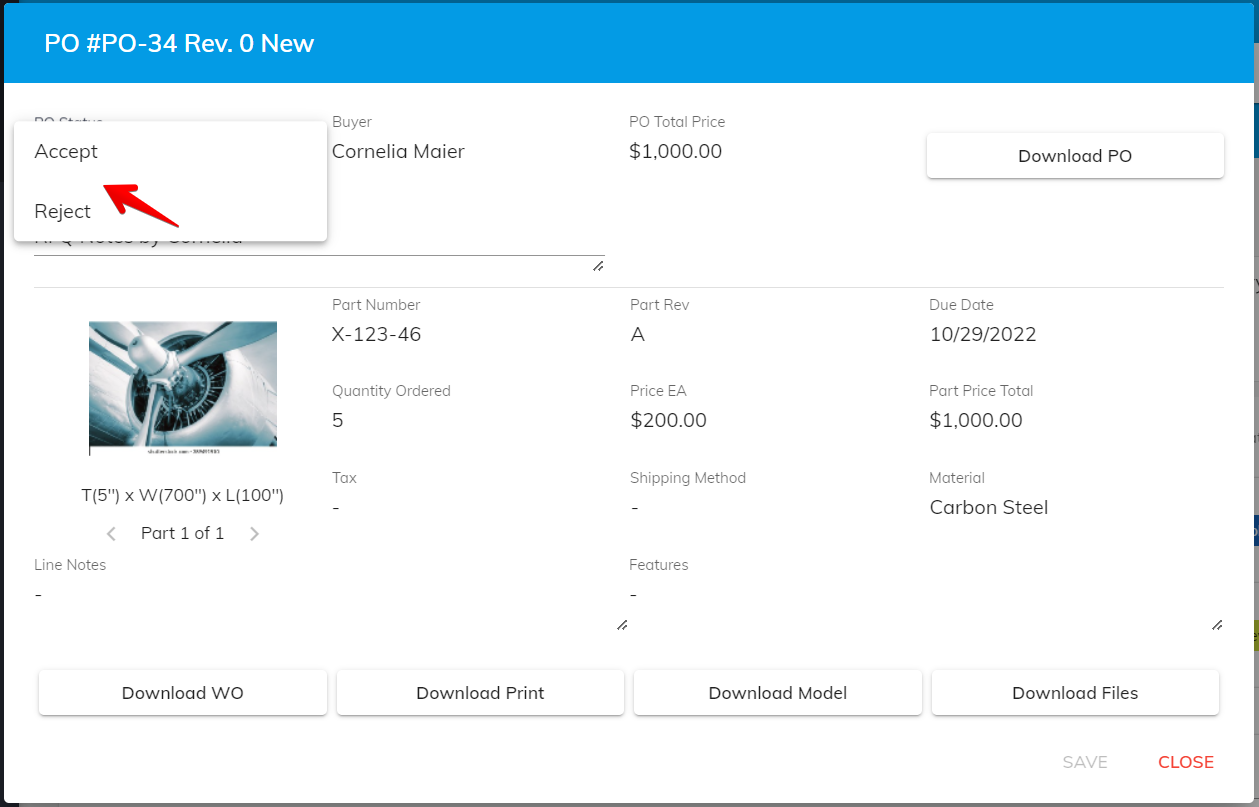
- More details about how to change the Status on a PO —> Purchase Order Status
- Locate the files received on a PO —> Purchase Order Files
Was this article helpful?
Still stuck?
Ask Tessa in chatEmail supportTessa can point you to the right guide, or bring in a ShopXpert teammate.