
How To Operate Your Supplier's Profile - Every Section Explained
Complete your company's profile with valuable information.
It is important to enter all your company information, as it will be visible to your clients.
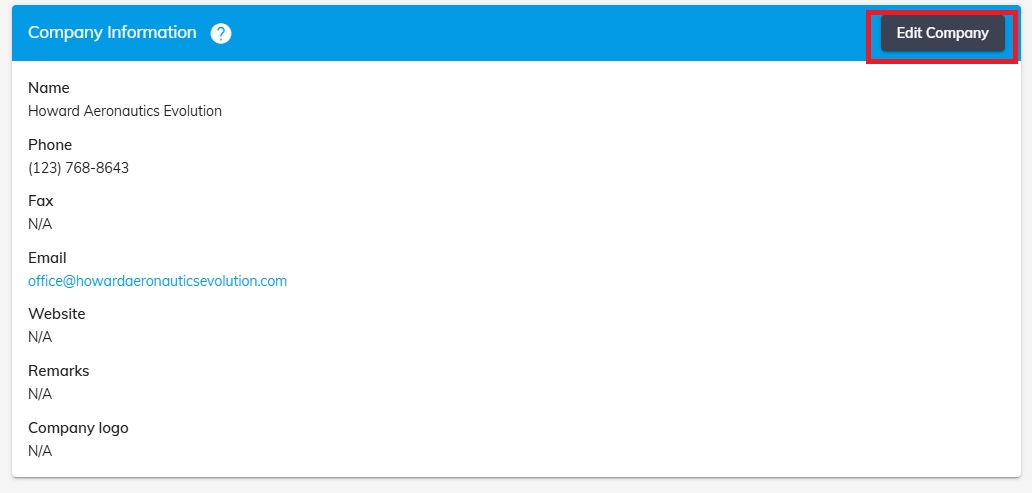
Company Information
Add and Edit the Company information from the “Edit” button.
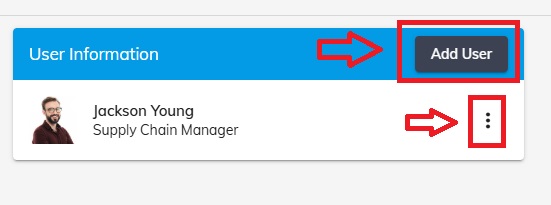
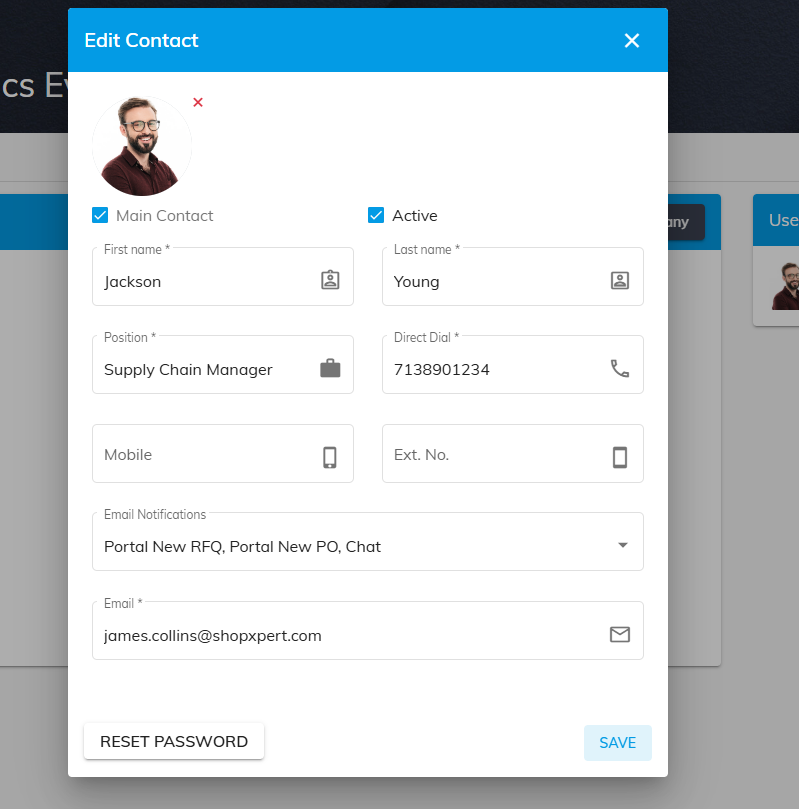
Add Users and to edit their information click the three dots button.
Categories available to be completed: Certifications, Materials, Machinery, Finishes and Inspections.
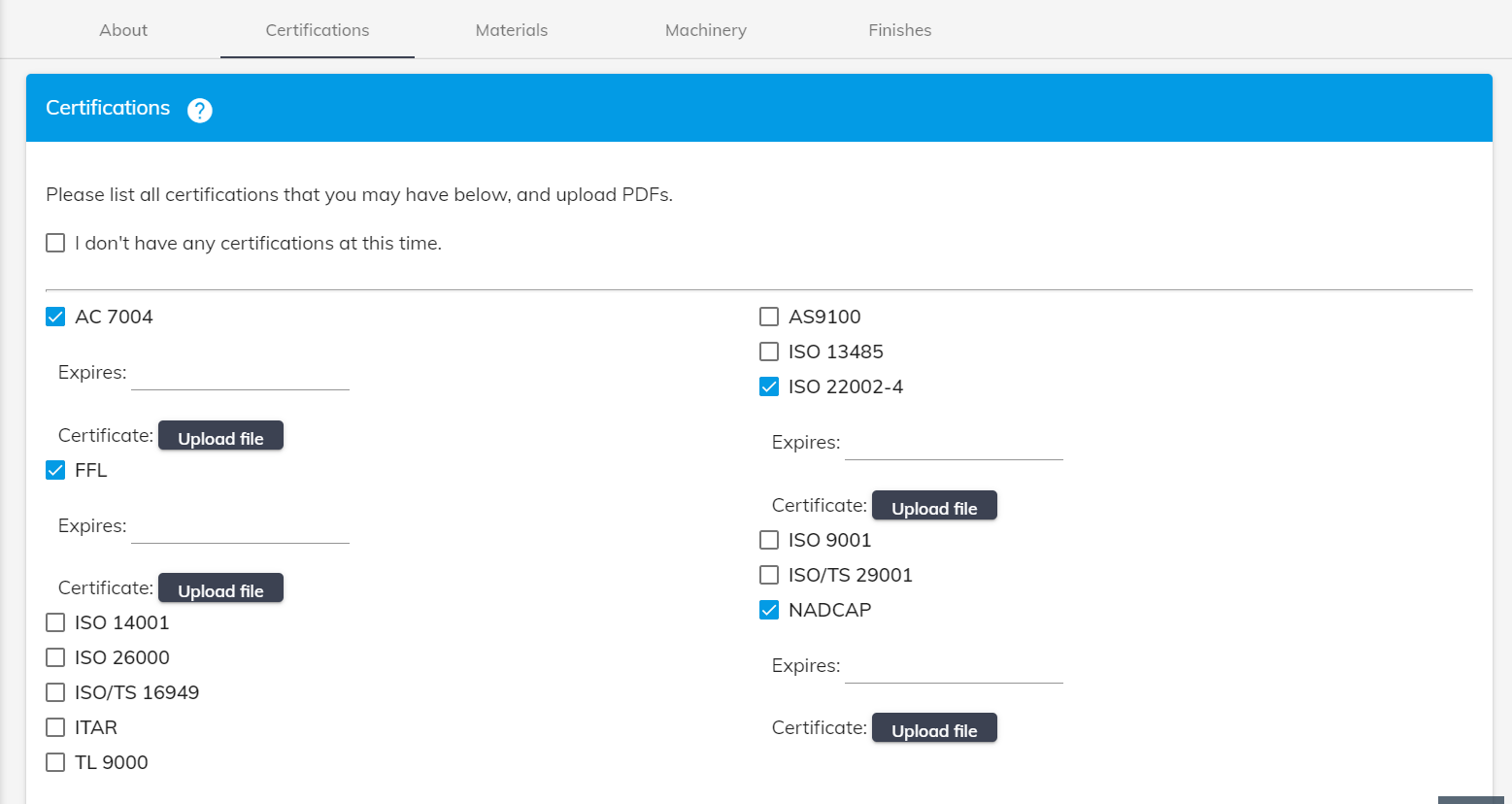
Certifications
Upload the certifications currently posses, and fill in the expiration date.
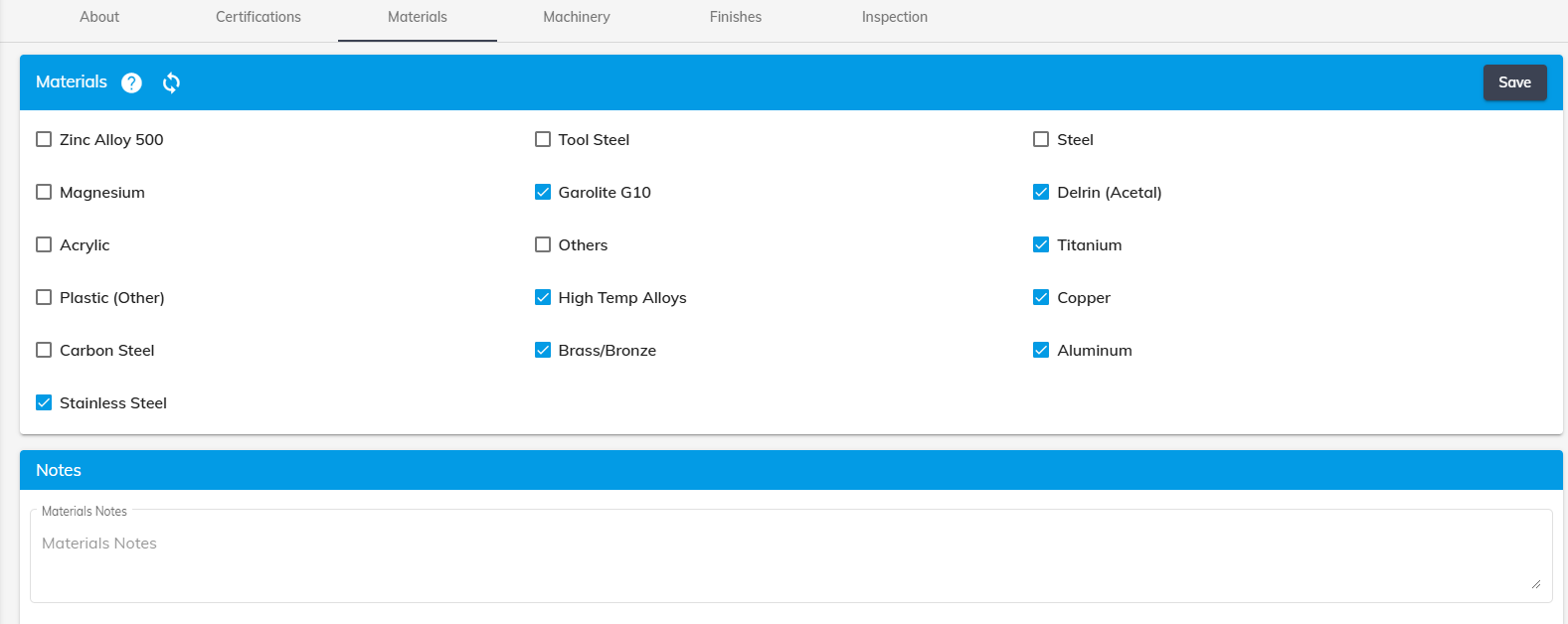
Material
Fill in all the Materials that you are capable of running.
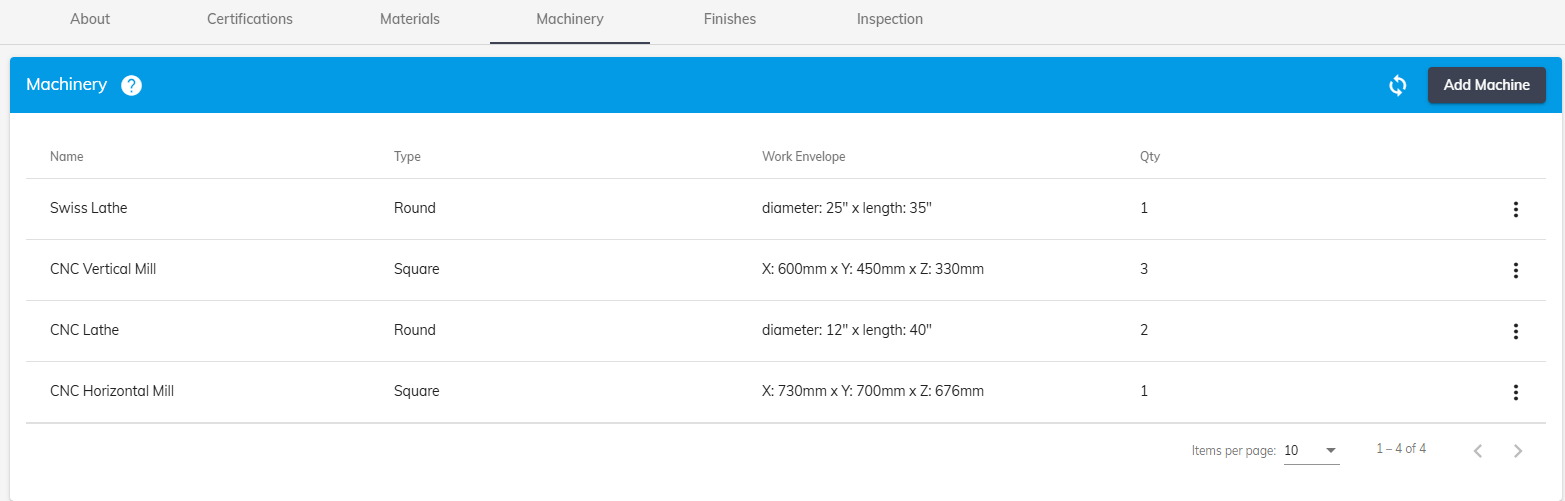
Machinery
Fill in all the Machinery you currently have available.
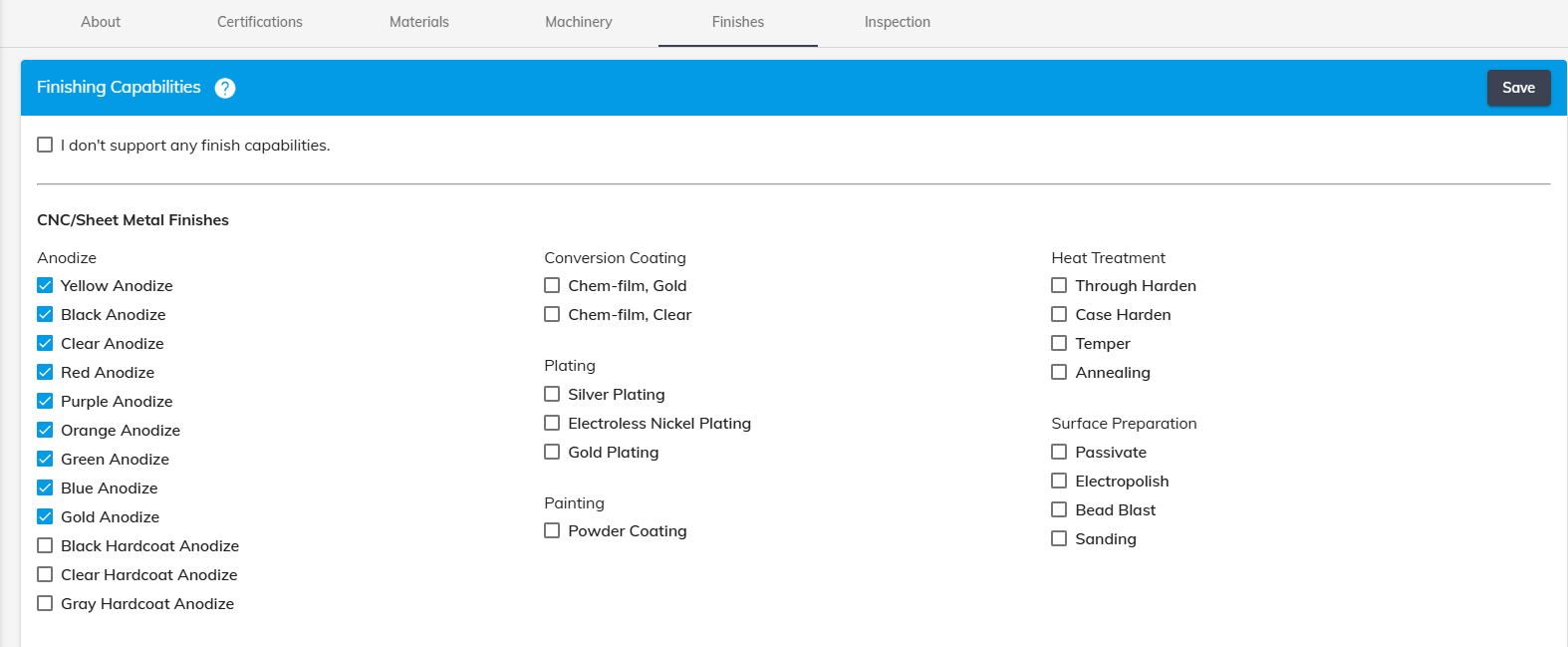
Finishes
Fill in the Finishing Capabilities.
Inspection
Add the Machinery you have for performing Inspection. (If available)

Was this article helpful?
Still stuck?
Ask Tessa in chatEmail supportTessa can point you to the right guide, or bring in a ShopXpert teammate.