
How To Update The Order Status
Each order must be Accepted or Rejected in order to move forward. This is what we do when we update the Status. Here is how to do it.
In order to ACCEPT or REJECT an order you have to set the status for the Purchase Order.
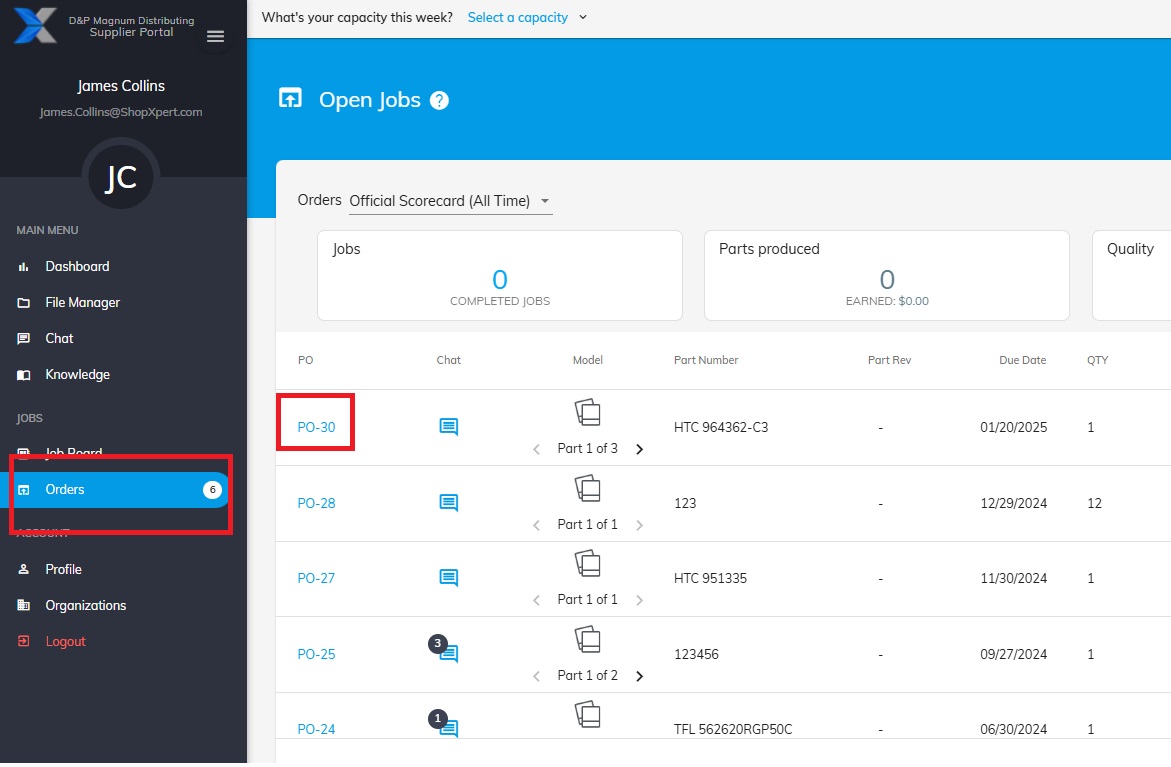
Open the Purchase Order.
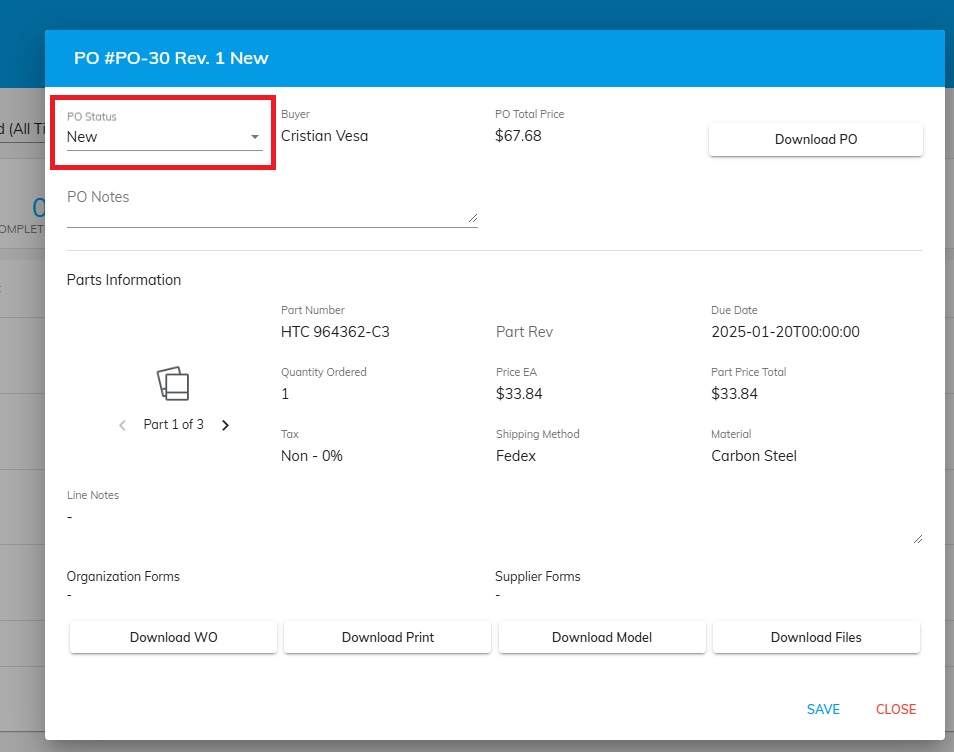
Go to Status.
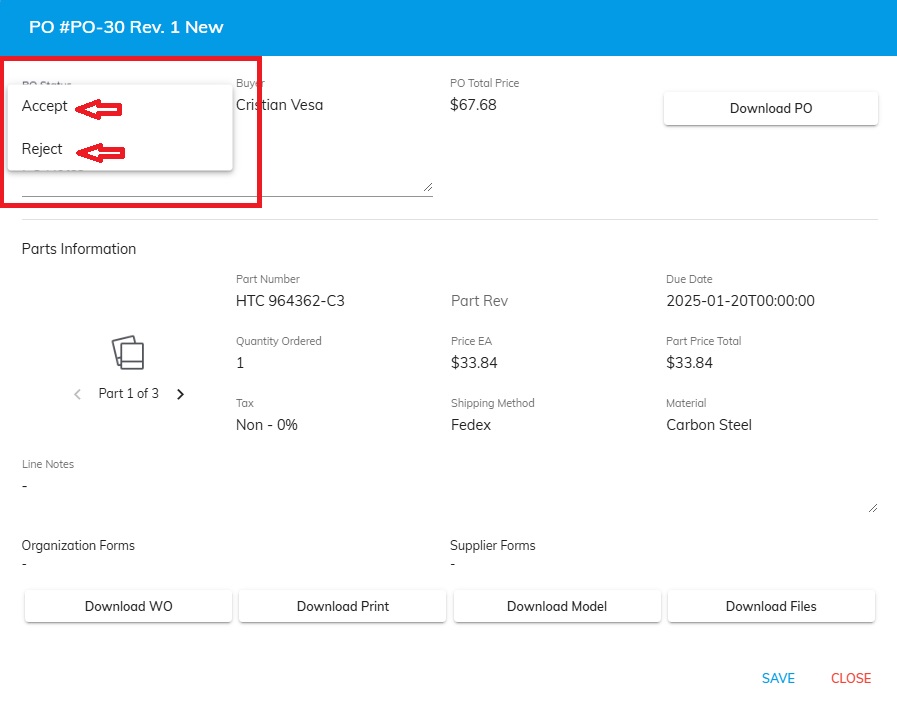
Choose one of the options and SAVE.
Was this article helpful?
Still stuck?
Ask Tessa in chatEmail supportTessa can point you to the right guide, or bring in a ShopXpert teammate.