
How To Reset Your Account Password
This is about knowing how to change your Account Password to something new.
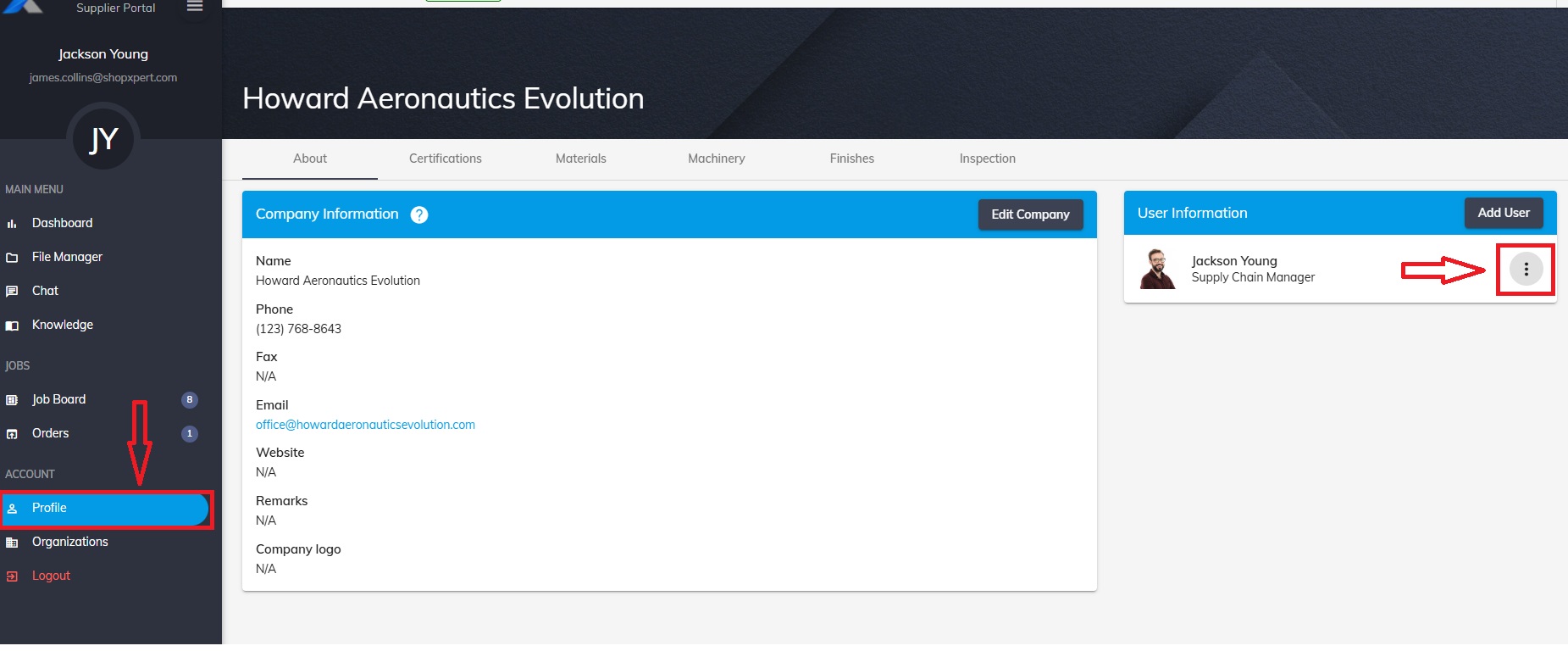
Go to Account – Profile.
Press the three buttons from User Information.
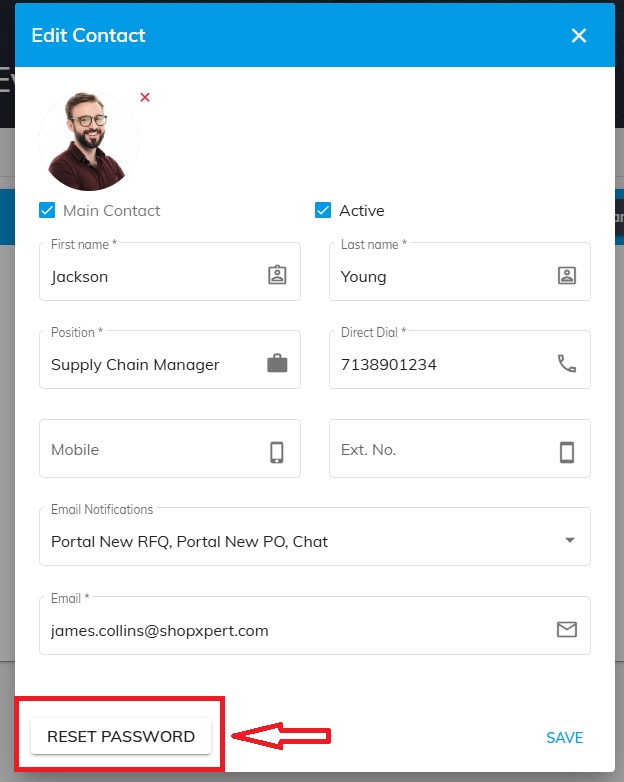
In the new window that opens select “RESET PASSWORD”.
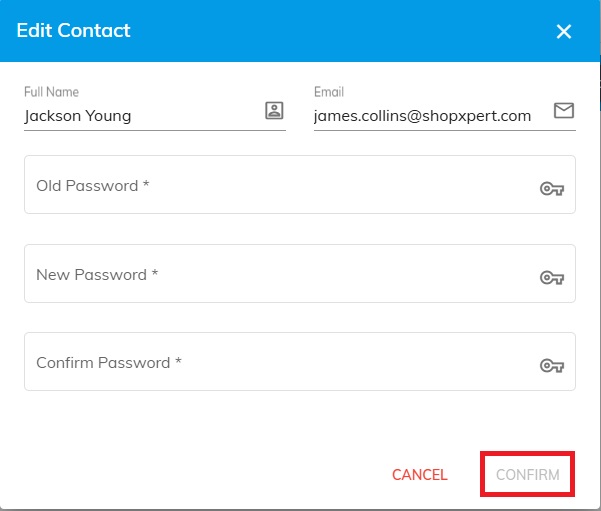
In order to enter a new Password you will have to enter your Old Password.
Was this article helpful?
Still stuck?
Ask Tessa in chatEmail supportTessa can point you to the right guide, or bring in a ShopXpert teammate.