
How to link Purchase Orders With Jobs
Correlate jobs with PO's to have all the information in one place.
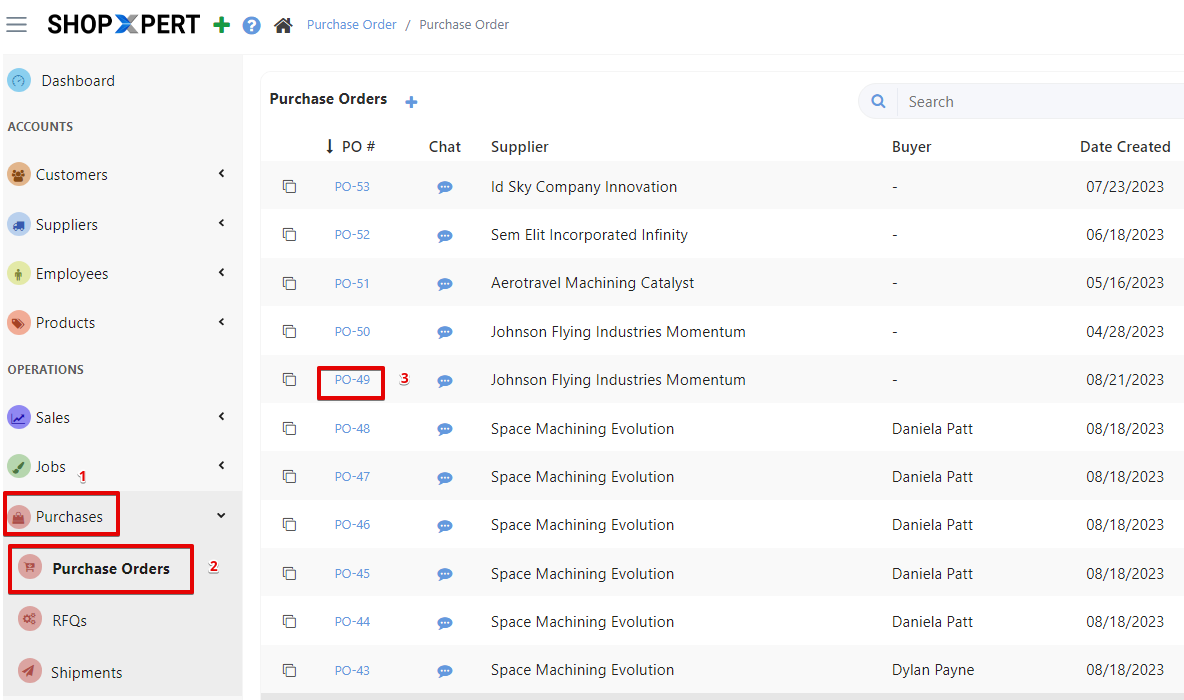
From Purchases list choose Purchase Orders.
Open your PO.
In the Details Tab go to job lines and click on Add Job Costs. 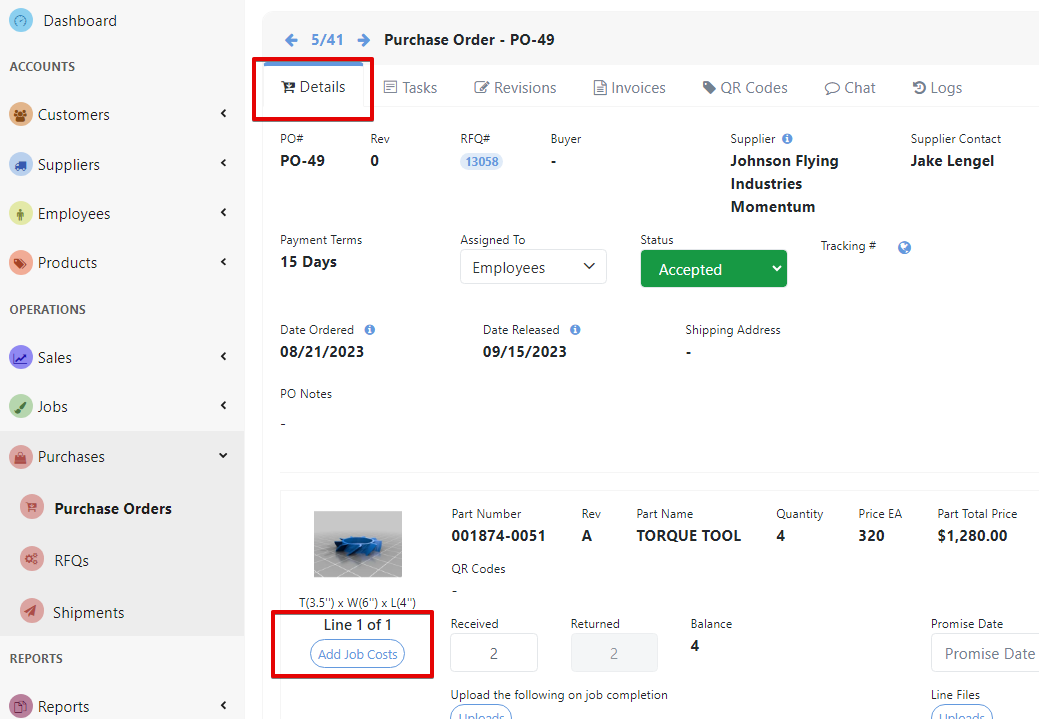
Select your job from the search list to correlate the job with the PO.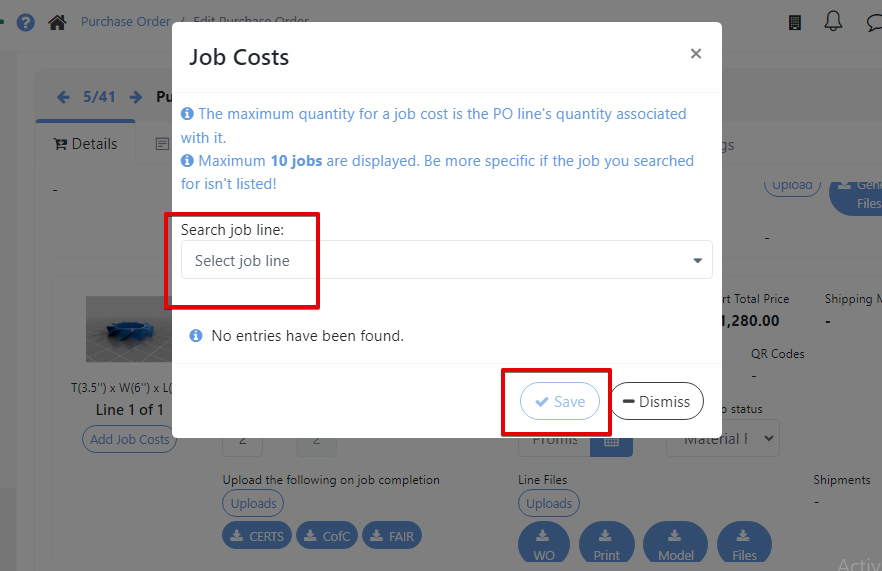
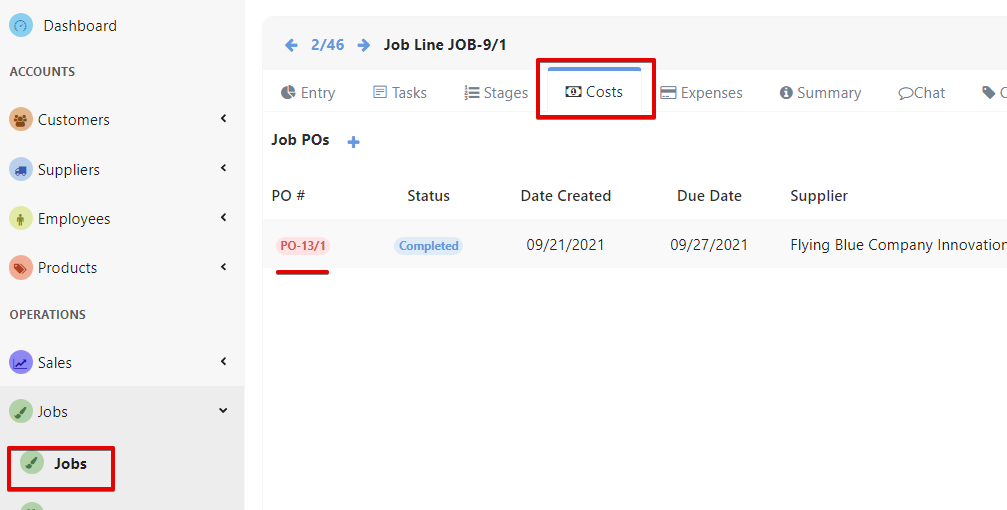
Now the PO can be easily accessed from Job’s page, in Costs Tab.
Was this article helpful?
Still stuck?
Ask Tessa in chatEmail supportTessa can point you to the right guide, or bring in a ShopXpert teammate.