
How to use RFQ Chat - App View
Directly message Suppliers about specific Request for Quotes using our built in chat feature.
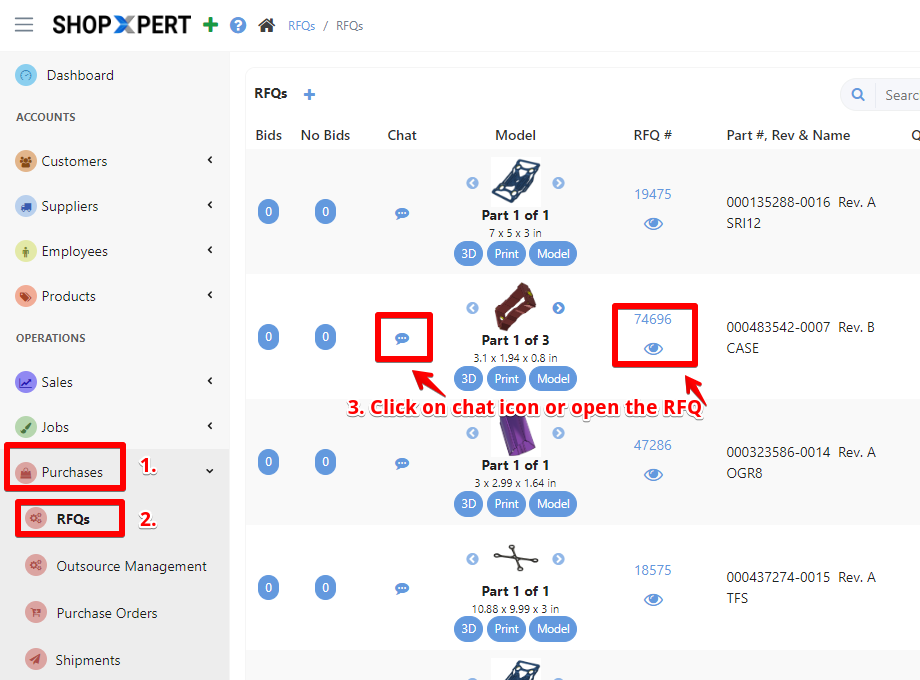
To initiate conversations and send messages with your suppliers for specific RFQ go to Purchases List and choose RFQs.
Open your RFQ and follow the next steps.
**Or you can click on chat icon [3] and type your message directly
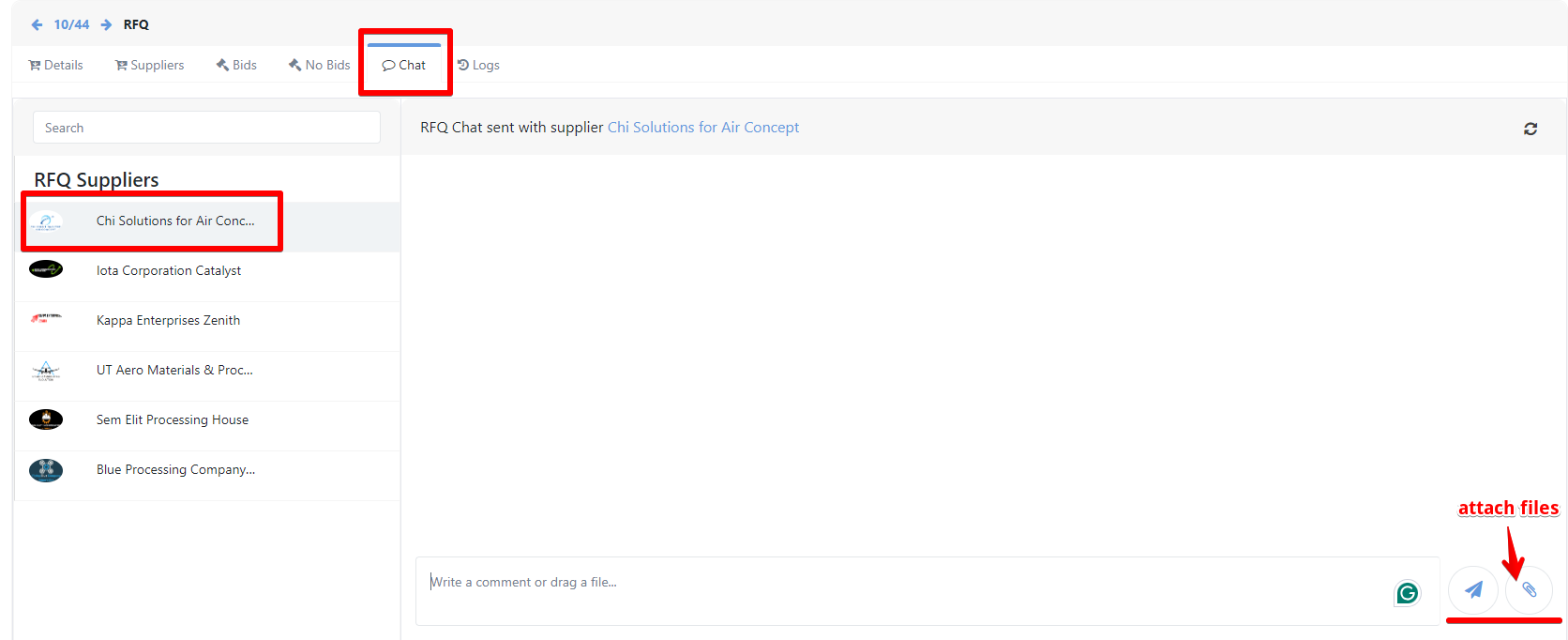
Go to Chat tab. Here you can directly message your Supplier about prices or certain job details before placing your bid. Select the supplier you want to send the message to, write your message in the Typing Box and Attach when necessary.
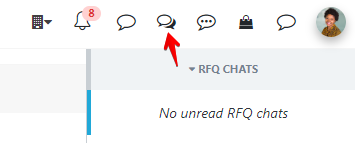
New message notifications will appear in the upper right corner of the ShopXpert Portal, regardless of the menu you are on.
Tessa can point you to the right guide, or bring in a ShopXpert teammate.