
How To Give An Employee a Chance To Re-Take Course Test
By following these steps, you can easily give an employee another opportunity to pass the test and complete their course.
Access the Academy page:
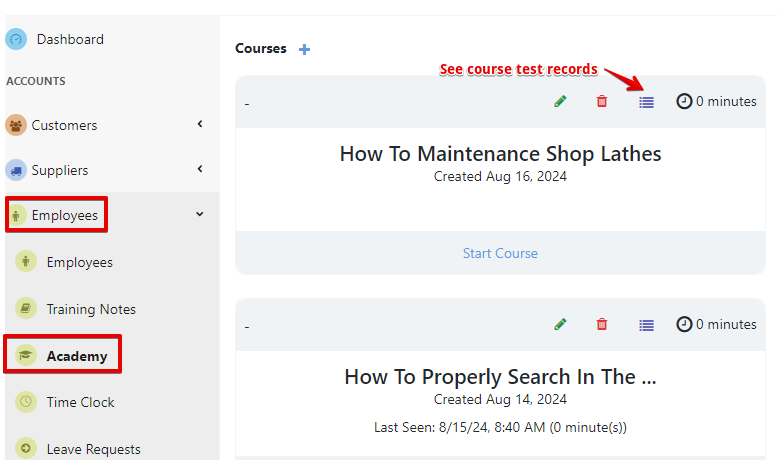
- Select “Employees” and open the “Academy“ page
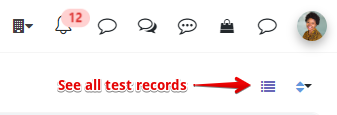
- Click on “see course test records” for a specific course or click “see all test records” to access all the results.
Find the Employee’s Test Attempt:
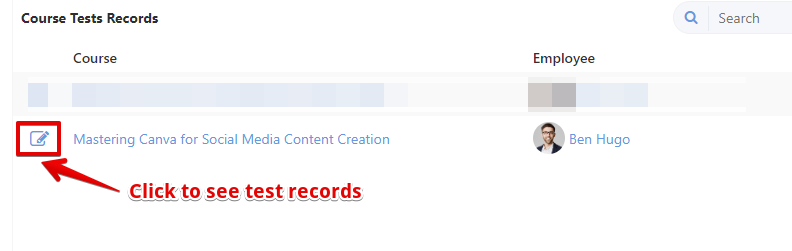
- Search for the employee’s test submission in the list of completed or failed tests.
- Click on their submission to view the details.
Enable a Retake:
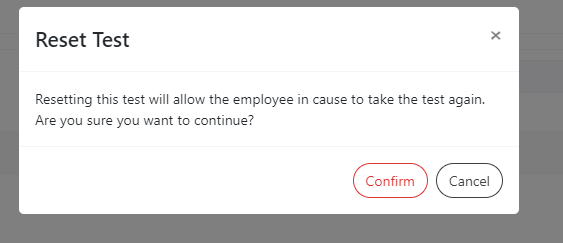
- Look for an option like “Reset Test.”
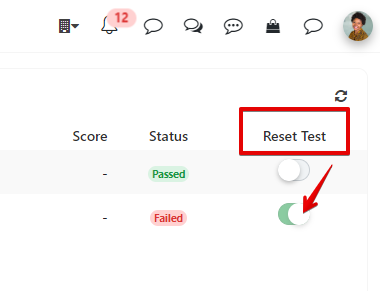
- Confirm your selection to clear the previous attempt, allowing the employee to take the test again.
Read HERE for more information on how the learner sees the test result.
Was this article helpful?
Still stuck?
Ask Tessa in chatEmail supportTessa can point you to the right guide, or bring in a ShopXpert teammate.