
How to Link RFQ's with Jobs
Correlate jobs with RFQ's to have all the information in one place.
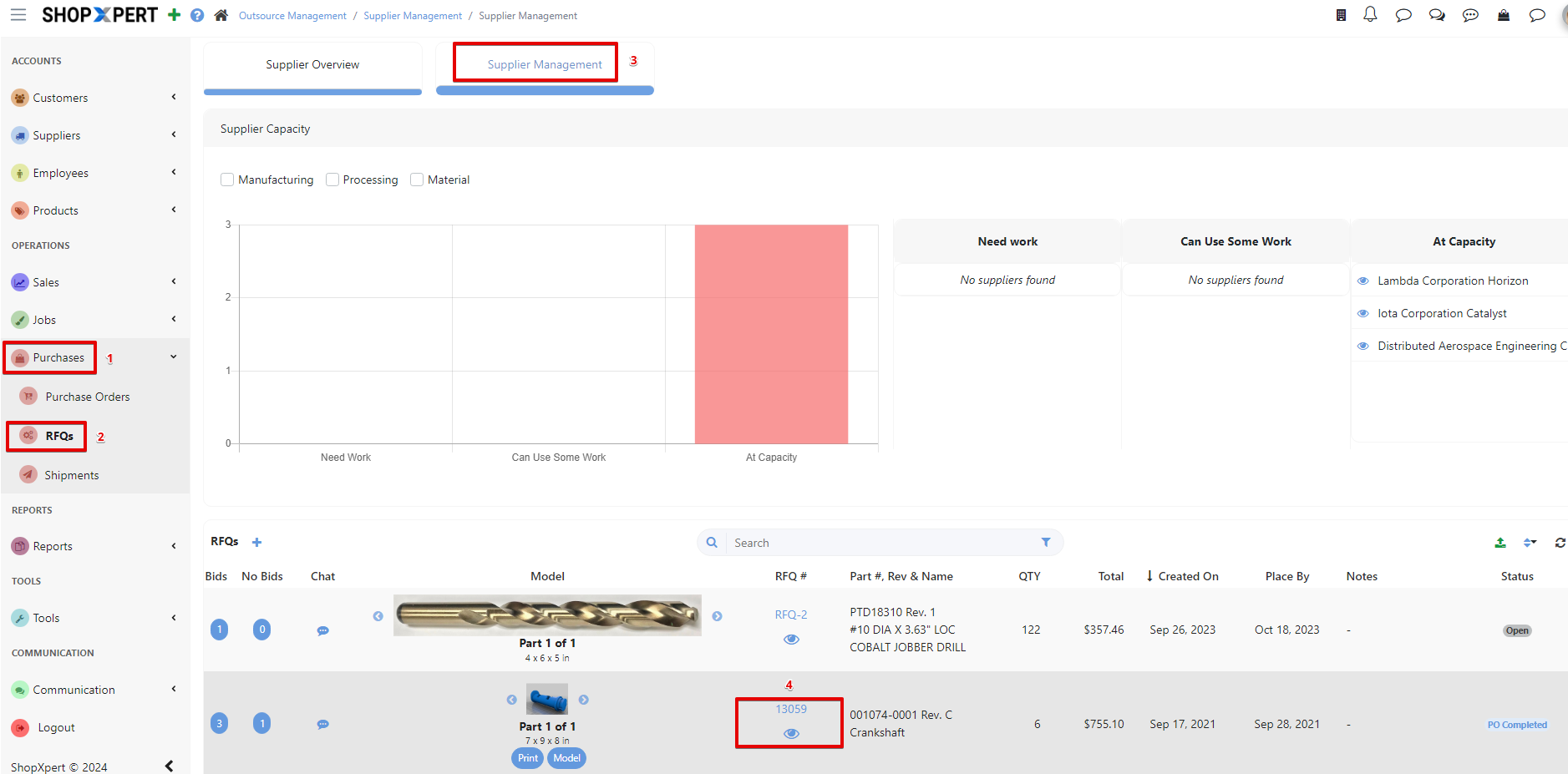
From Purchases on the main navigation panel go to RFQs > Supplier Management . Choose your RFQ and enter it by pressing the eye icon.
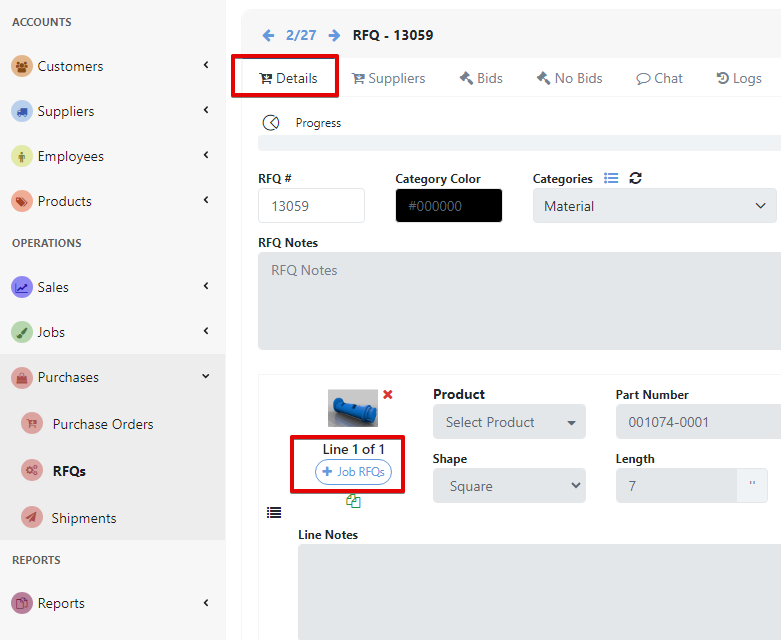
On the Details tab go to Lines and click on +Job RFQ. If the RFQ has multiple lines, correlate all RFQ lines with the corresponding Job lines.
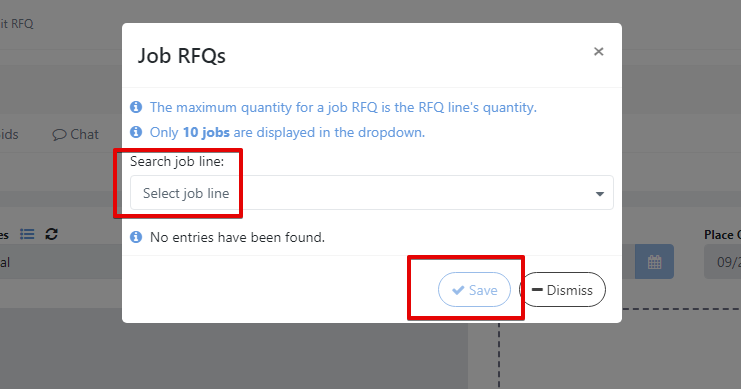
Select your job line from the search list and save. The form will also ask you to fill the quantity of your order.
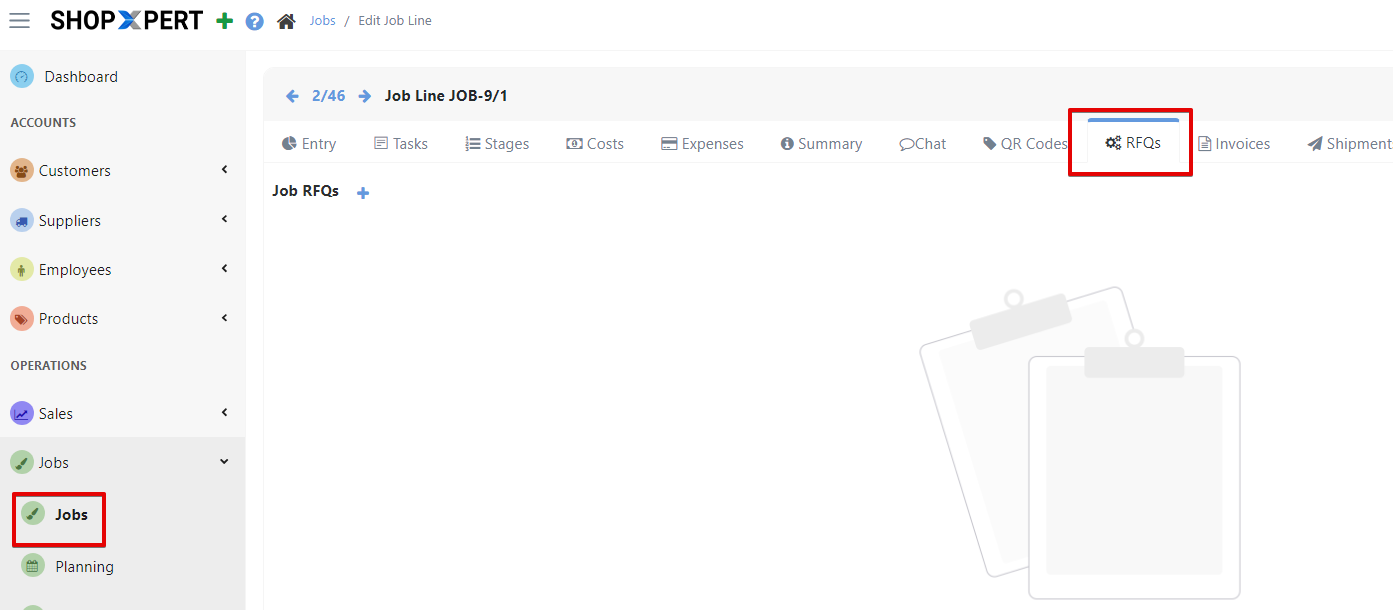
Now the RFQ can be easily accessed from Job’s page, in RFQs Tab.
Was this article helpful?
Still stuck?
Ask Tessa in chatEmail supportTessa can point you to the right guide, or bring in a ShopXpert teammate.