
How To Use Purchase Order Chat - App View
Directly message Suppliers about specific Purchase Orders from using built in PO chat, where all conversations about certain purchase orders will be linked toge
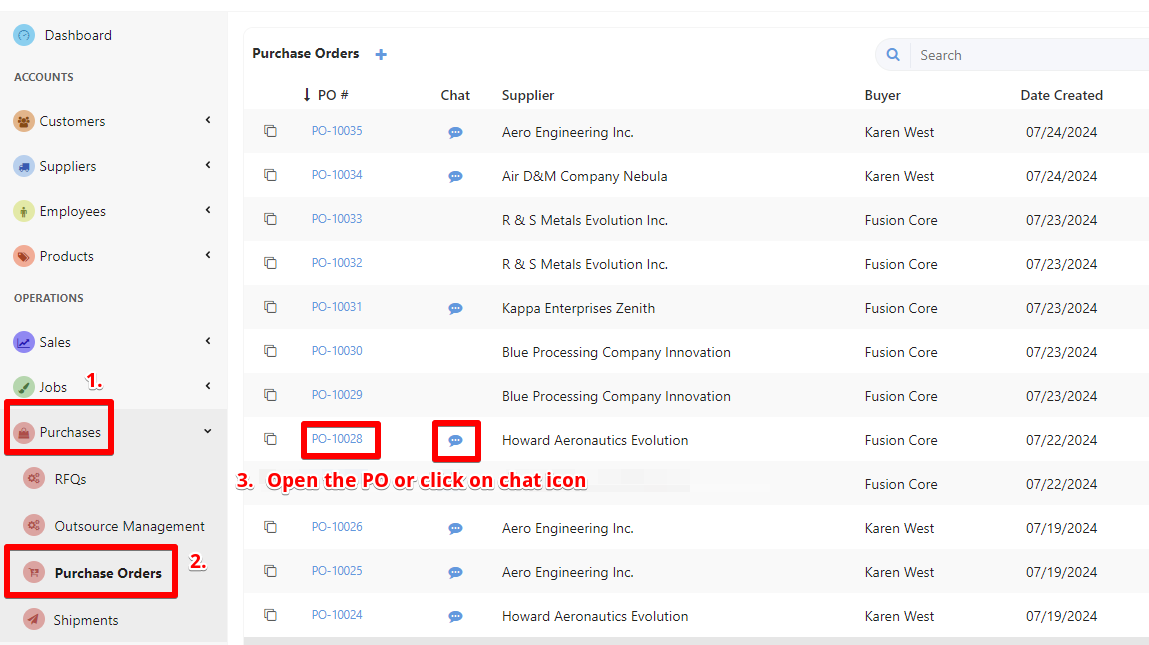
To initiate conversations and send messages with your suppliers for specific purchase orders go to Purchases List and choose Purchase Orders.
Open your desired PO and follow the next steps.
**Or you can click on chat icon [3] and type your message.
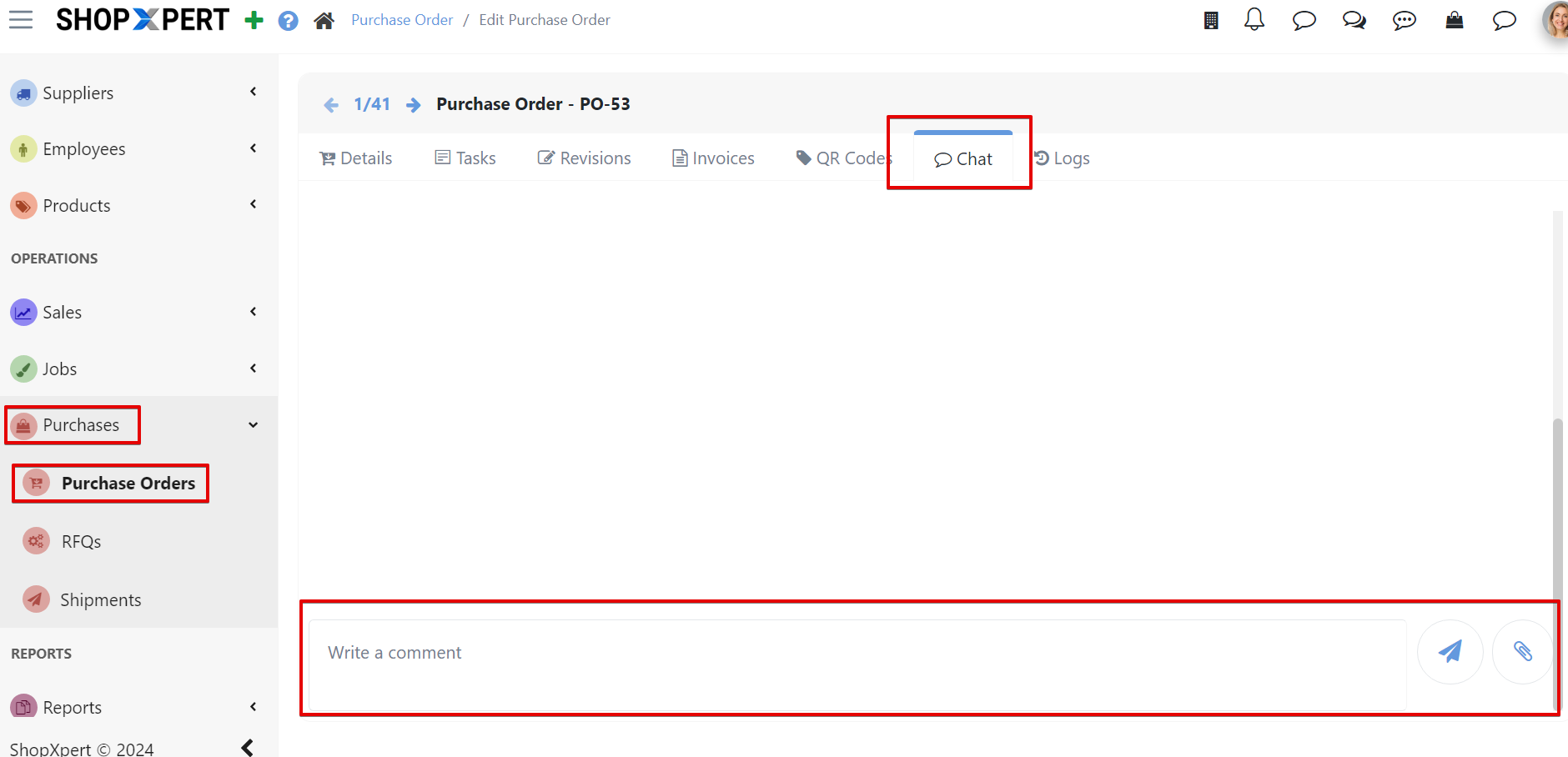
Go to Chat tab. Here you can directly message your Supplier regarding any questions about the PO you selected. Write your message in the Typing Box and Attach files if needed.
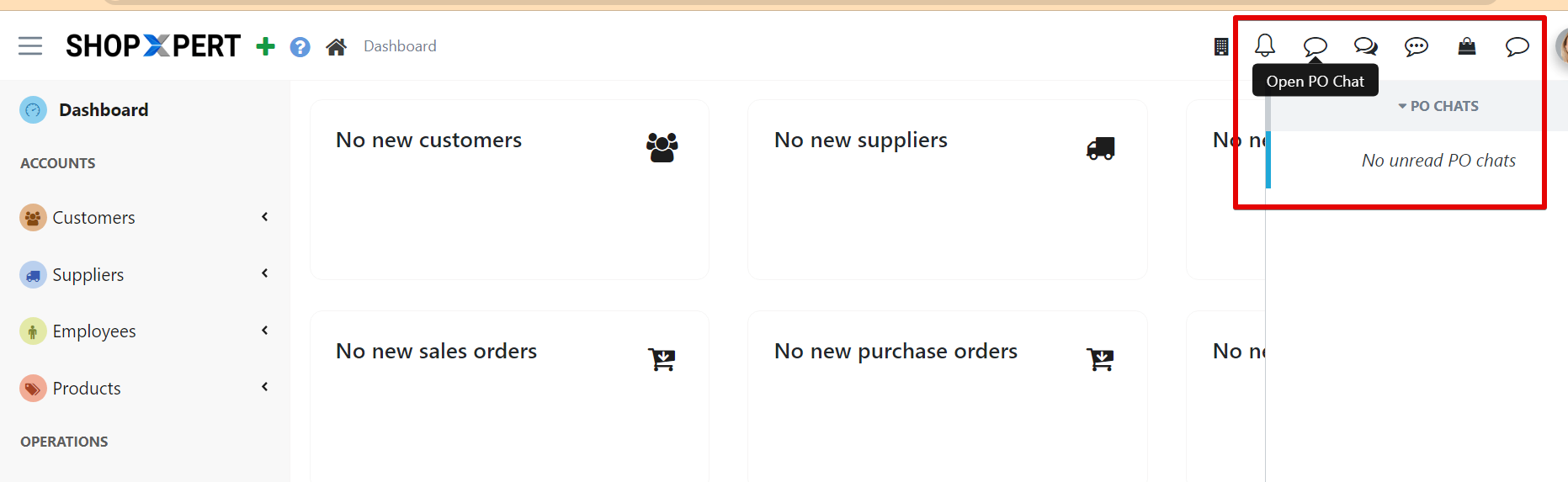
New message notifications will appear in the upper right corner of the ShopXpert App Portal when logged in, regardless of the menu you are on.
Tessa can point you to the right guide, or bring in a ShopXpert teammate.