
How To View Test Results
How to view your test results for a course in ShopXpert Academy
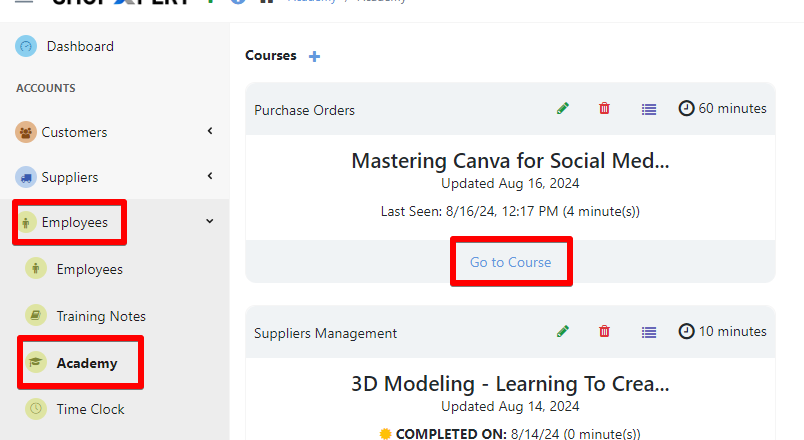
Access the Academy page:
- Select “Employees” and open the “Academy“ page
- Click on “Go to Course” for a specific course and click to see your score
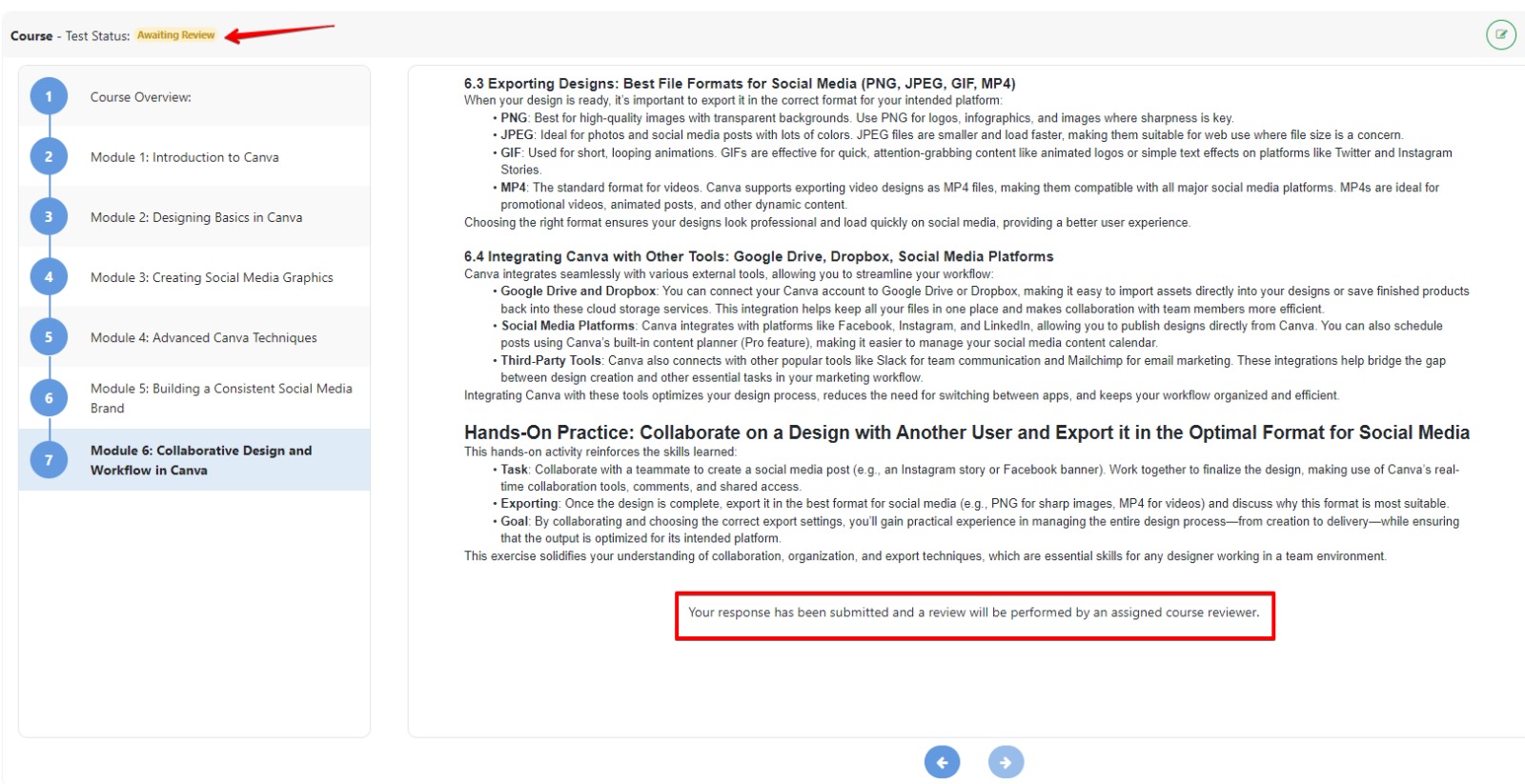
If the reviewer hasn’t evaluated your test yet, the status will show as Awaiting Review
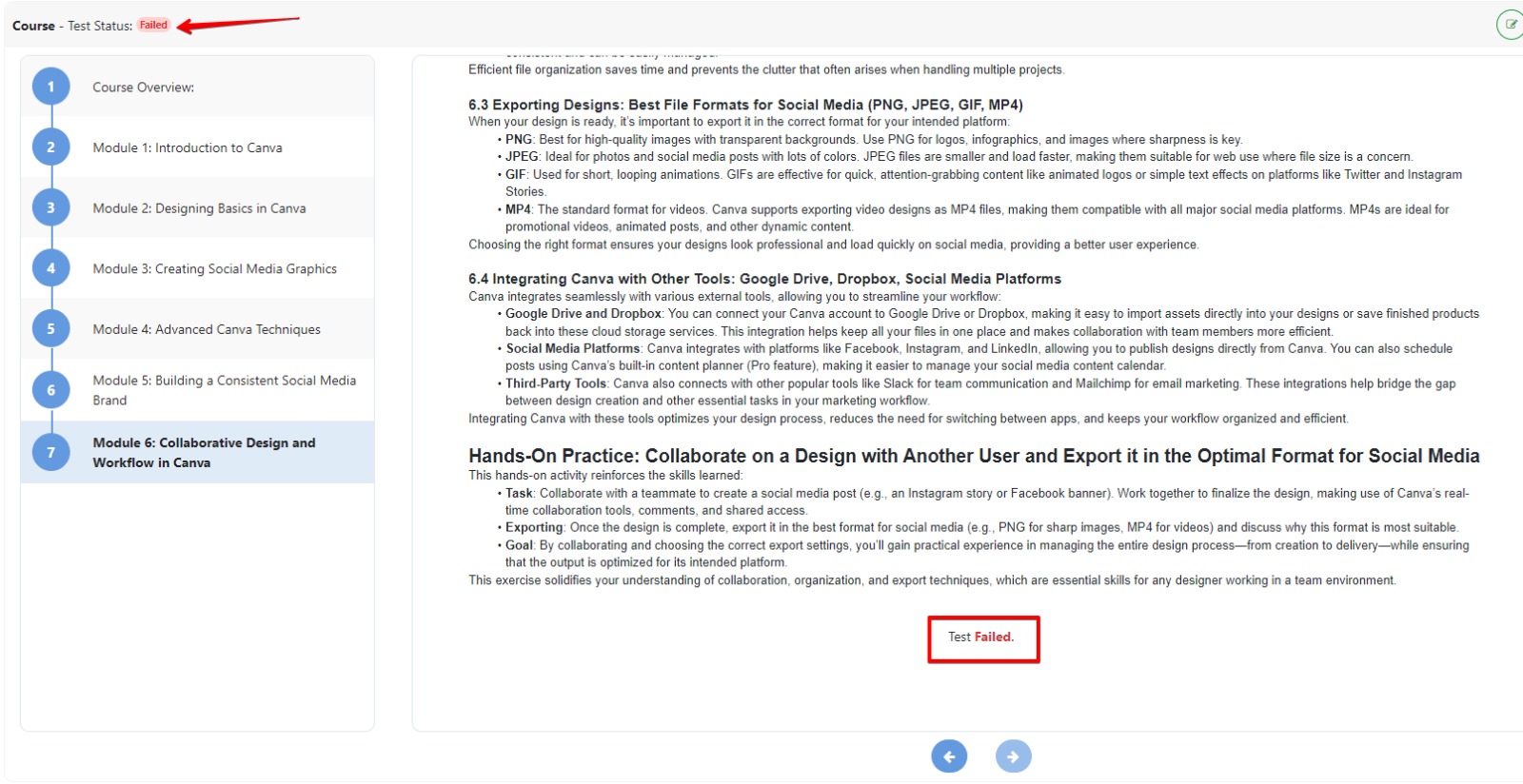
You can view your test results even if you didn’t pass. The test status will be Failed. You can retake the test if the reviewer approves.
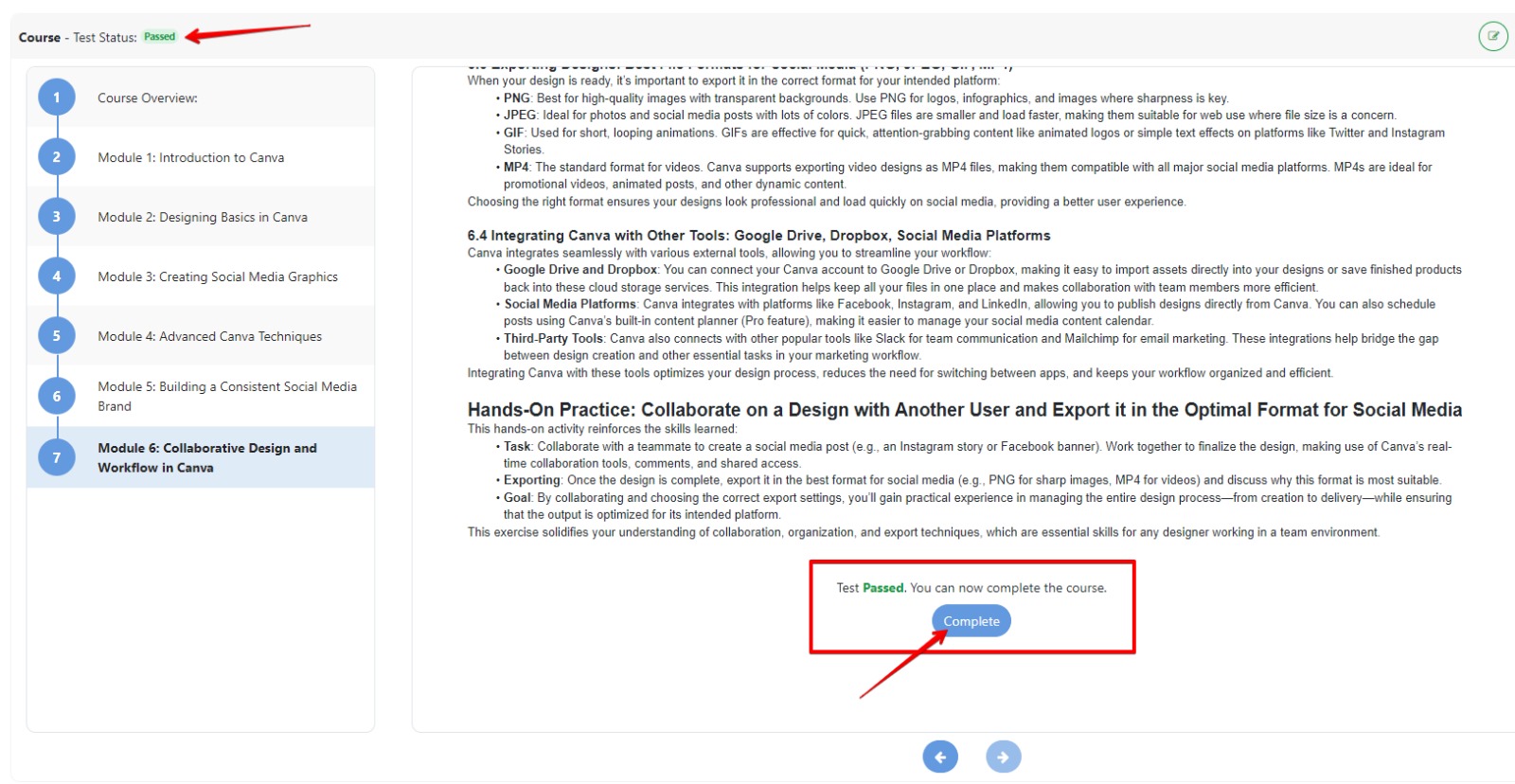
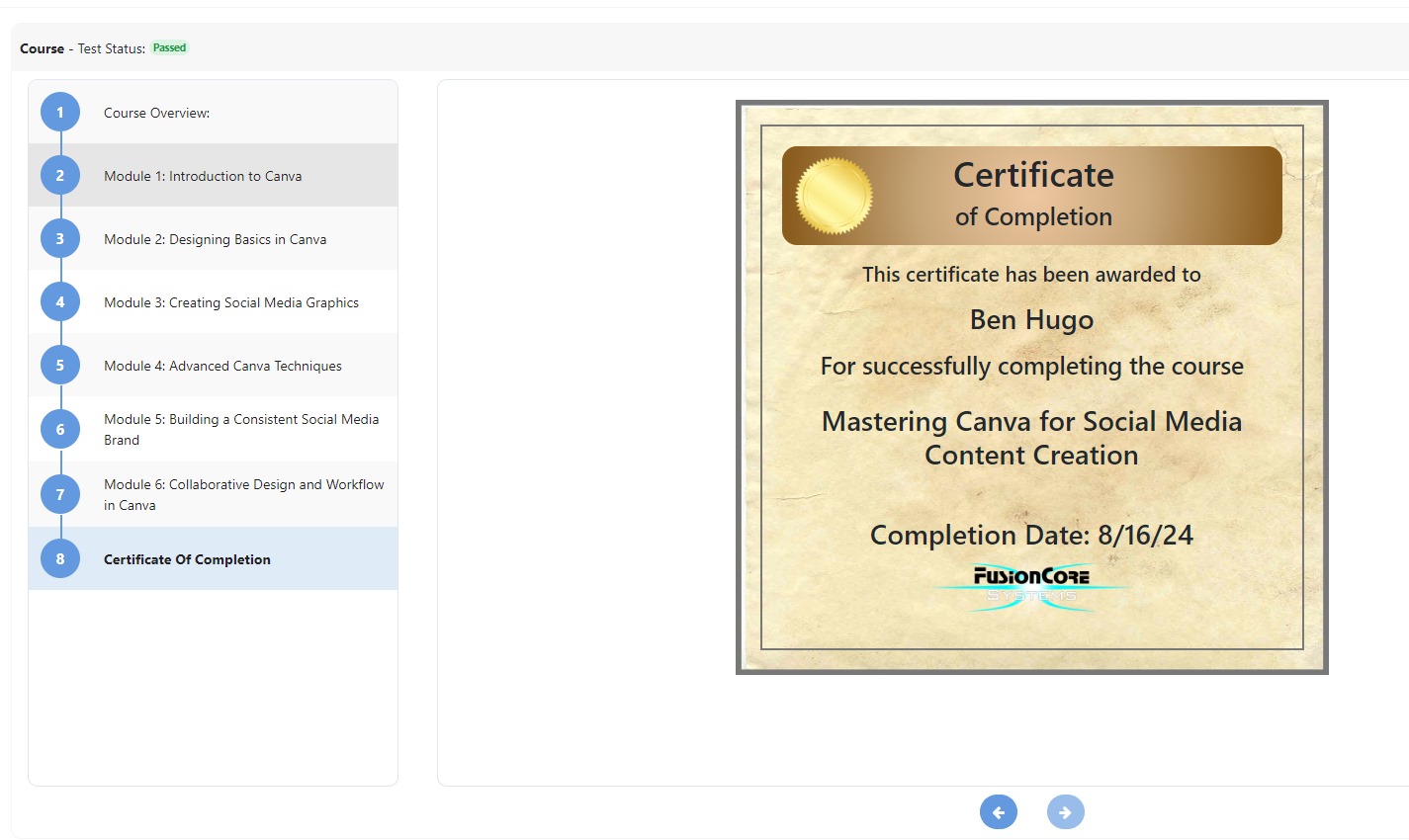
If the test status is Passed, you can complete the course and download your certificate.
Was this article helpful?
Still stuck?
Ask Tessa in chatEmail supportTessa can point you to the right guide, or bring in a ShopXpert teammate.